 Time and attendance tracking · SuiteHub family
 Your team hours, without sign-in sheets.
Everyone clocks in from their own phone through a personal link: a selfie taken on the spot, their location checked against the site geofence, and the time taken from the server. The office sees the whole week, fixes what needs fixing leaving a trail, and approves it. Made in Panama 🇵🇦
😩 Sign-in sheets, screenshots of a phone clock and hours nobody can verify at the end of the pay period?
Every hour is recorded where and when it happened
The employee clocks in on their phone and the system stores the selfie taken at that moment, the distance to the site and the server time. Whatever doesn't add up is flagged instead of quietly becoming paid hours.
What it looks like inside
Clocking in
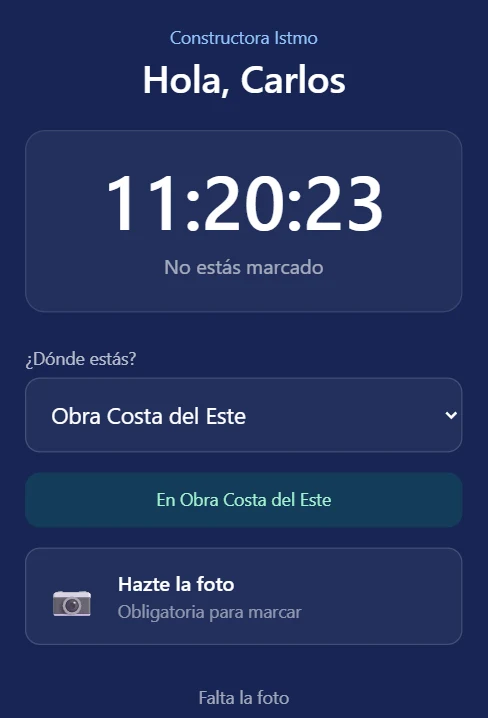
Clocking in takes seconds, from a personal link
Each person gets their own link. They open it, pick where they are, take a selfie and clock in. No app to install and no password to remember.
- One link per person, no accounts or passwords
- The selfie is taken live, not picked from the gallery
- The site is recognized on its own inside the geofence
What the office sees
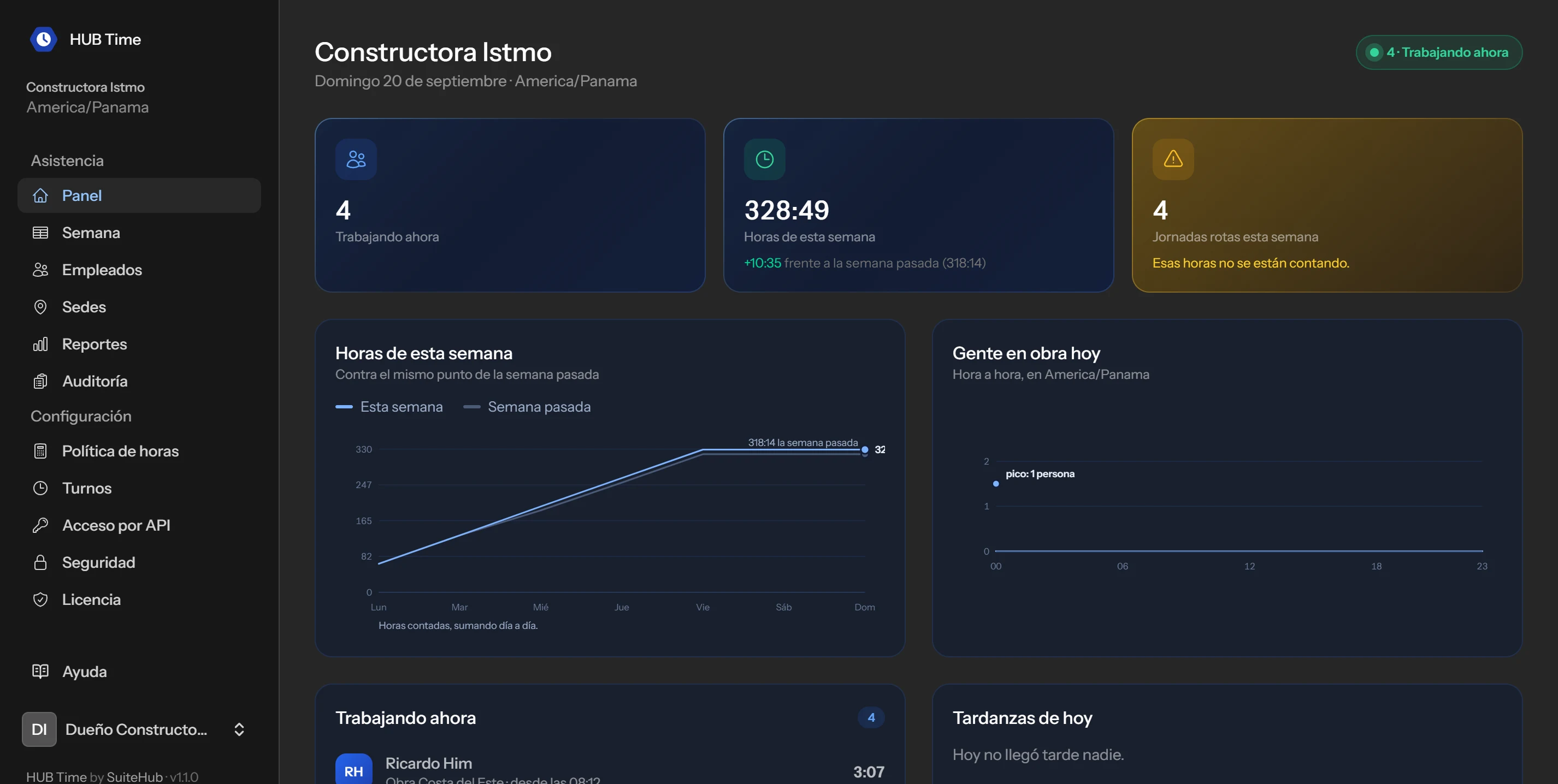
Who is working right now
When you open the system you see how many people are clocked in, this week's hours against last week's, who was late today and which shifts were left broken.
- This week's hours compared with last week's
- People on site, hour by hour
- Broken shifts are flagged, never filled in
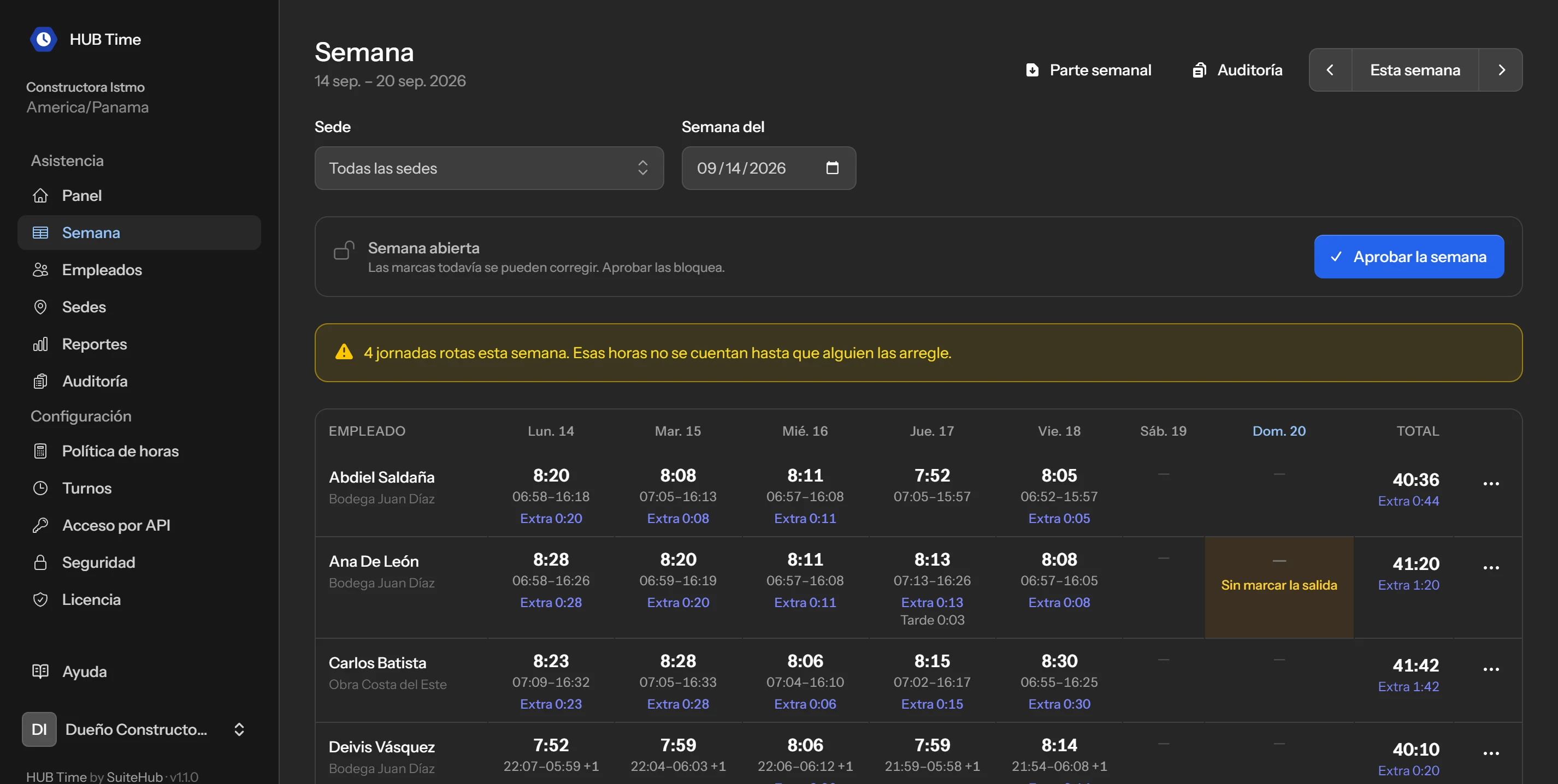
The whole week on a single screen
One row per person and one column per day, with the hours of each shift, overtime and late arrivals. Shifts that cross midnight are counted where they belong.
- Totals per person and per day
- A shift with no clock-out is flagged, not invented
- Approving the week locks it
Setting it up
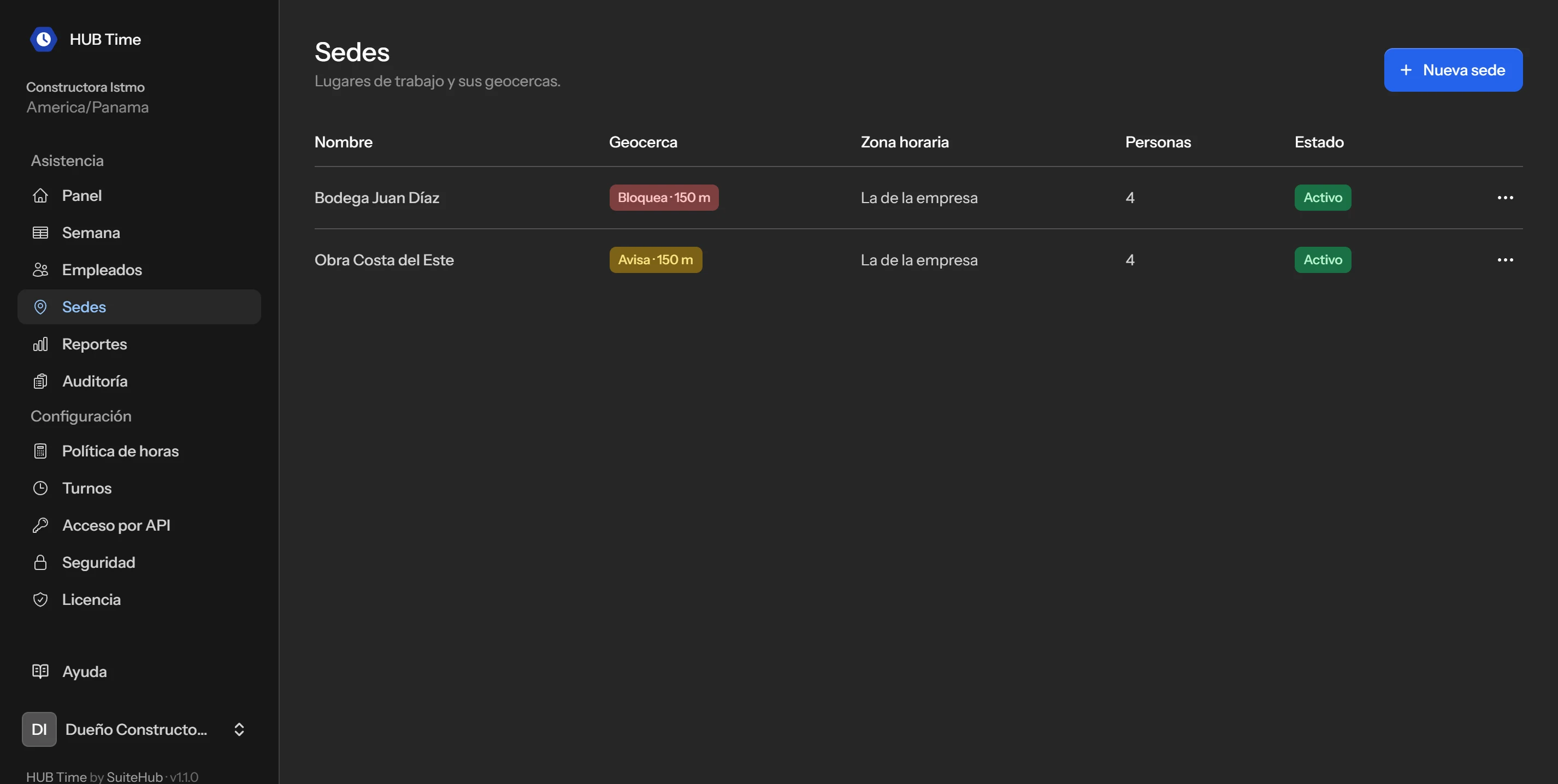
A geofence for every work site
Each site has its point, its radius and its time zone. You can warn when someone clocks in outside the radius, or stop them from clocking in at all.
- Radius in meters per site
- Warn or block, site by site
- Each site with its own time zone
Credentials you hand out and keep track of
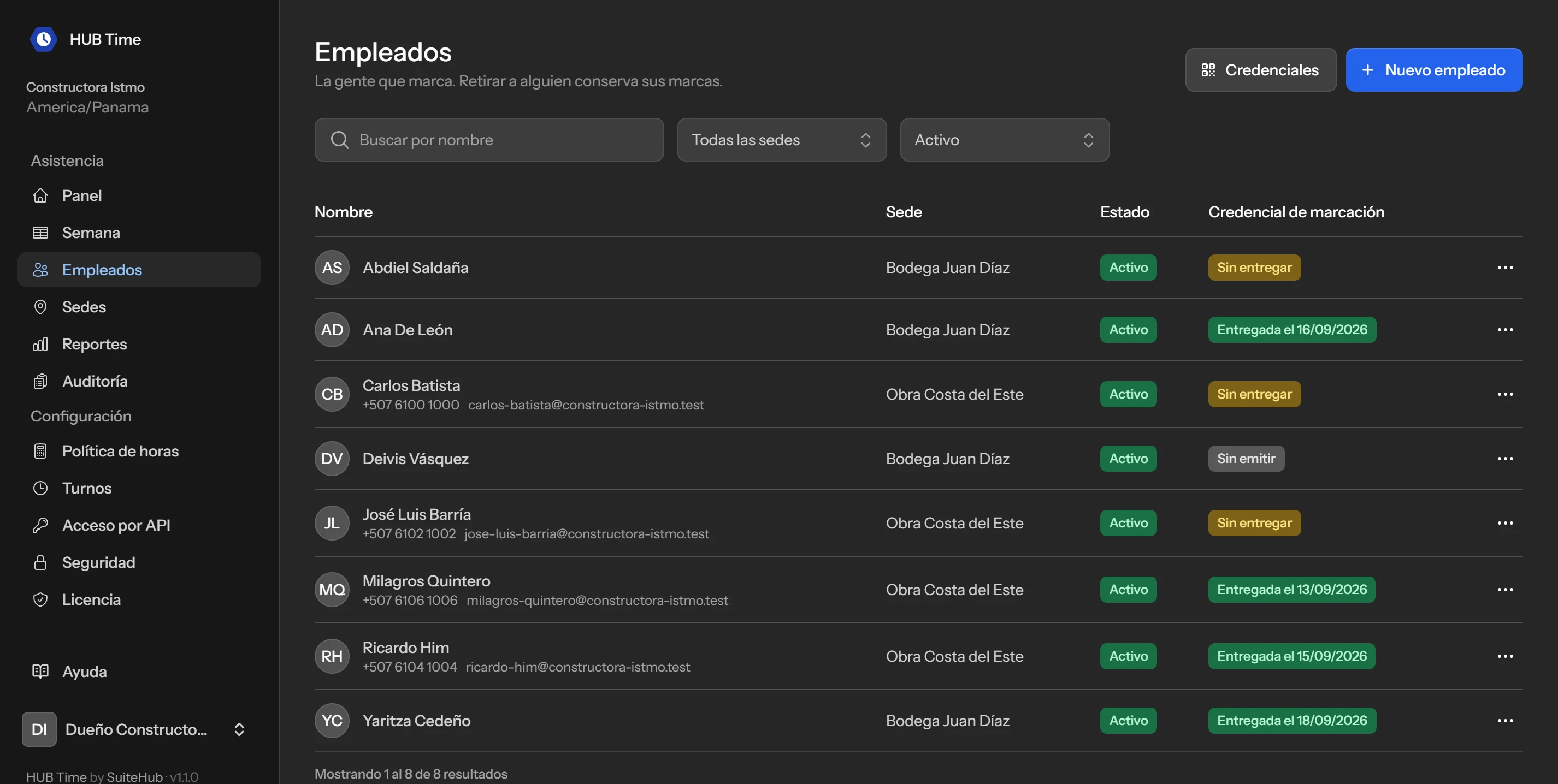
You add the person, assign their site and hand them their clock-in credential. If someone leaves the company, you retire them without losing their record.
- You can see who has their credential and since when
- It can be reissued at any time
- Retiring someone keeps their history
Staying in control
Reports that match what you pay
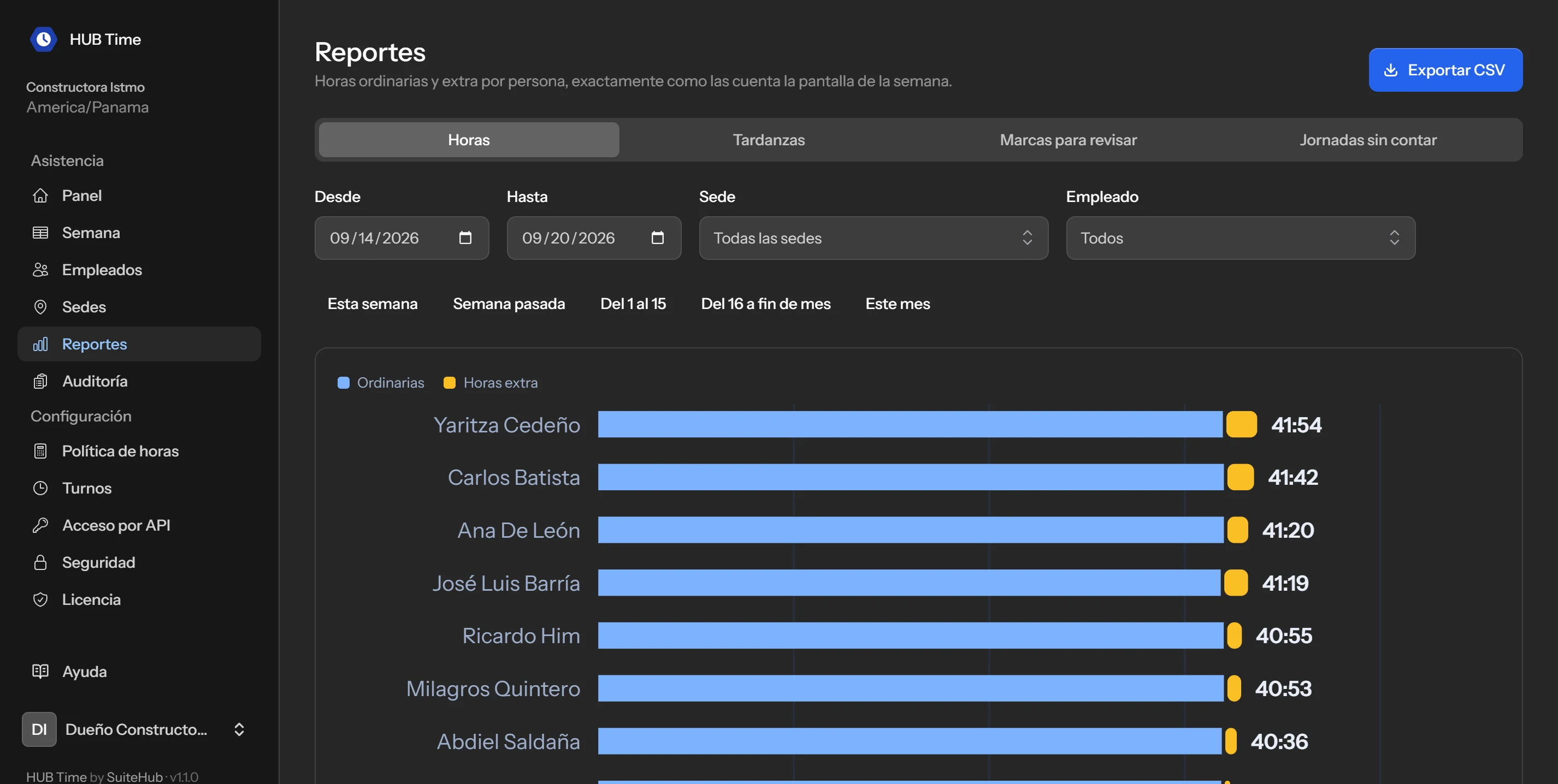
Regular and overtime hours per person, late arrivals, punches to review and shifts that are not counted. The same numbers as the week screen, ready to export.
- Filters by date, site and person
- CSV export
- API and signed webhooks to connect it with the rest
HUB Time features
+ Several companies in one installation, office roles, an in-app manual and bilingual Spanish / English.
Does your team work away from the office?
We show you HUB Time with your sites and your schedule. We load your team, draw the geofences and leave the credentials handed out. Contracted by number of active employees, in plans with their own cap. The details are on the plans page.
- No clocks or readers to buy and wire
- Works with the phones your team already has
- Every correction leaves a trail of who and when
- Several sites, each with its own time zone
- Bilingual Spanish / English
Ready to close the pay period without arguing about hours?
We'll do a demo with your sites and your team, no strings attached.
Book your demo