 Auto-repair shops · SuiteHub family
 HUB Taller
Check cars in by plate number, let customers approve quotes and follow their car’s progress from their phone, have mechanics work from their own phones, and remind customers when it’s time to come back.
😩 Checking cars in on a notepad, sending quotes over WhatsApp, and nobody sure what the customer approved?
From intake to invoice, every car on a single order
Plate-based intake with a printed receipt, a status board, quotes the customer approves from their phone, WhatsApp updates ready to send, e-invoicing at checkout and reminders that bring customers back. Made in Panama 🇵🇦
What it looks like inside
Inside the shop
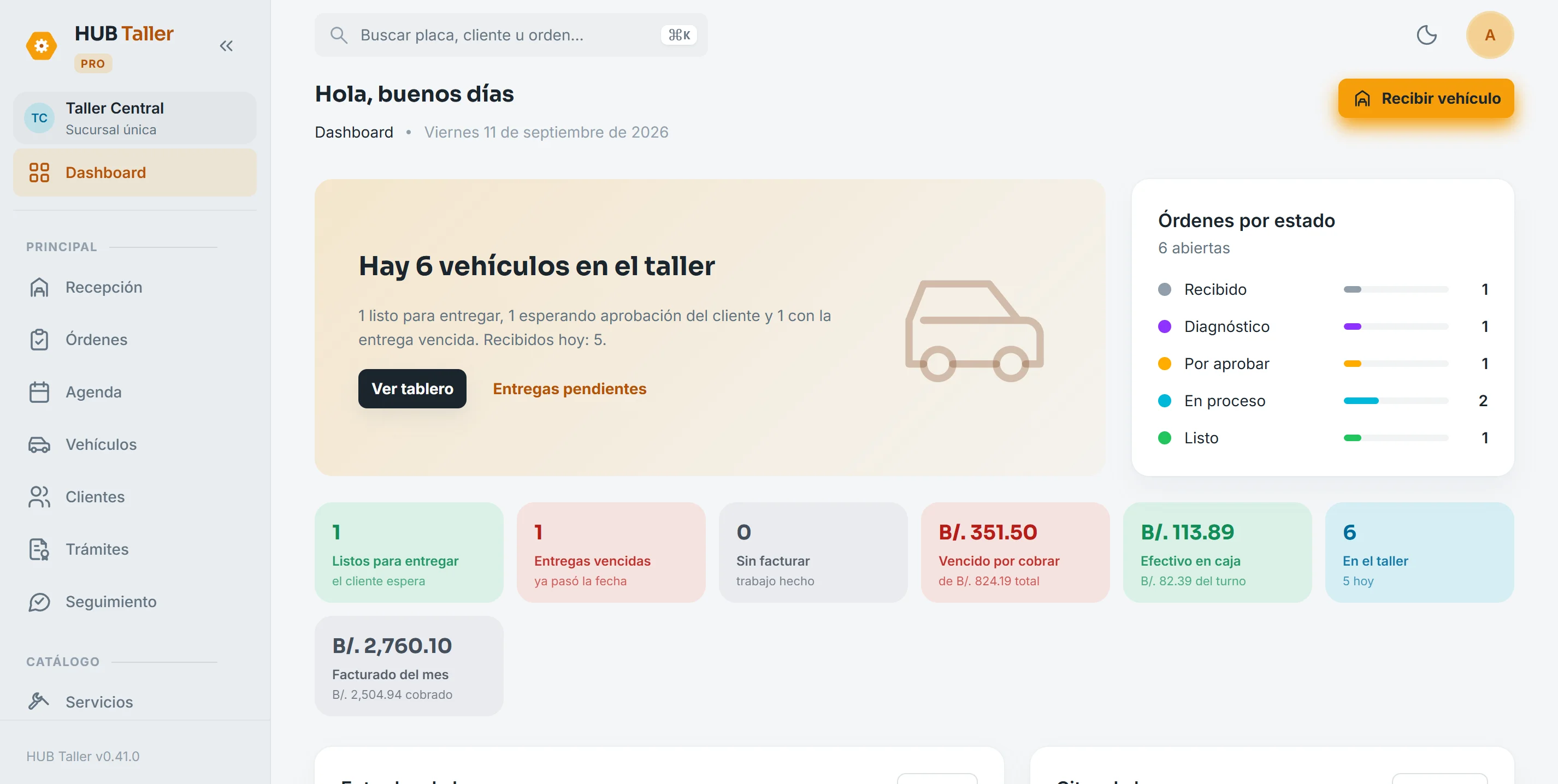
Your shop at a glance
Open the system and you’ll see how many vehicles are in the shop, which ones are ready for pickup, which are waiting for the customer’s approval and what you’ve billed this month. No need to walk the floor to find out.
- Open orders by status
- Overdue pickups and unbilled work
- Cash in the drawer and what you’re owed
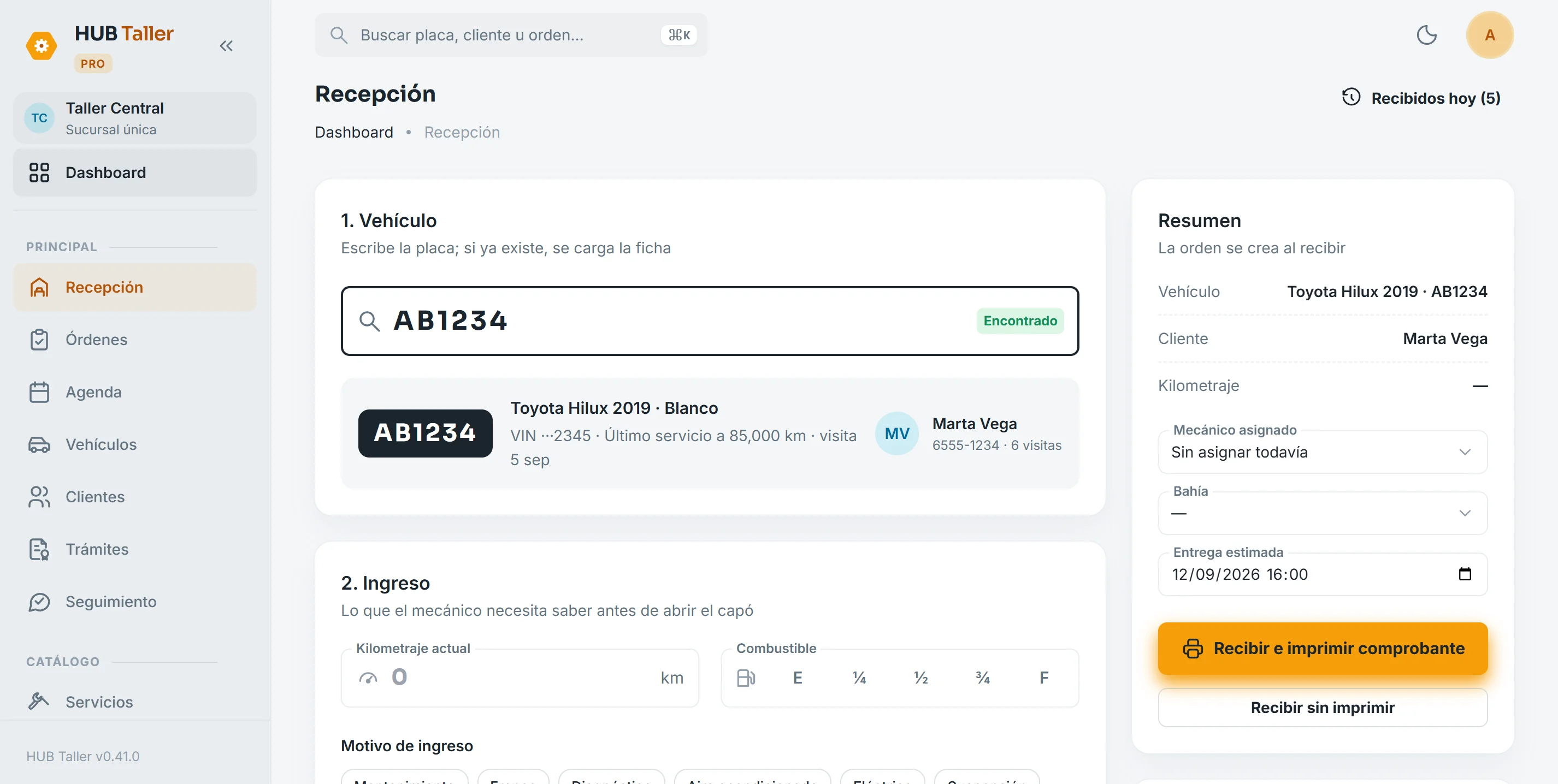
Two-step intake
Type the plate and the vehicle record appears with its owner and last service. Log mileage, fuel level, reason for the visit, a walk-around checklist and photos, then print the 80 mm receipt for the customer.
- If the plate isn’t on file, create the customer and vehicle without leaving the screen
- Printed receipt with the intake data
- The order starts with a number (OT-0001) and an assigned mechanic
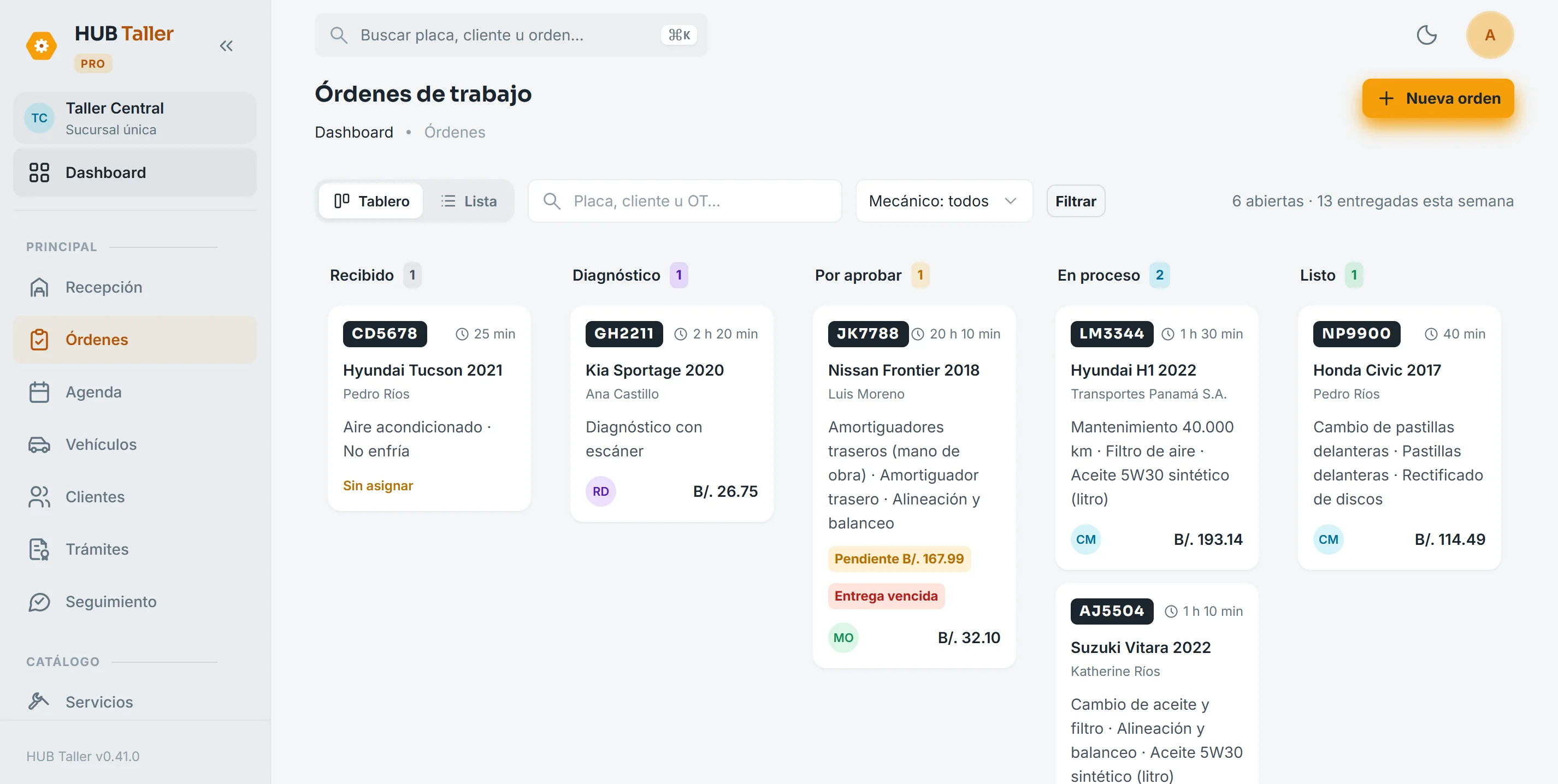
Status board
Each column is a status: received, diagnosis, pending approval, in progress and ready. Assign mechanics and see how long each car has been in. Filter by plate, customer or mechanic.
- Time in shop on every card
- Pending approvals and overdue pickups flagged
- Board or list, whichever you prefer
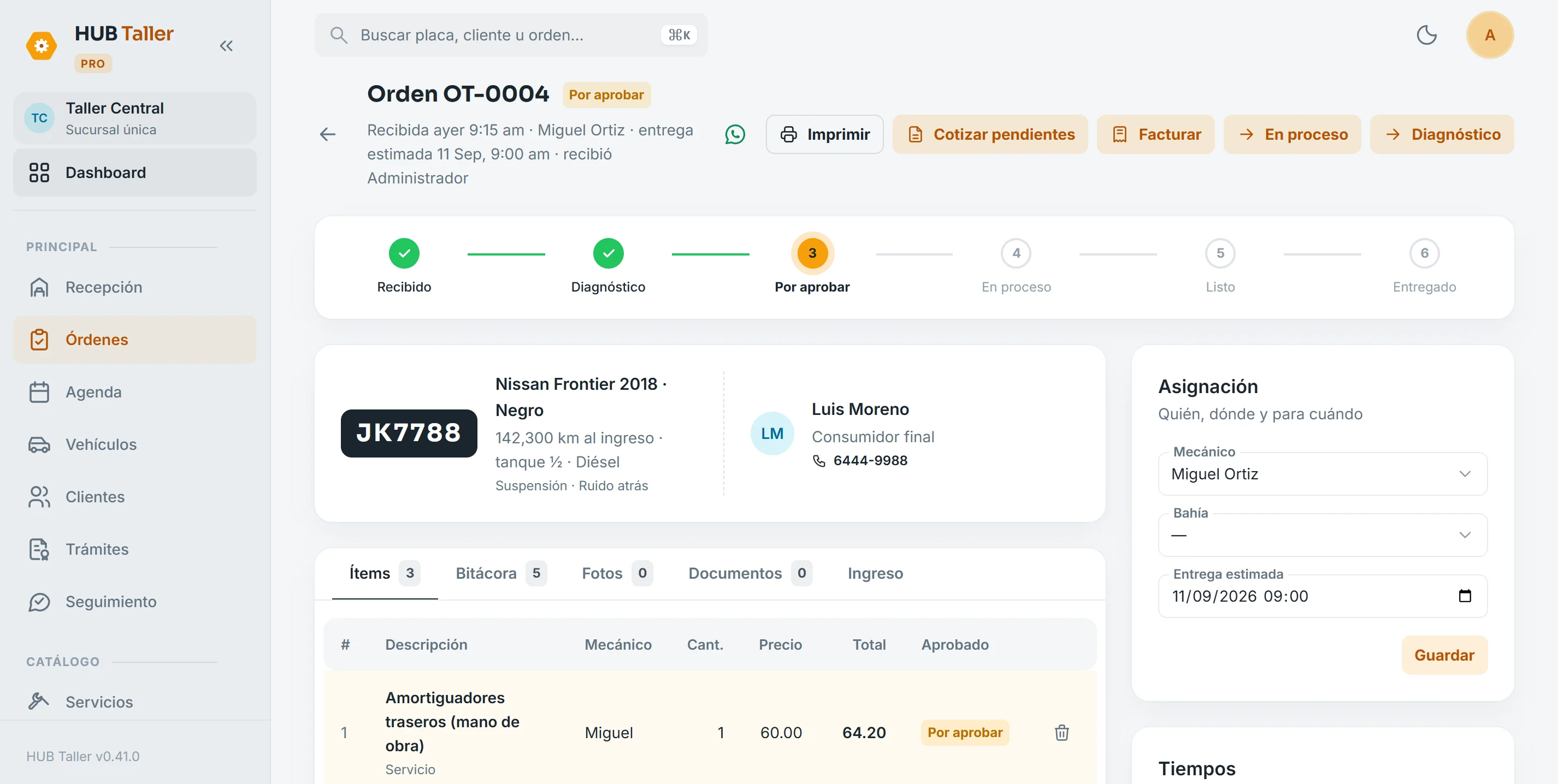
The order: items, approval and log
Services, parts and labor, each with its tax and who approved it. The log records every step with a timestamp. From here you quote what’s pending and invoice what’s approved.
- An item is never invoiced twice
- Intake and diagnosis photos attached
- WhatsApp the customer: the message is ready and goes out in one tap
Vehicle record and history
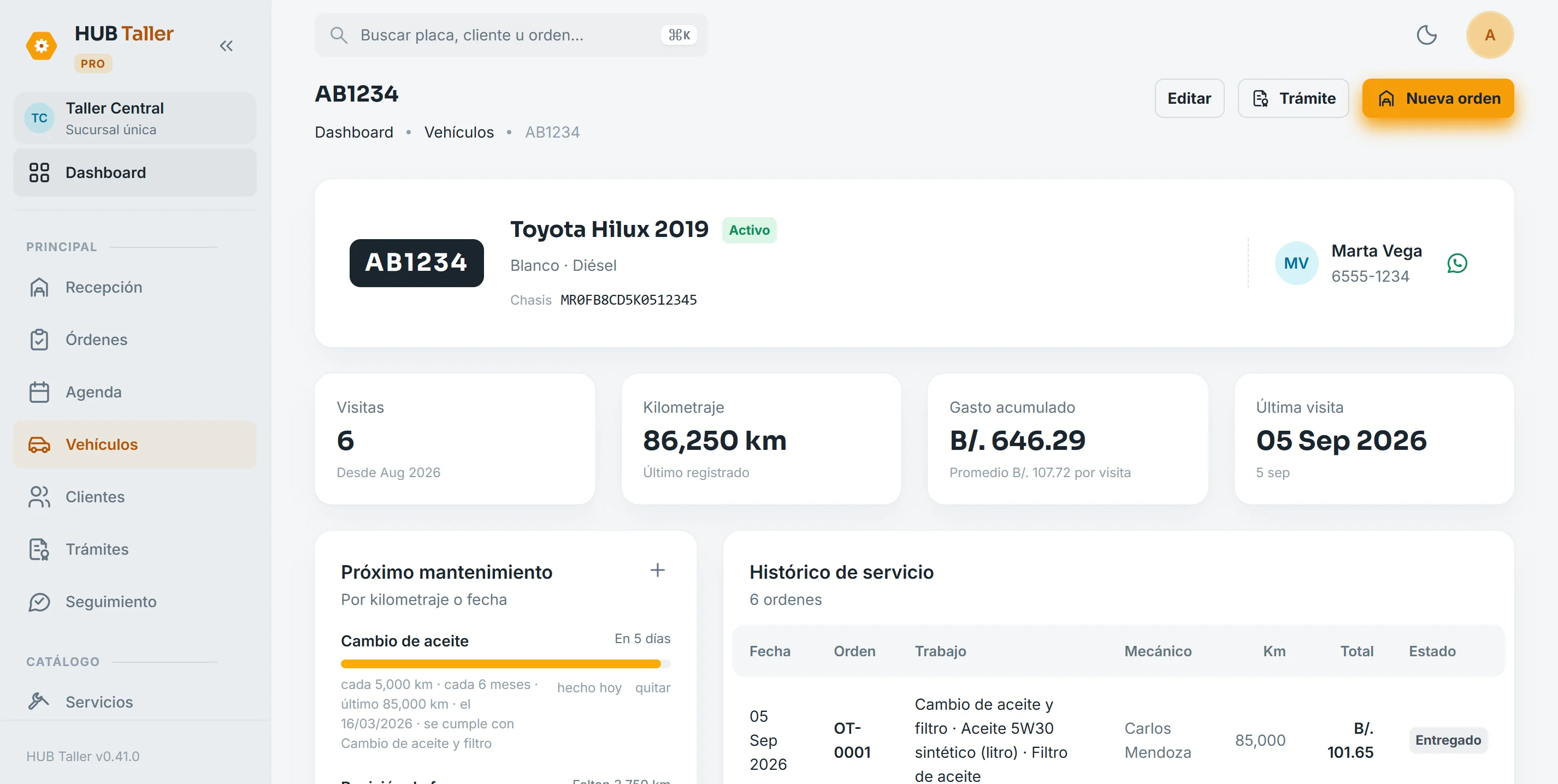
Visits, mileage, total spend and last visit, with the full order history. Maintenance plans by mileage or time update themselves when you deliver an order with that service.
- Progress by mileage and by date, whichever comes first
- The plan renews itself at delivery
- WhatsApp reminder in one tap
Customers know where things stand
The customer approves from their phone
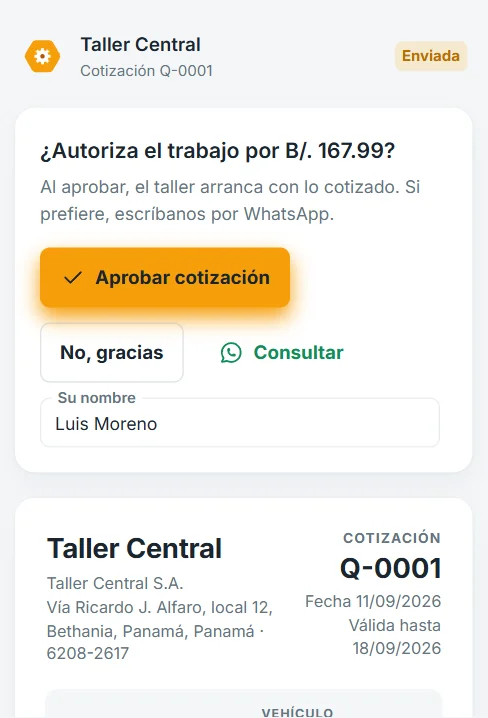
Send the link on WhatsApp and they see the fully itemized quote. They approve or decline with one tap, no account or app needed, and the order moves to “in progress” on its own.
- Link with expiry, no sign-up
- Approve, decline or ask on WhatsApp
- Who approved and when is recorded
Updates ready to send
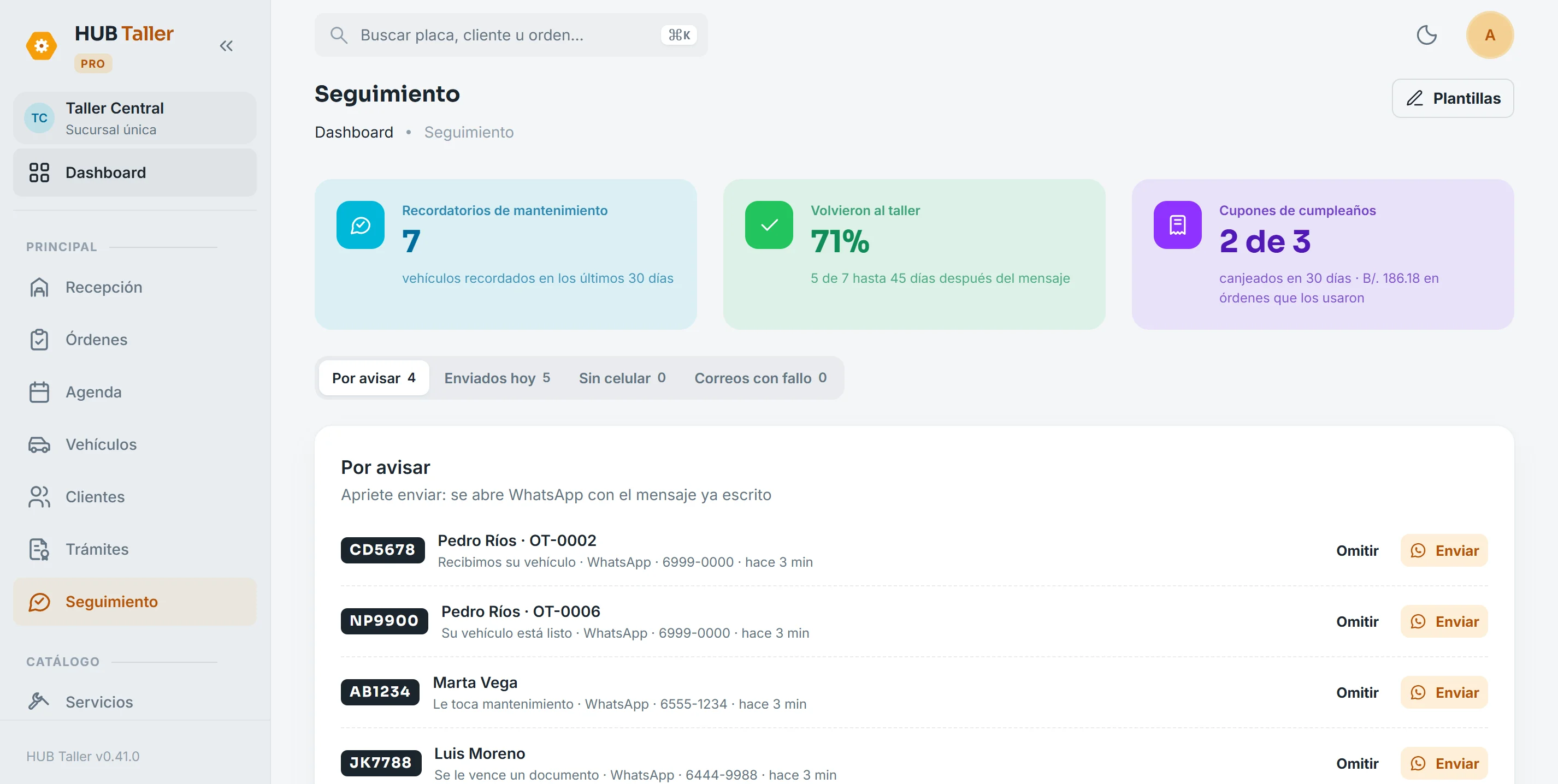
When you check a car in, when it’s ready or when maintenance is due, the message is already written in the “To notify” inbox. The message is ready and goes out in one tap; if the customer has an email, the email goes out on its own.
- Check-in, ready, reminders and renewals in one place
- Templates filled in with the order and your shop’s details
- A record of what each customer was sent
“How’s my car doing?”
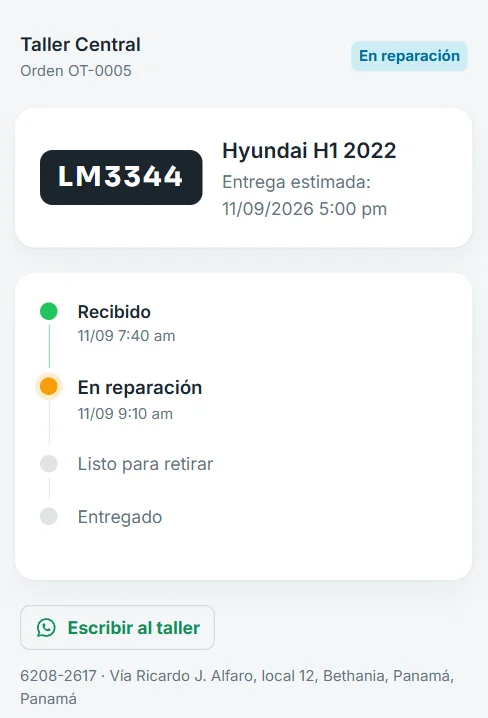
The check-in message includes a link where the customer sees which step their car is on and the estimated pickup time, without calling the shop. It never shows prices, notes or photos.
- Received, in repair and ready for pickup
- Estimated pickup time up front
- A button to message the shop on WhatsApp
The money adds up
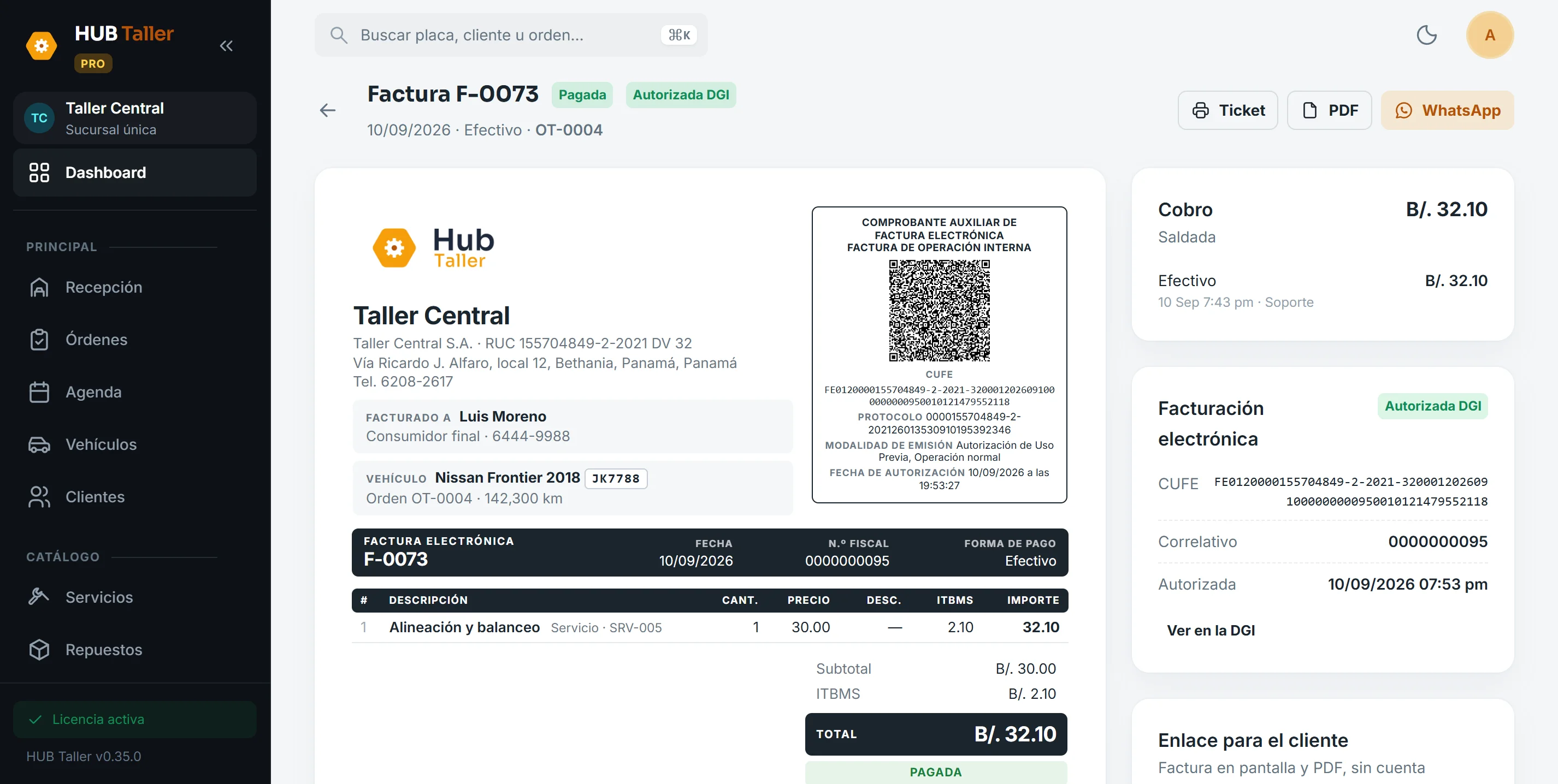
Electronic invoice from the finished order
Charge for the approved work and the DGI-authorized electronic invoice comes out with its CUFE and QR, as an 80 mm ticket or a letter-size PDF. The customer gets a link to view it on their phone. Partial payments and credit with a due date are supported too.
- CUFE, QR and fiscal number on the document
- 80 mm ticket, PDF and WhatsApp in one tap
- Cash, card, Yappy, transfer or credit
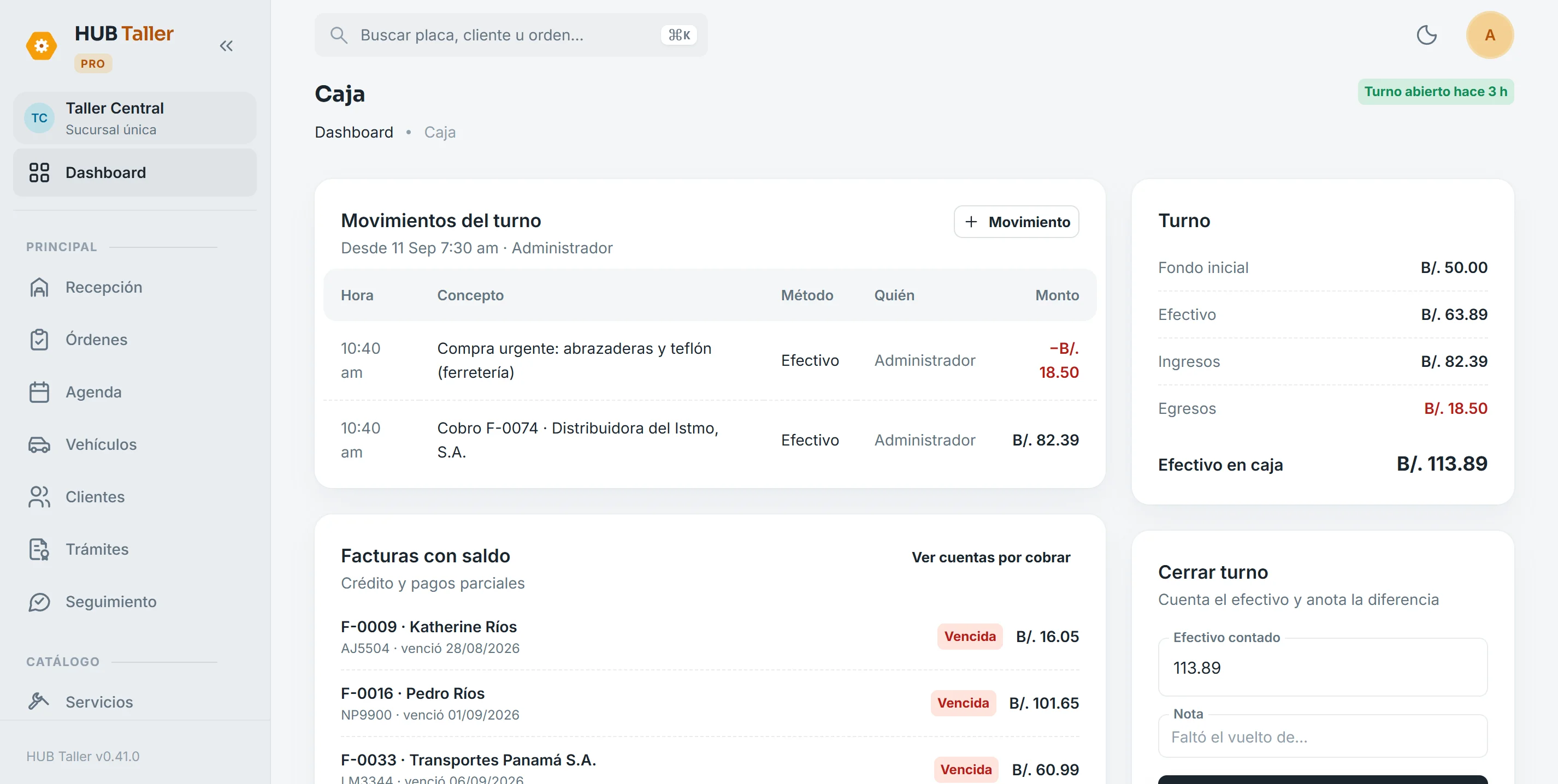
Cash shifts and closing report by email
Open the shift with the float, every payment lands in the drawer and at closing you count the cash. The closing report arrives by email with the shift’s invoices and what was sold, broken down by category.
- Cash, card, Yappy and transfer in the same shift
- Invoices with a balance and overdue ones in view
- Cash differences recorded with a note
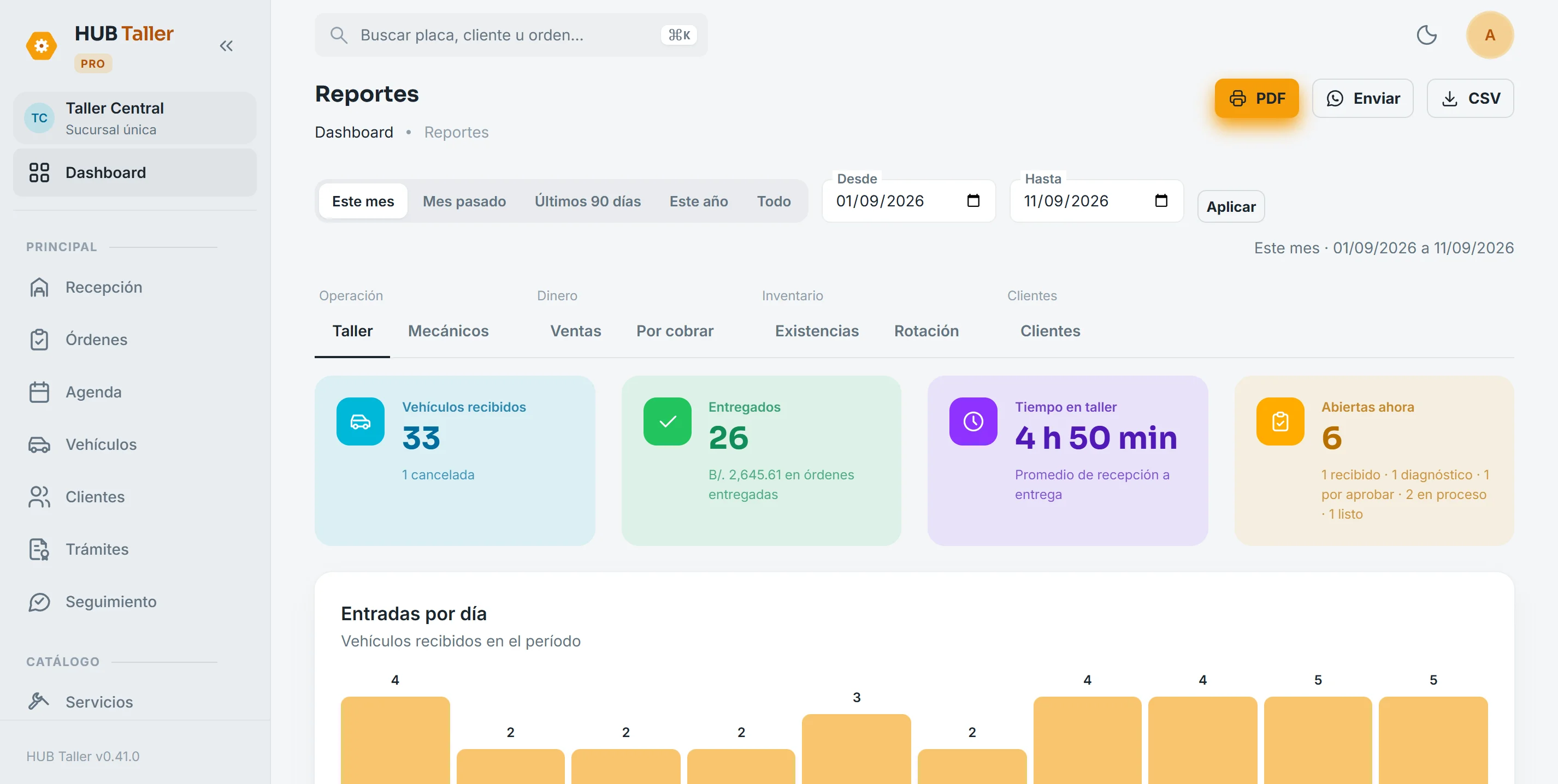
Reports to make decisions
Shop, mechanics, sales, receivables, stock, turnover and customers, for any period you choose. Download them as a PDF with your shop’s branding or as CSV to open in Excel.
- Average time from intake to pickup
- What each mechanic produced
- Which parts move and which sit on the shelf
The shop that calls customers back
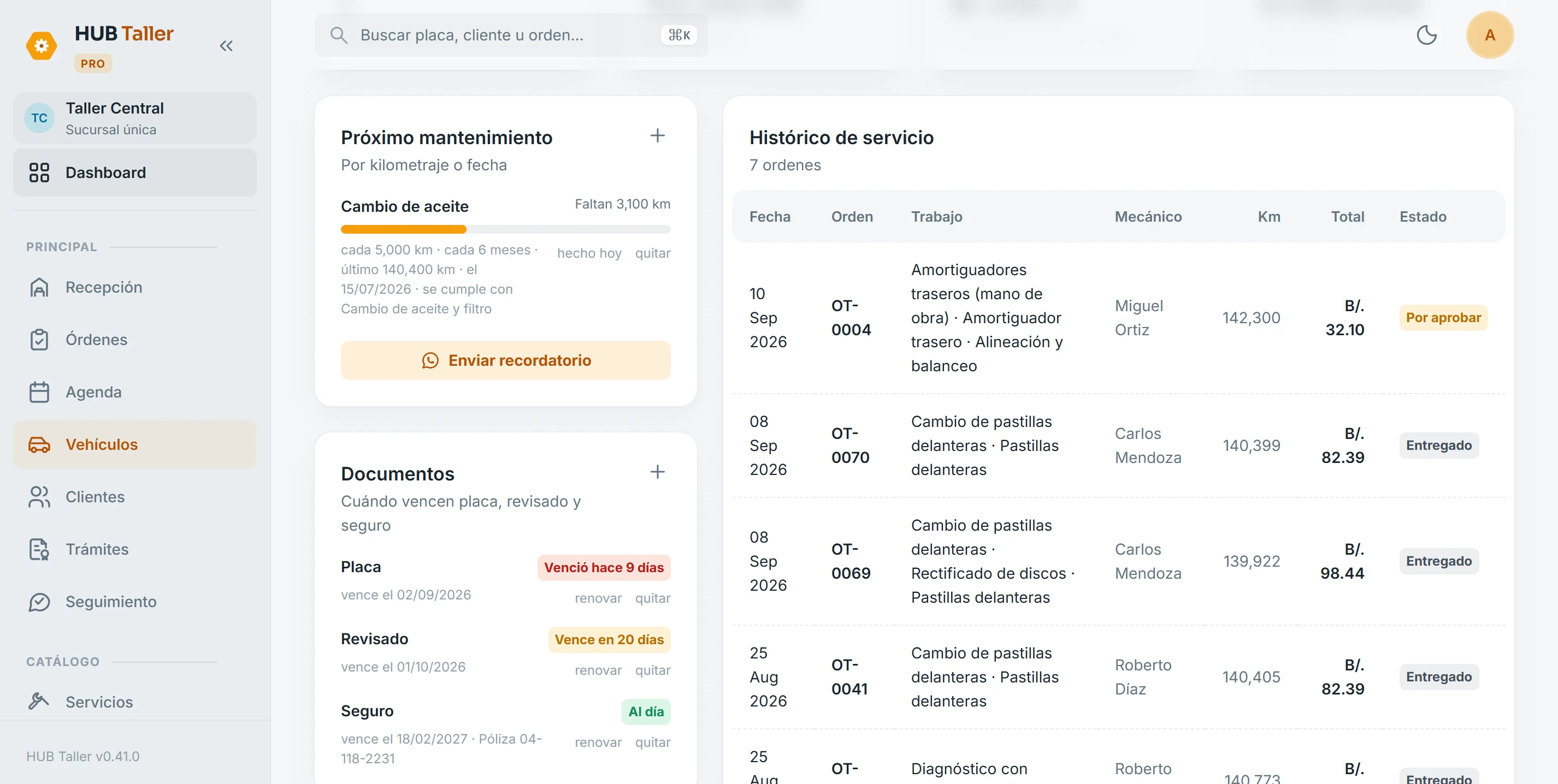
Plates, inspection and insurance with their dates
Log when each vehicle document expires and the record turns amber as the date gets close and red once it has passed. “Renew” rolls it over to next year, and Follow-up prepares the customer reminder 30 and 7 days ahead.
- Plate renewal, annual inspection, insurance and other documents
- Renew for a year in one tap
- Plate calendar by last digit: the shop loads it and the system suggests the date
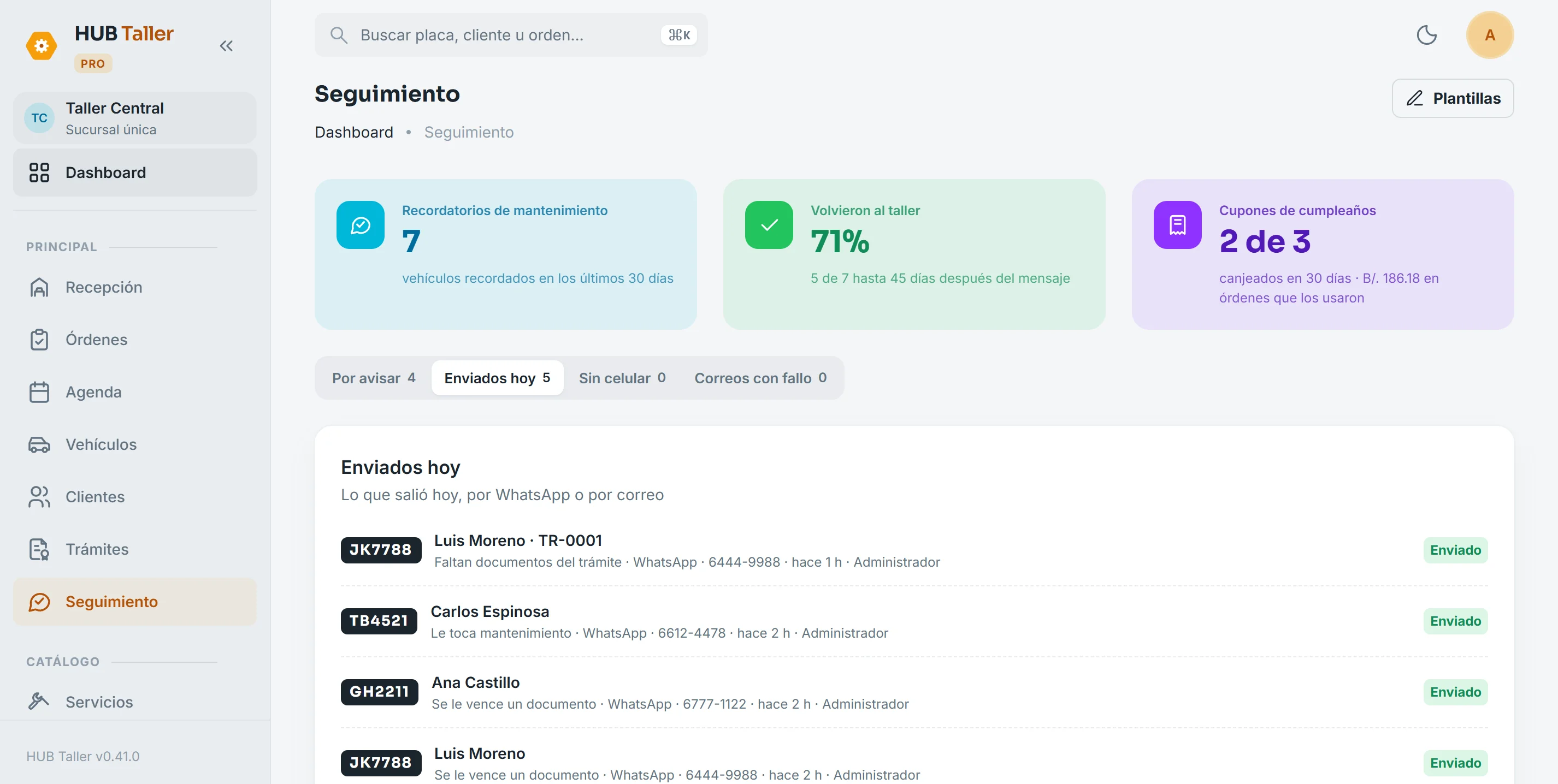
Reminders that bring customers back
Once a month per vehicle, Follow-up prepares a reminder of what’s due: oil change, alignment or brakes. It won’t bother customers with an open order or a recent visit, and it tells you how many of the customers you reminded came back.
- One a month per vehicle, never a flood
- How many came back within 45 days
- What went out today and who sent it
The birthday coupon, right on the order
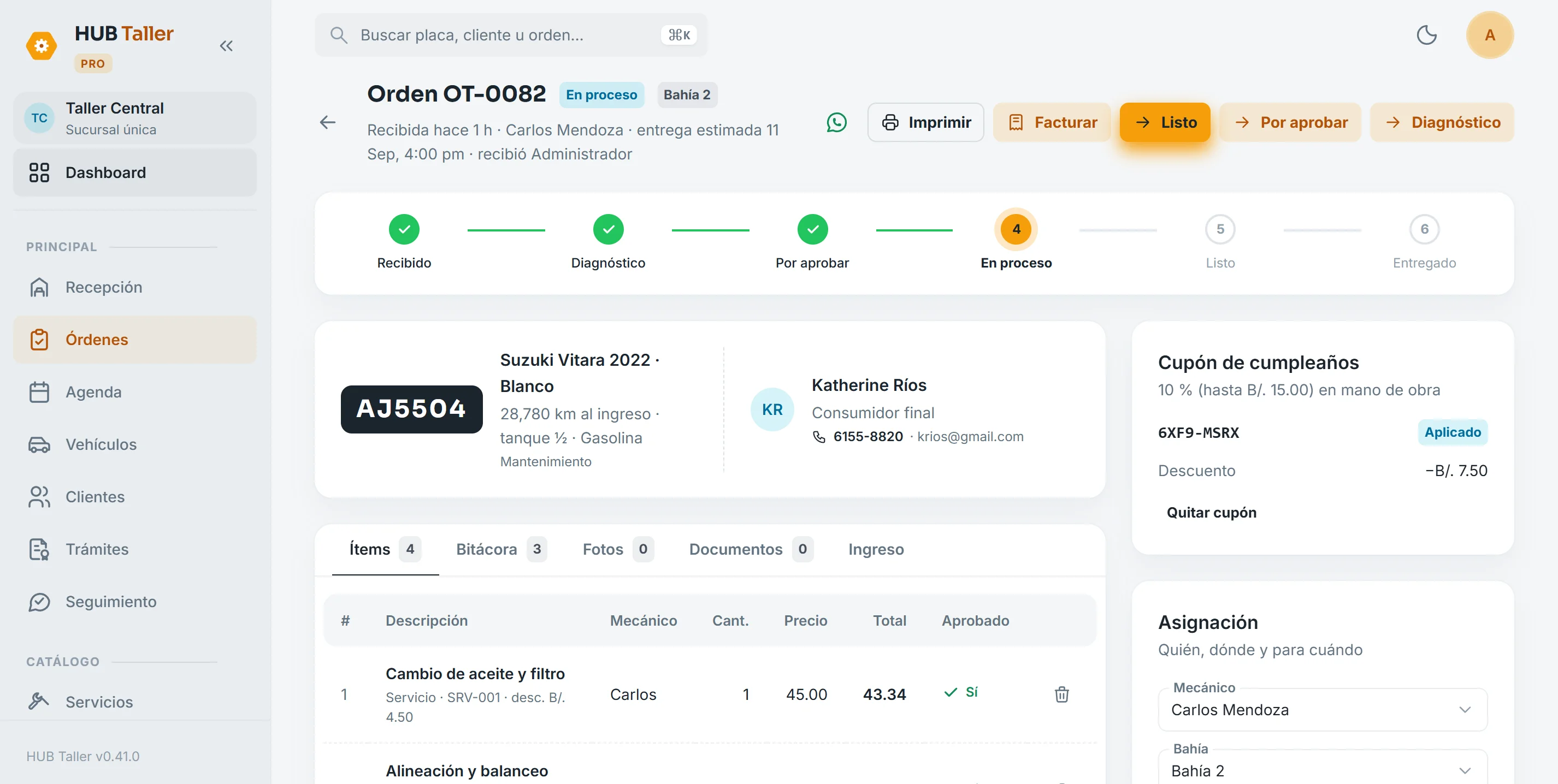
With the customer’s permission, Follow-up sends a birthday greeting with a personal coupon. When they bring their car in, the order offers the coupon and the discount is split across line items, the way the electronic invoice requires.
- Opt-in for promotions, recorded with date and source
- Personal code with an expiry date
- Redeemed at invoicing, and back on the order if the invoice is voided
On the phone and by appointment
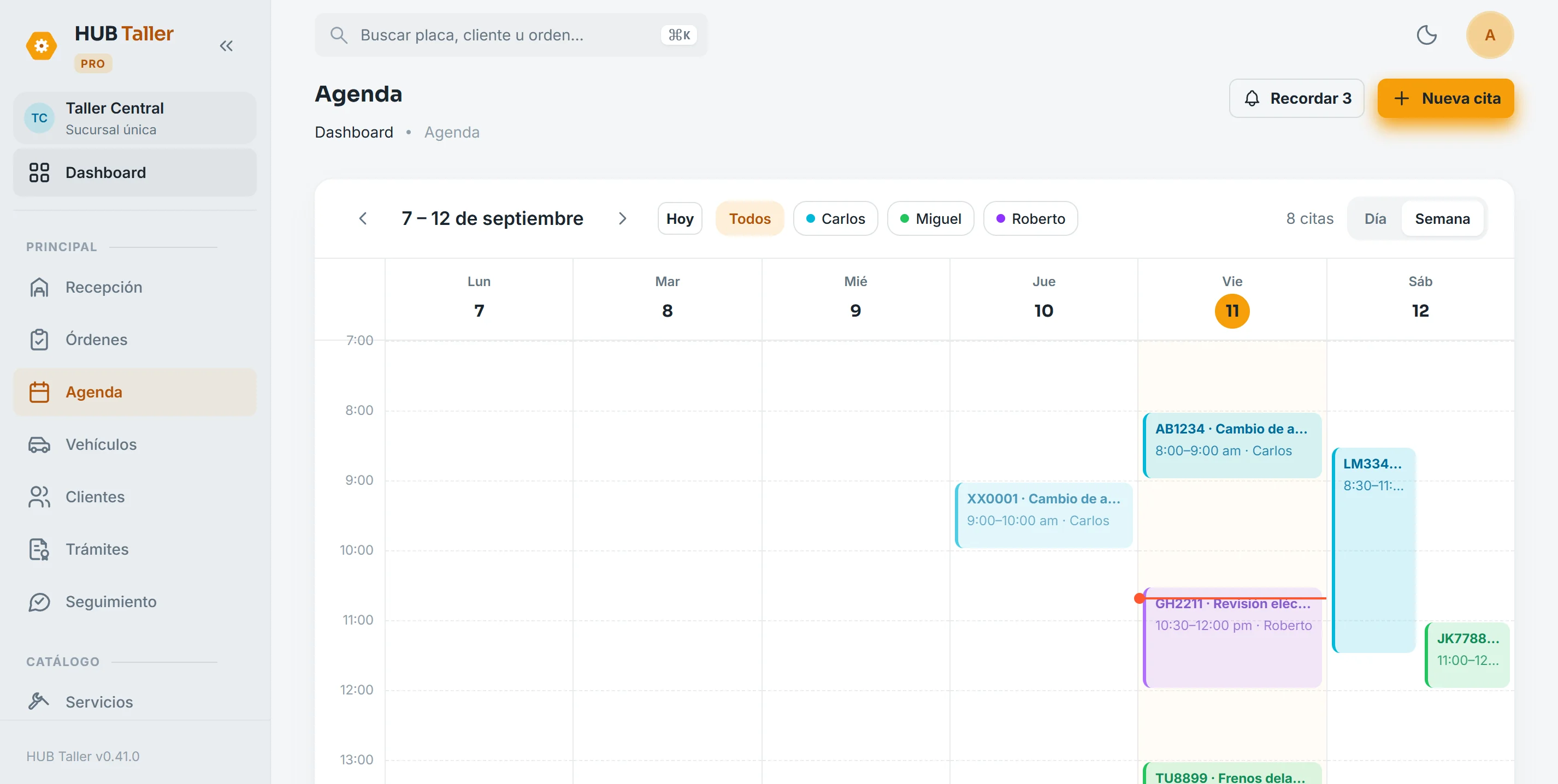
Schedule by mechanic and bay
Week or day view, color-coded by mechanic. Tap an open slot and book by plate, even if the customer isn’t in the system yet. It won’t let you double-book a bay or a mechanic.
- Appointment → “Arrived” → intake pre-filled
- Tomorrow’s reminders ready for WhatsApp
- Statuses: scheduled, confirmed, arrived, no-show
Mechanics work from their phones
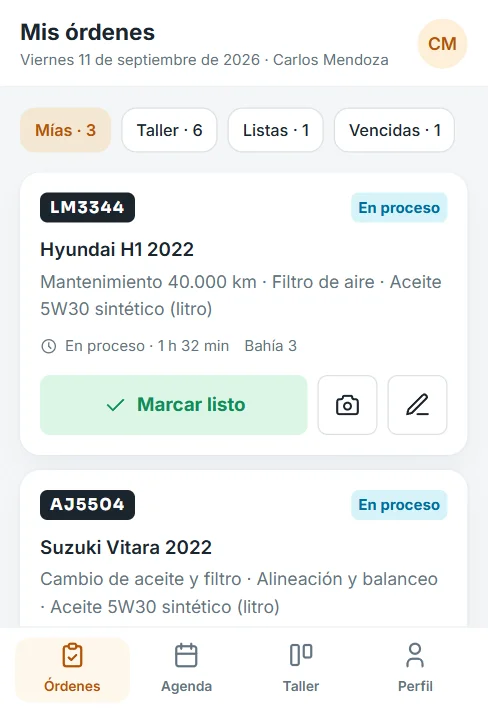
Today’s orders, each with a big button for the next step: start or mark ready. They can snap a photo, add a quick note and check the day’s schedule without going to a computer.
- My orders, the shop’s and the ready ones
- Evidence photo in one tap
- Their production on the profile
HUB Taller features
+ Every SuiteHub core function: customers, services, parts, quotes, invoices, cash and receivables.
Modules you turn on when you need them
They’re activated on your installation and run on the same system, with the same data.
We set it up with your services, your mechanics and your bays.
We configure your account, load your services and parts catalog and train your team. You see HUB Taller with your data before you decide. Quoted per project based on your business and the modules you need.
- DGI e-invoicing included
- On the front-desk PC and the mechanic’s phone
- Customers know where their car stands without calling
- Your shop’s data in your own database, backed up
- Local WhatsApp support and all updates included
- No long-term contracts
Ready to take in the next car without a notebook?
We run a demo with your own services, no strings attached.
Book your demo