 Restaurants, bars and food trucks · SuiteHub family
 The POS for your restaurant, on your own network.
Tables, orders, kitchen, checkout and DGI electronic invoicing in one system. It runs on your local network, so you keep selling if the internet goes down. And if you'd rather run it in the cloud, you can. Made in Panama 🇵🇦
😩 Handwritten tickets, a register that never balances at closing and e-invoicing in a separate system?
From order to invoice, your whole restaurant in one system
Floor, kitchen, checkout, DGI e-invoicing and cash closing, all connected. Servers use it on their phones, the kitchen on its screen and guests at the kiosk.
What it looks like inside
Floor and orders
Your whole restaurant in one system
Tables, kitchen, register, invoicing, inventory, customers and reports live in one place, with the modules your operation needs turned on and the rest out of the way.
- Every module with its own color and place
- Turn on only what you use
- The same system at the register, in the kitchen and on the phone
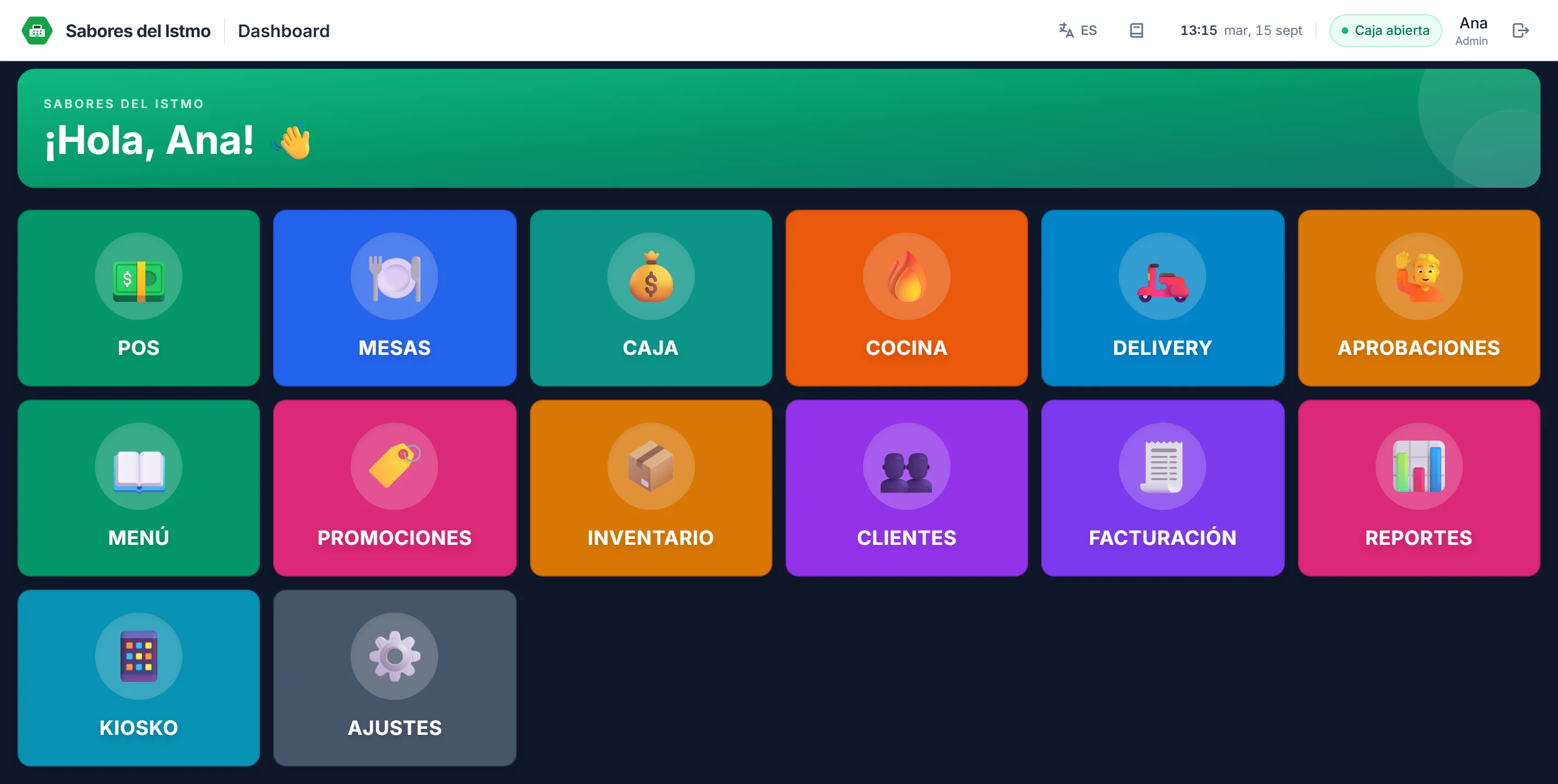
Your restaurant at a glance
When you open the system you see today's sales, how many orders are open, the average ticket, the best seller and the digital-menu orders waiting for an answer.
- Sales by hour compared with yesterday
- Floor and cash register status
- Pending orders with a sound alert
The floor, live
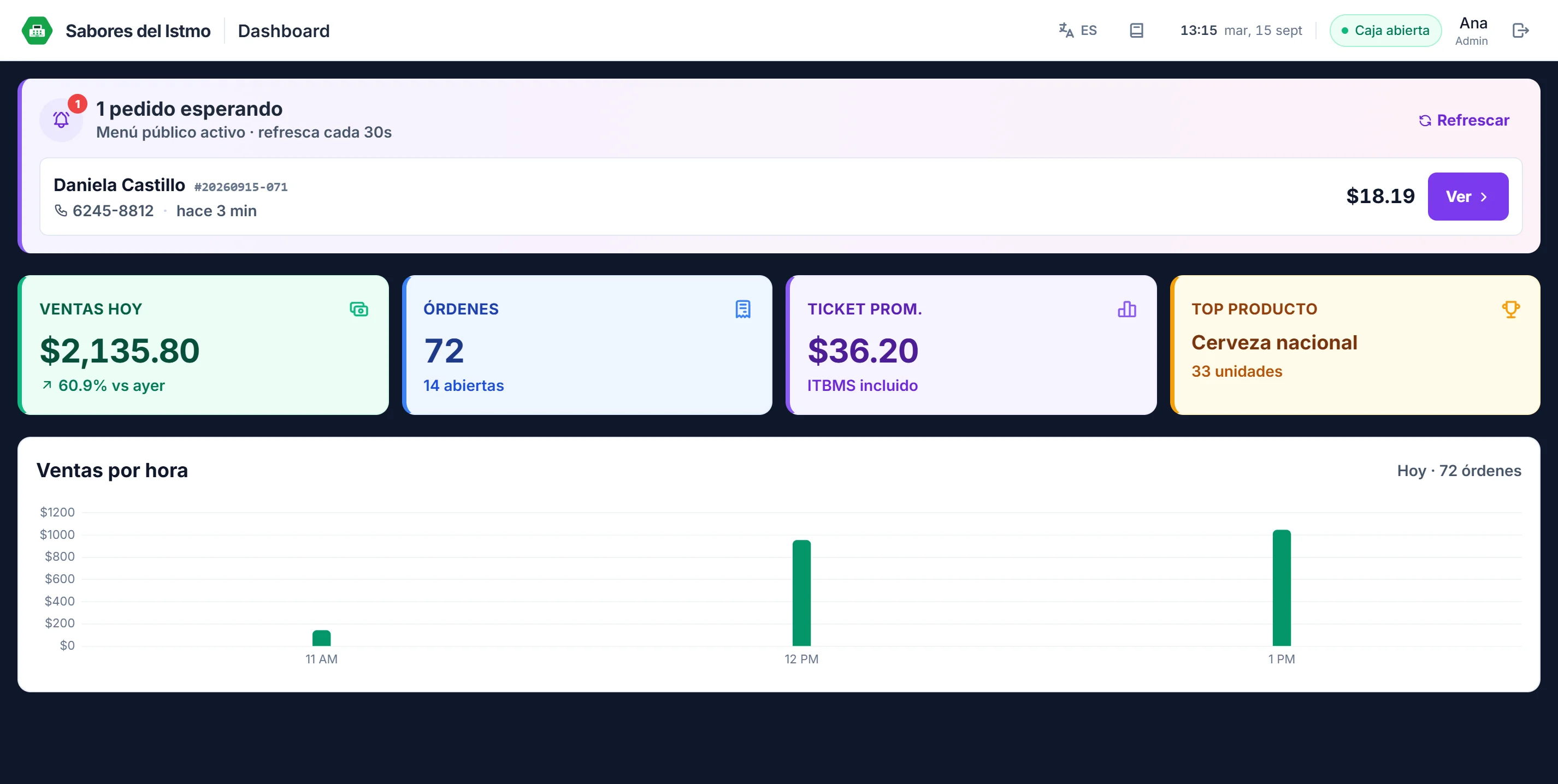
Every table colored by status: free, occupied, pre-bill or ready to pay. Join tables, split checks, move a dish from one table to another and name each guest.
- Tap a table to open its order
- Joined tables, takeout and delivery on the same map
- Every sensitive action is audited
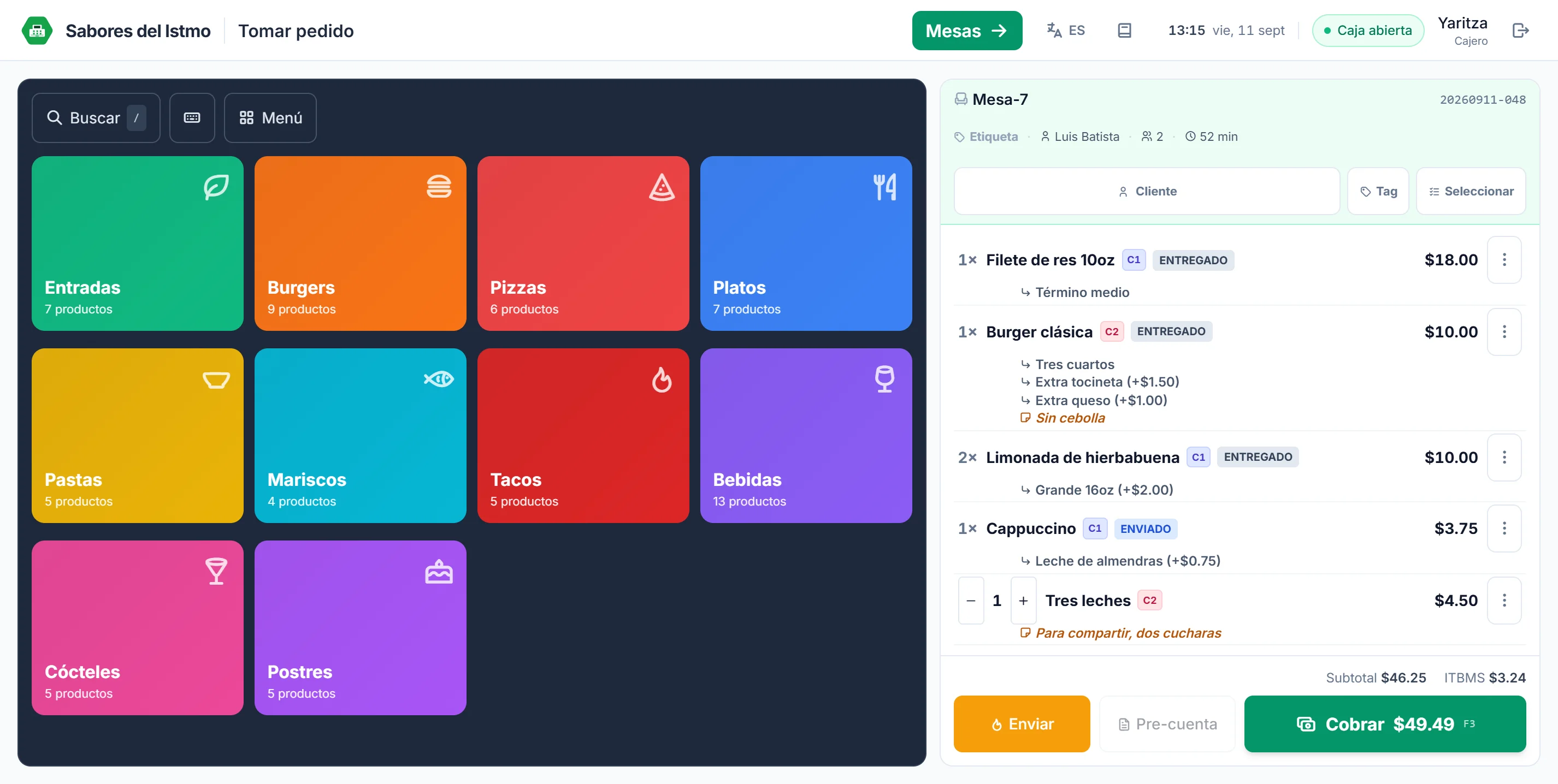
Take the order in seconds
Categories with icons and colors, big finger-friendly buttons, modifiers and quick notes. The ticket builds live and goes to the kitchen with one tap.
- Search with a shortcut and on-screen keyboard
- Price override with authorization
- Guest and note on every dish
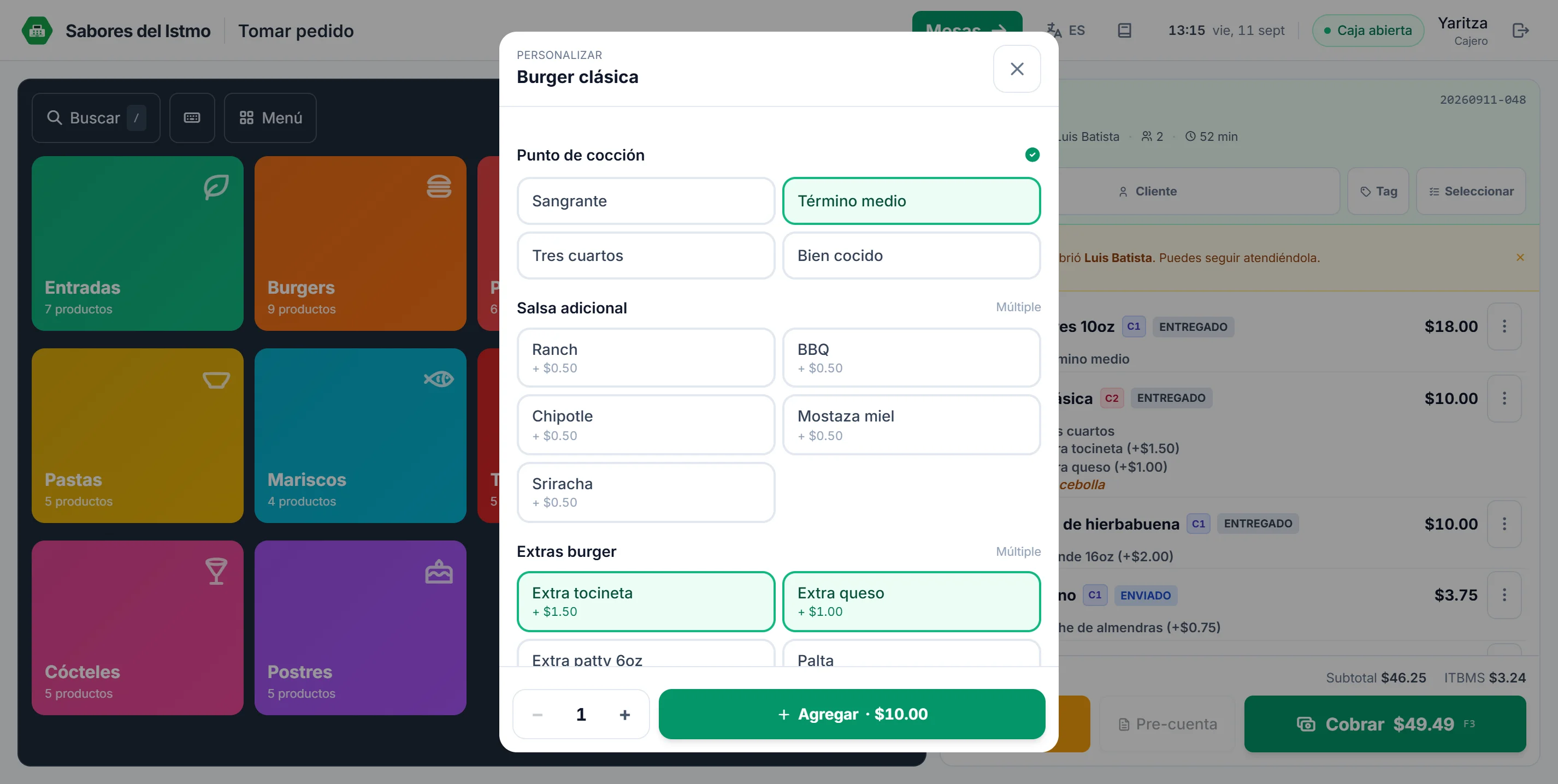
Modifiers that don't slow the line
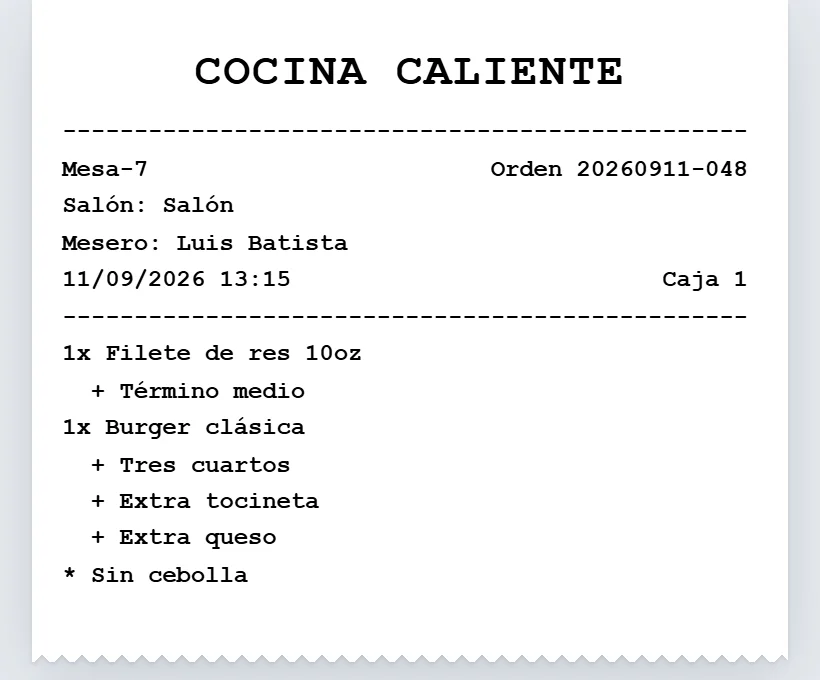
Steak temperature, no onions, extra cheese. Each option is a big button with its price, laid out in two columns, because it's the step you repeat most all day.
- Required and optional per product
- The price updates instantly
- Printed on the kitchen ticket
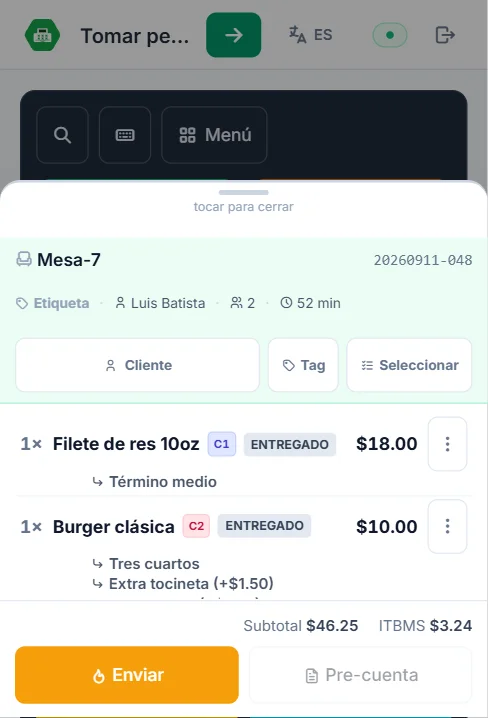
Servers order from their phone
It's an installable app (PWA). The server takes the order at the table on their phone, and the ticket is already in the kitchen before they turn around.
- Installs from the browser, no app store needed
- Every device identified, with a seat limit
- A server can't touch another server's check
Kitchen
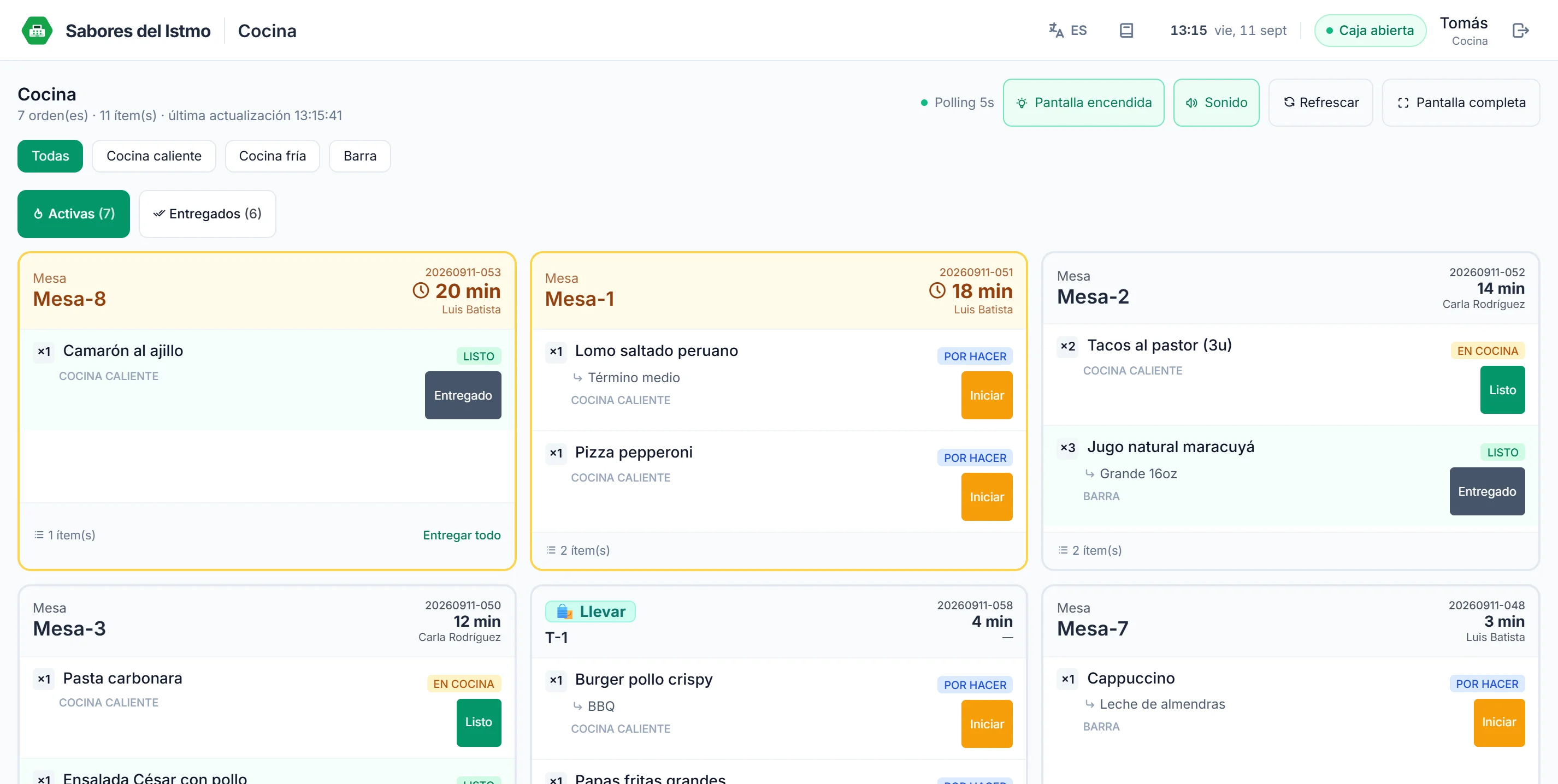
Kitchen display (KDS)
Tickets arrive on their own at each station's screen: hot line, cold line, bar. The team marks in progress and ready, and sees how long each dish has been waiting. If an order runs late, its card flags it.
- Configurable time alerts
- New-ticket sound and always-on screen
- Fast mode for food trucks
The kitchen ticket on paper too
If you prefer a printer in the kitchen, the ticket prints on the station's thermal printer with time, table, server, modifiers and the device it was sent from.
- One printer per station
- Accents printed correctly
- Paper and screen can work side by side
Checkout and e-invoicing
Take payment however the guest wants
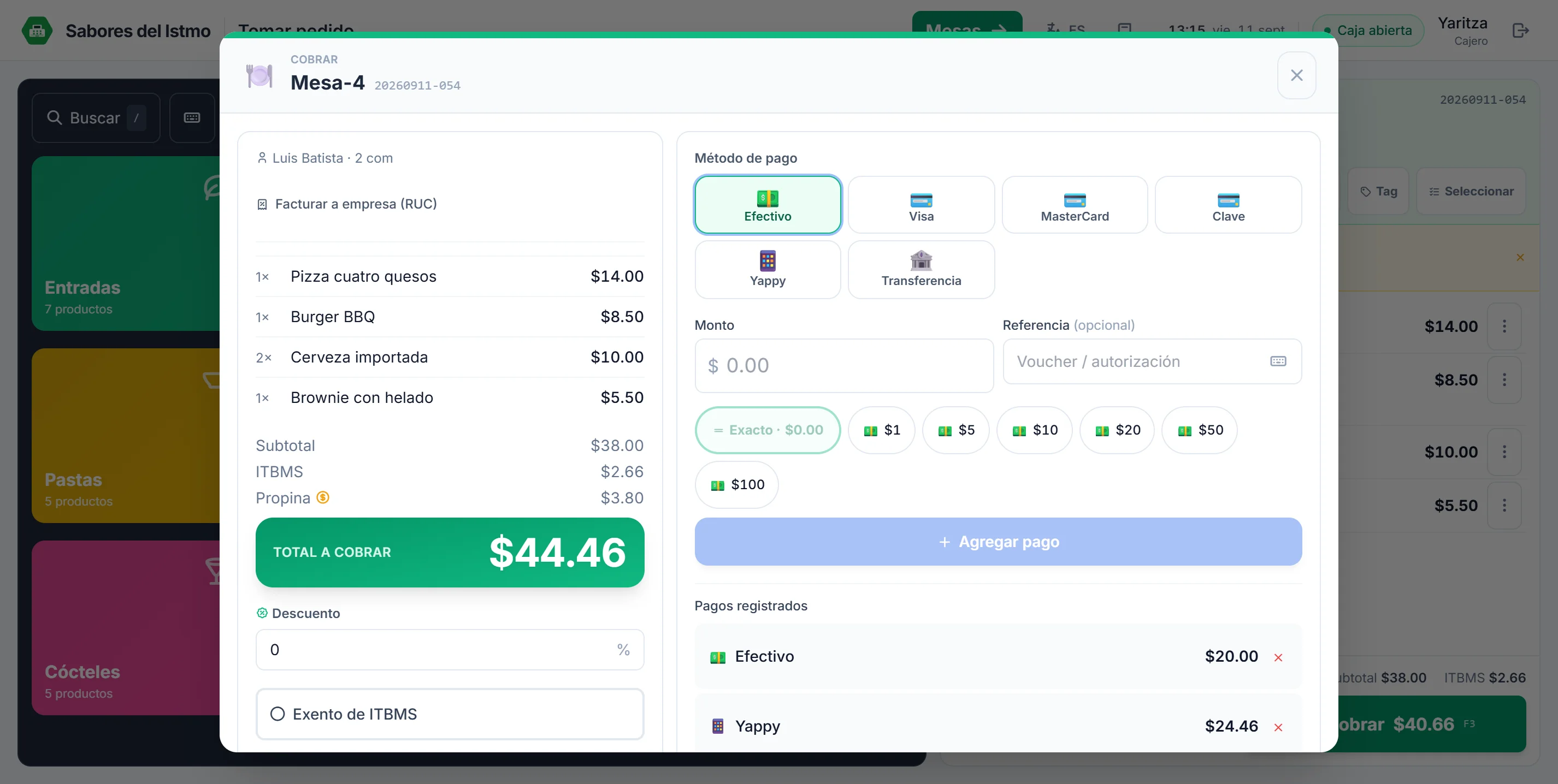
Cash, card, transfer or Apple Pay, and split payments too. Tip and change are calculated for you, discounts ask for authorization and the cash drawer opens with the receipt.
- Split payment in two taps
- Check-wide or per-line discount with a reason
- Tax exemption on the spot
DGI electronic invoice on an 80 mm receipt
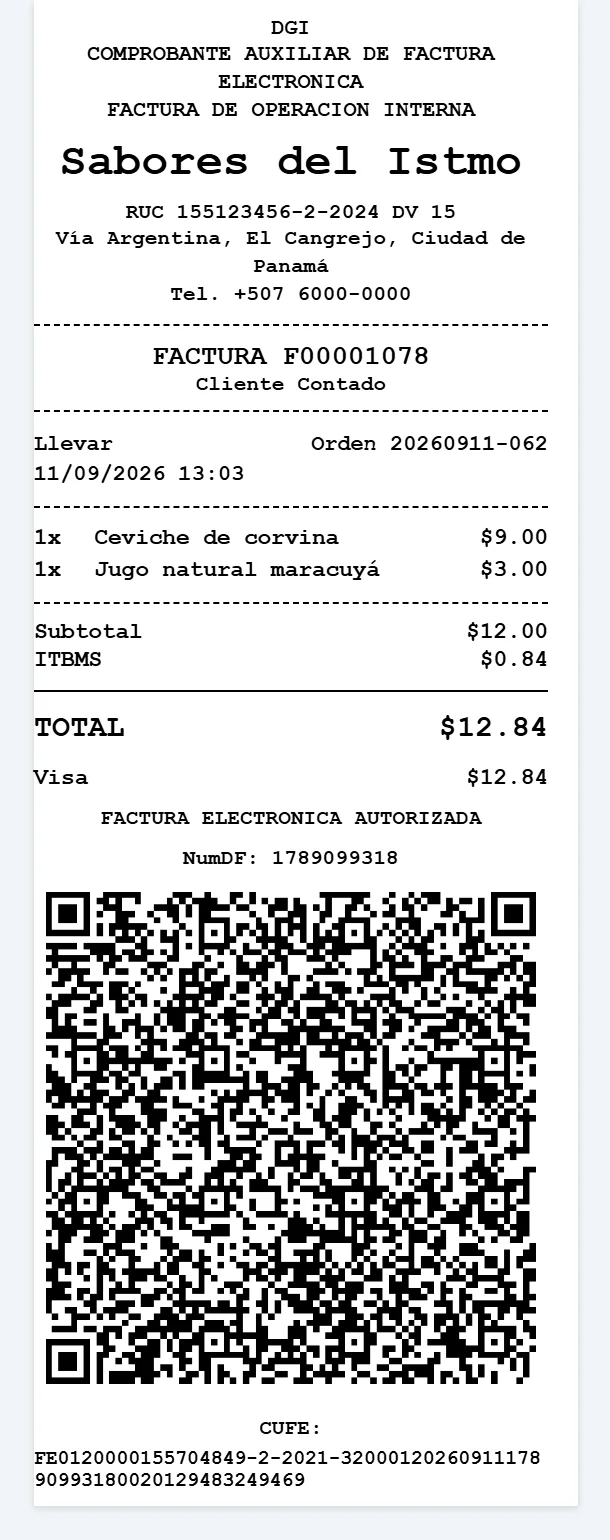
At checkout the invoice is issued and authorized with the DGI and prints on the thermal printer with its CUFE and a QR code the guest can scan. Walk-in customer or business with a tax ID, with company lookup by tax ID.
- Online authorization at checkout
- QR and CUFE printed on the receipt
- Fix rejected invoices and void from the system
Split the check without arguments
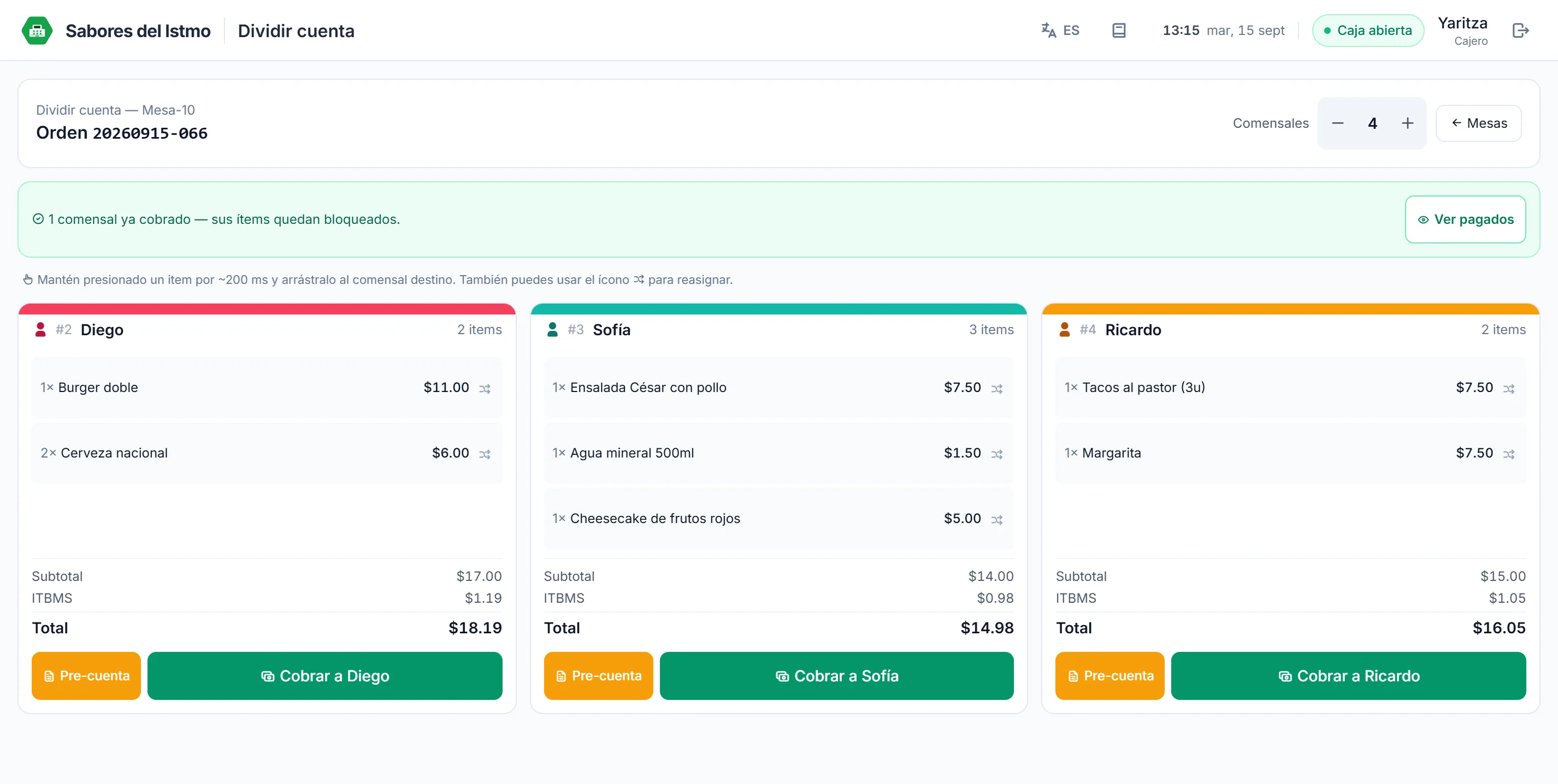
Assign dishes to guests and charge each one separately: one order, several invoices. What's paid comes off the table instantly.
- Drag each dish to the guest who ordered it
- Each share with its own e-invoice
- The table is clear when you're done
Self-service for your guests
Self-service kiosk
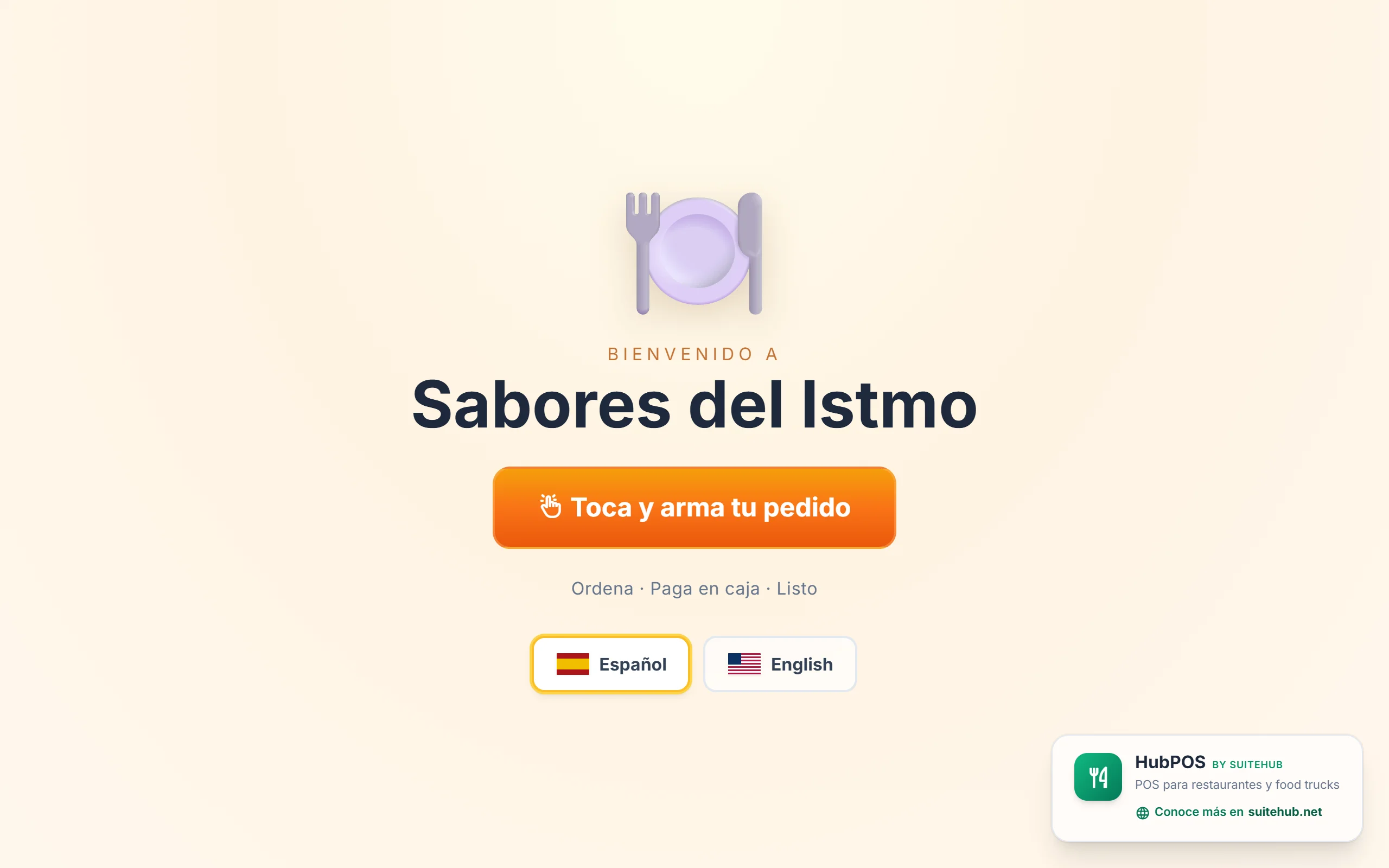
A tablet at the entrance: the guest picks a language (Spanish or English), dine-in or takeout, and builds their order. No server needed and no line at the register.
- Spanish or English with one tap
- Your restaurant's name on the welcome screen
- Locked to full screen
Guests order on their own
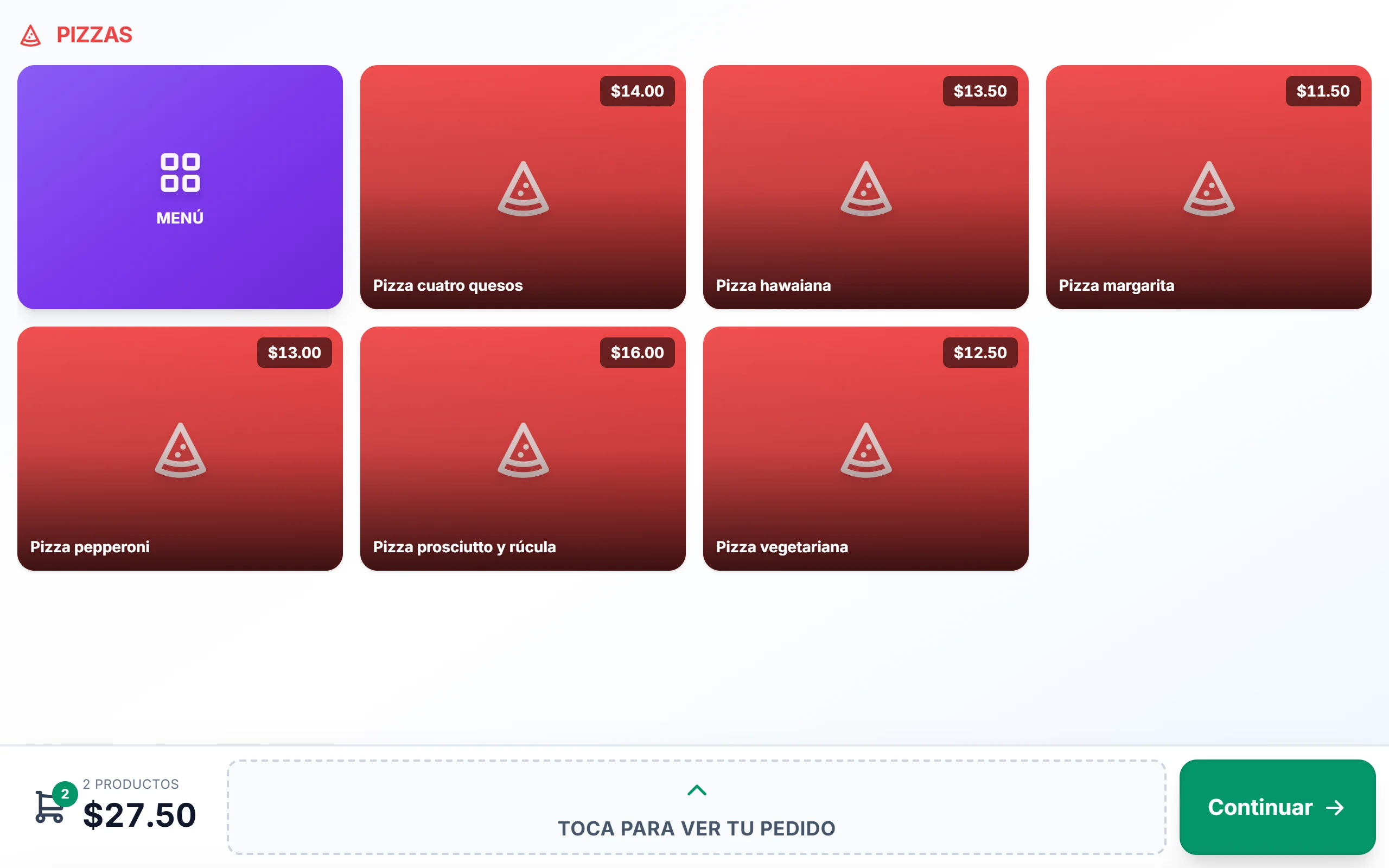
Big cards with each category's icon and color, and the cart always visible with the total. On confirmation the order goes to the kitchen and the guest pays at the register.
- Same catalog as the POS, nothing duplicated
- Dine-in: pick a free table in the enabled areas
- Takeout: pay at the register on pickup
Digital menu to order via WhatsApp or QR
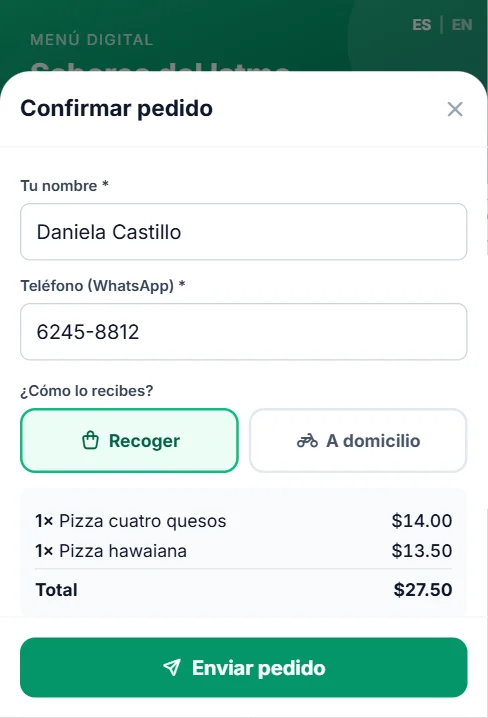
Your public menu in a link. The guest builds the order on their phone, leaves a name and phone number, and you accept it with one tap. From there it follows the normal POS flow.
- QR on the table or a WhatsApp link
- Pickup or delivery with a map pin
- Quick reasons to decline
Customer-facing display
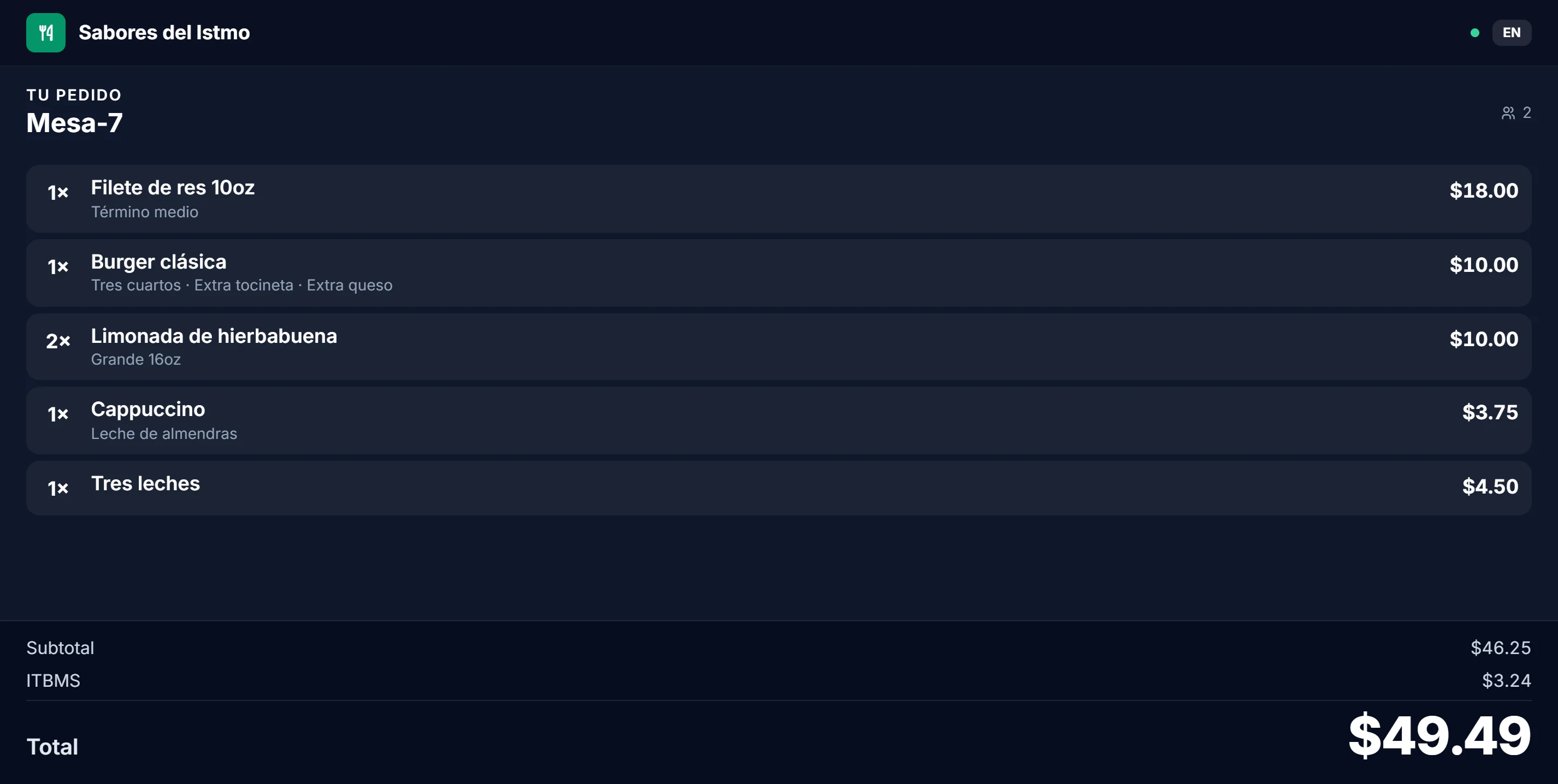
A second screen at the register shows the check while you charge: dishes, modifiers, subtotal, tax and total, as the cashier builds it.
- No special hardware: a tablet or a monitor
- Paired with the register from Settings
- Updates itself with every dish
Running the business
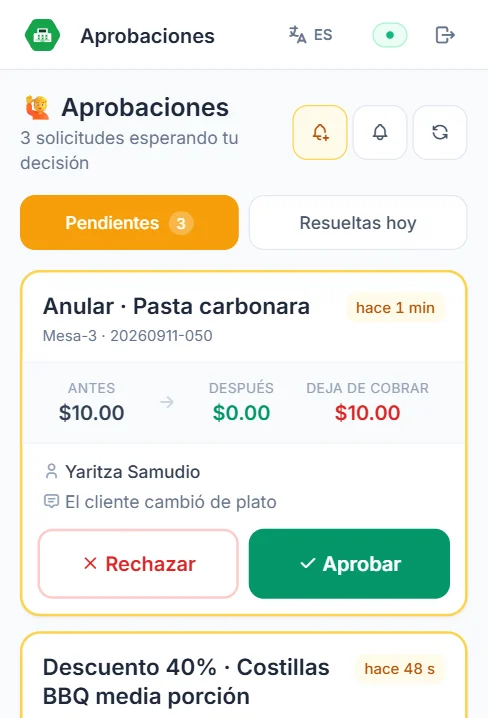
Approvals from your phone
A big discount, a void or a comp no longer needs the owner at the register to enter a PIN. The request goes to their phone with who's asking, how much and why, and they can approve or decline it from anywhere.
- Thresholds by percentage and by amount
- Below the threshold the PIN works as always
- History of today's decisions
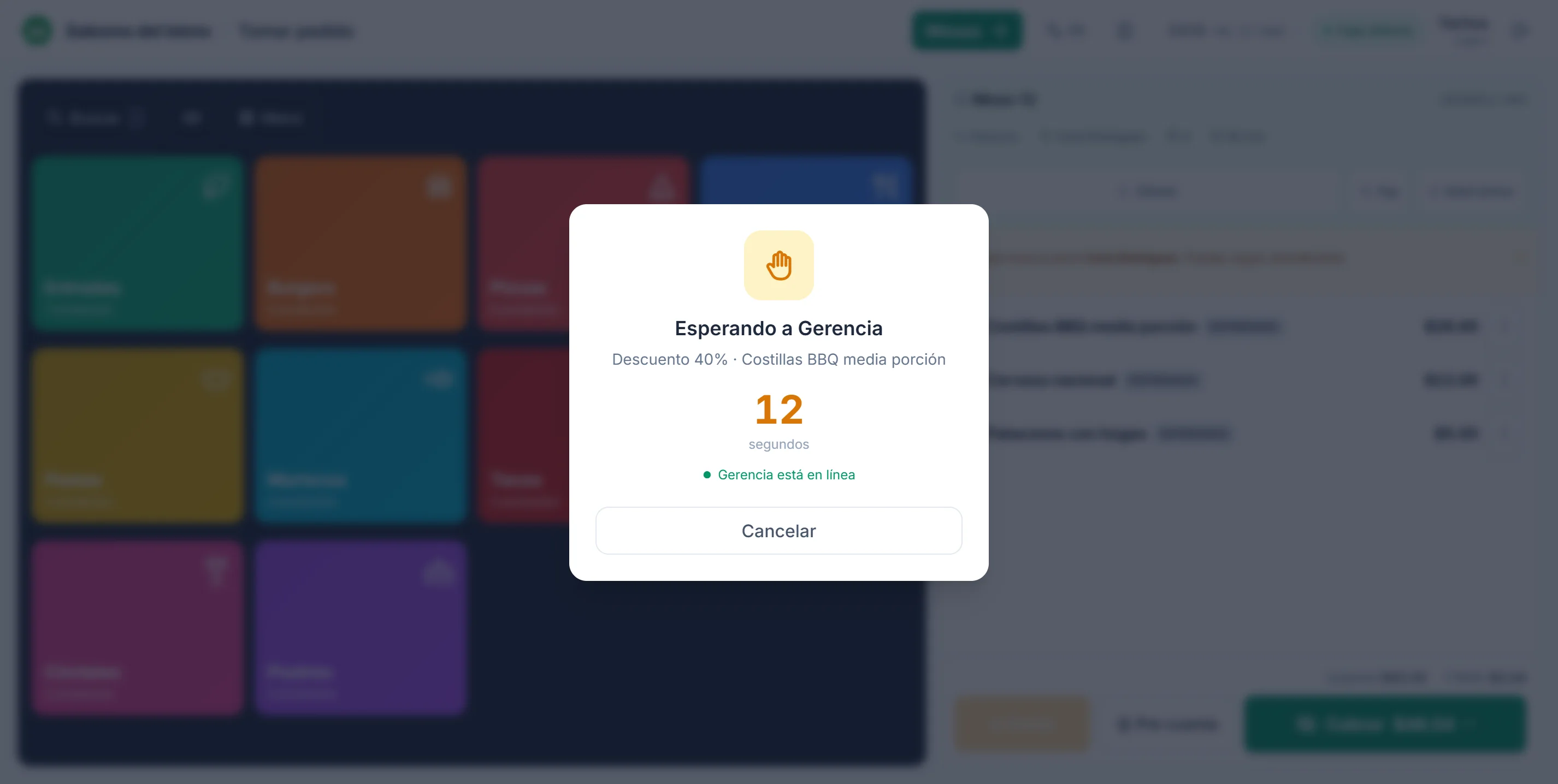
The register doesn't stall
While management decides, the cashier sees the status on screen. Once it's approved, the action goes through on its own.
- Management online indicator
- Answers in seconds
- Everything goes into the audit log
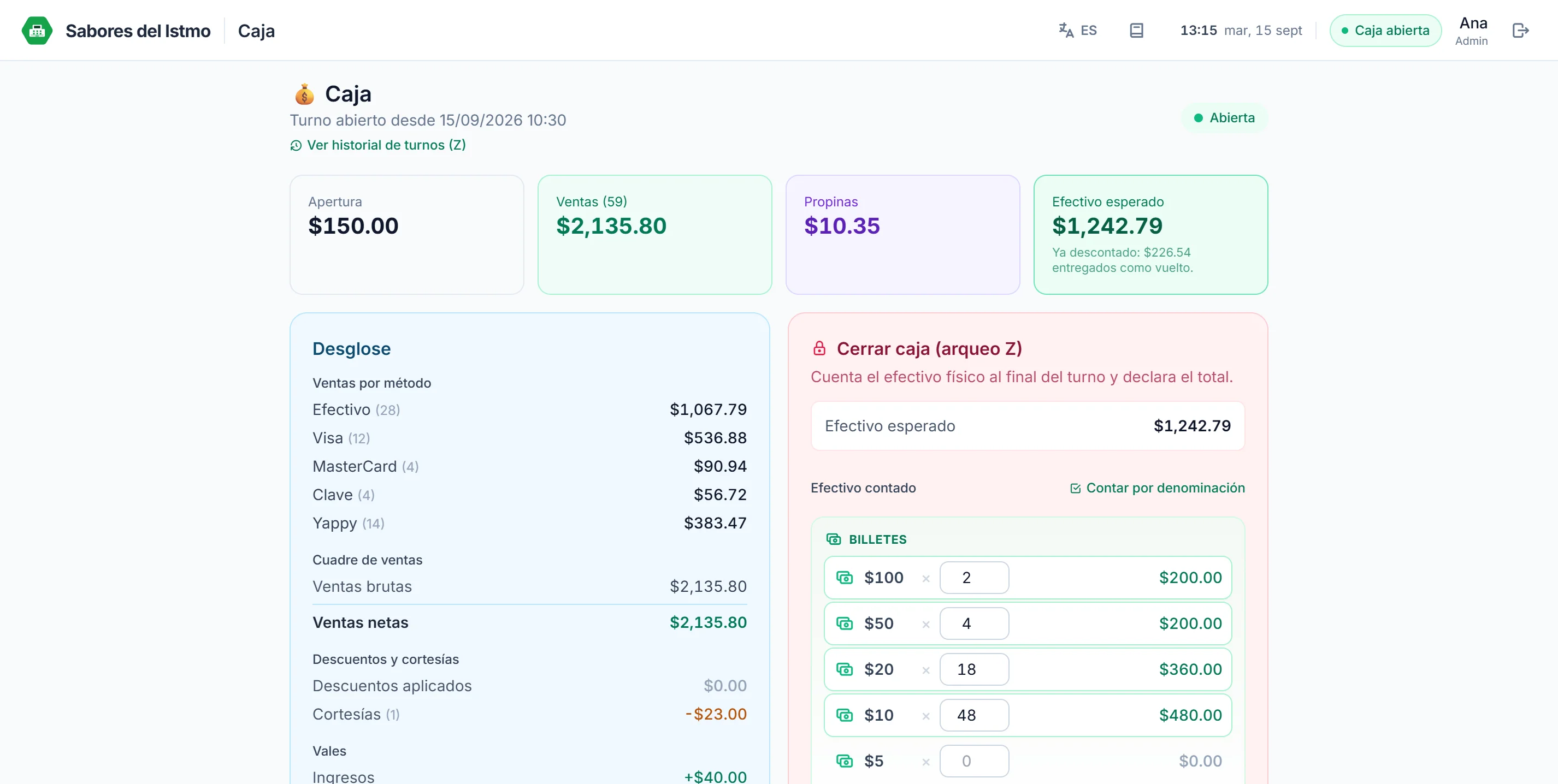
A register that balances at closing
Opening float, cash-in and cash-out vouchers, breakdown by payment method and Z closing with a count by denomination. If the variance is over the threshold, a note is required.
- Shared shift or one per cashier
- Declare card and Apple Pay at closing
- Open the cash drawer with a button
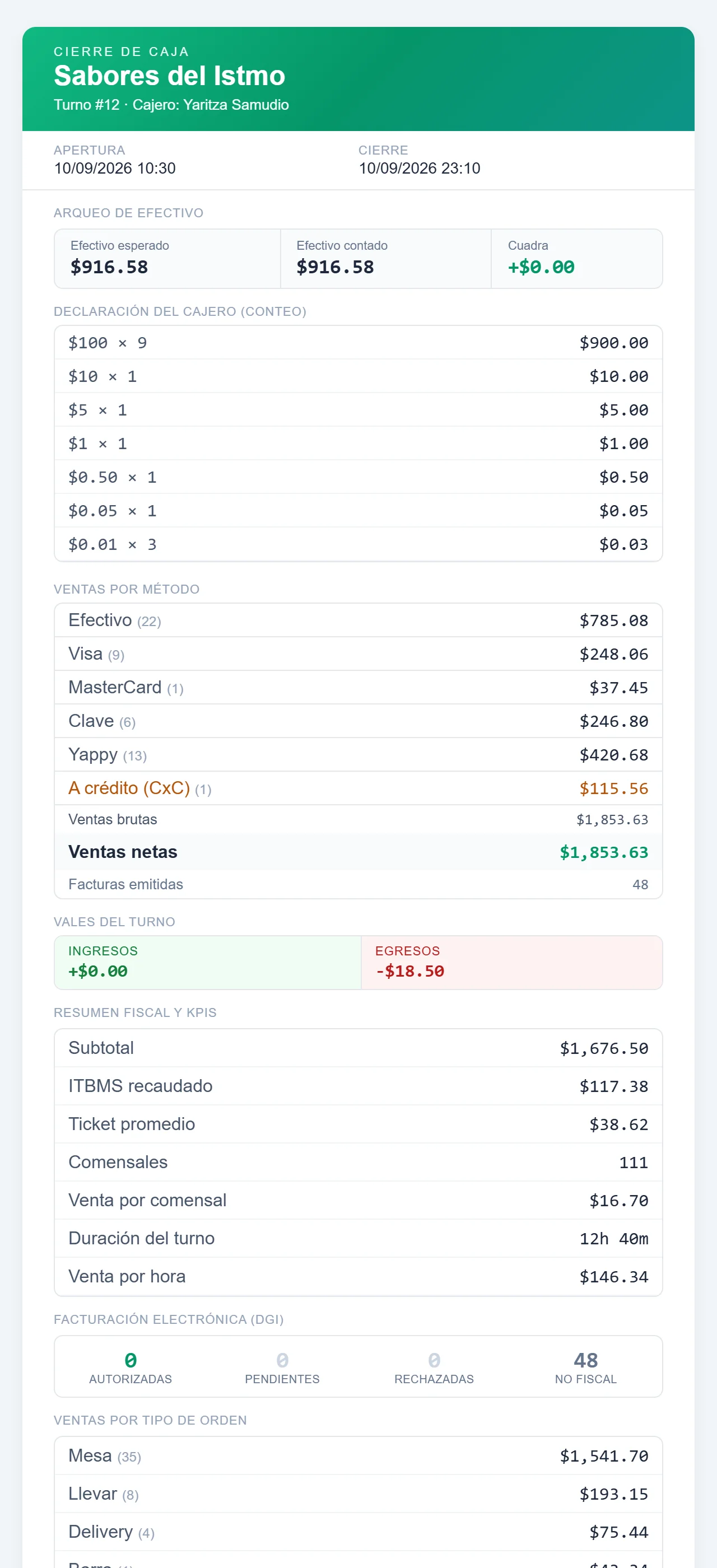
The closing lands in your inbox
When the register closes, the Z report prints on the thermal printer and reaches your email: cash count, sales by method and category, products, comps, voids, vouchers and tips per person. On the 1st you get the monthly report.
- Automatic at closing
- Resend with one button
- Monthly report with comparison
Reports that answer questions
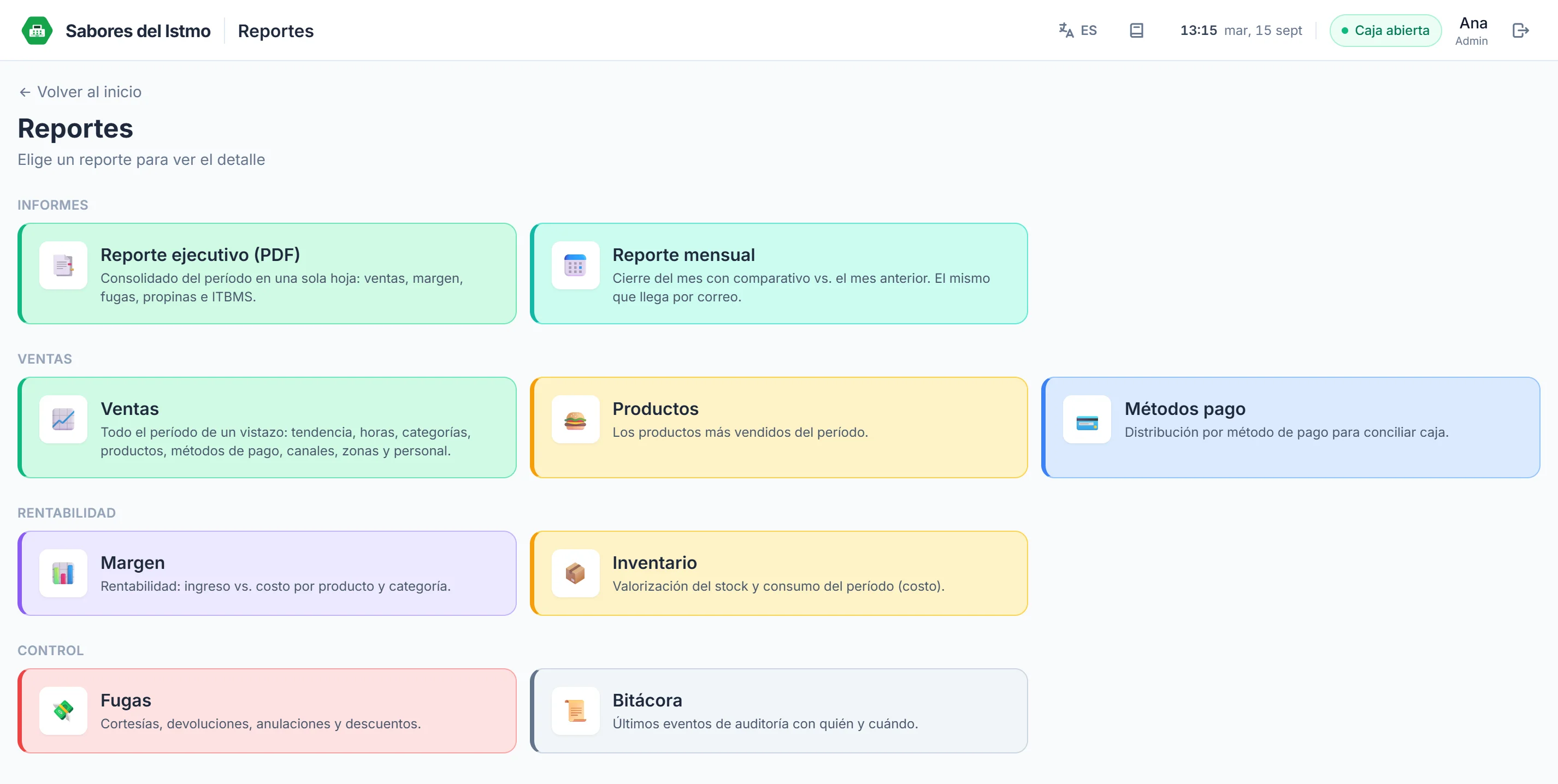
Sales, products, payment methods, margin per product, leakage (comps, returns and discounts with their reason and who approved them), tips, tax and receivables aging. All exportable.
- Ready-made date ranges and filters by person and channel
- CSV for every report and an executive PDF report
- Tax that matches what was invoiced to the cent
HUB POS features
+ Users and roles with PIN, an audit log of every sensitive action, an in-app manual and a license managed by SuiteHub.
Modules you turn on as you need them
Each one is enabled per installation and runs on the same system, with the same data.
What you need on site
Everything runs in the browser. The print agent runs on a Windows PC on your network; Android tablets work as ordering, kitchen and kiosk terminals.
- Register PC or tablet with the system in the browser
- 80 mm thermal printer and cash drawer
- Monitor or tablet in the kitchen for the KDS
- Tablet for the kiosk or the customer display
We recommend compatible equipment and leave it installed and configured.
Opening a restaurant, or want the one you have to run smoother?
We show you HUB POS running with your menu and your floor. We load your catalog, set up your printers and e-invoicing, and train your team. Quoted per project based on your business and the modules you need.
- No commission per sale
- Register, kitchen, kiosk and phones connected on your network
- Keep selling if the internet goes down
- Your data on your own equipment or in the cloud, your choice
- Updates and support included
- Bilingual Spanish / English
Ready to see your floor live?
We'll do a demo with your menu and your tables, no strings attached.
Book your demo