 Parcel delivery and last mile · SuiteHub family
 Every parcel, with the name of whoever held it
Receive the client load against their manifest, scan it in, dispatch by zone with your own drivers, and the driver records the delivery from their phone with a photo and the name of whoever signed, even without signal. Every parcel carries its chain of custody.
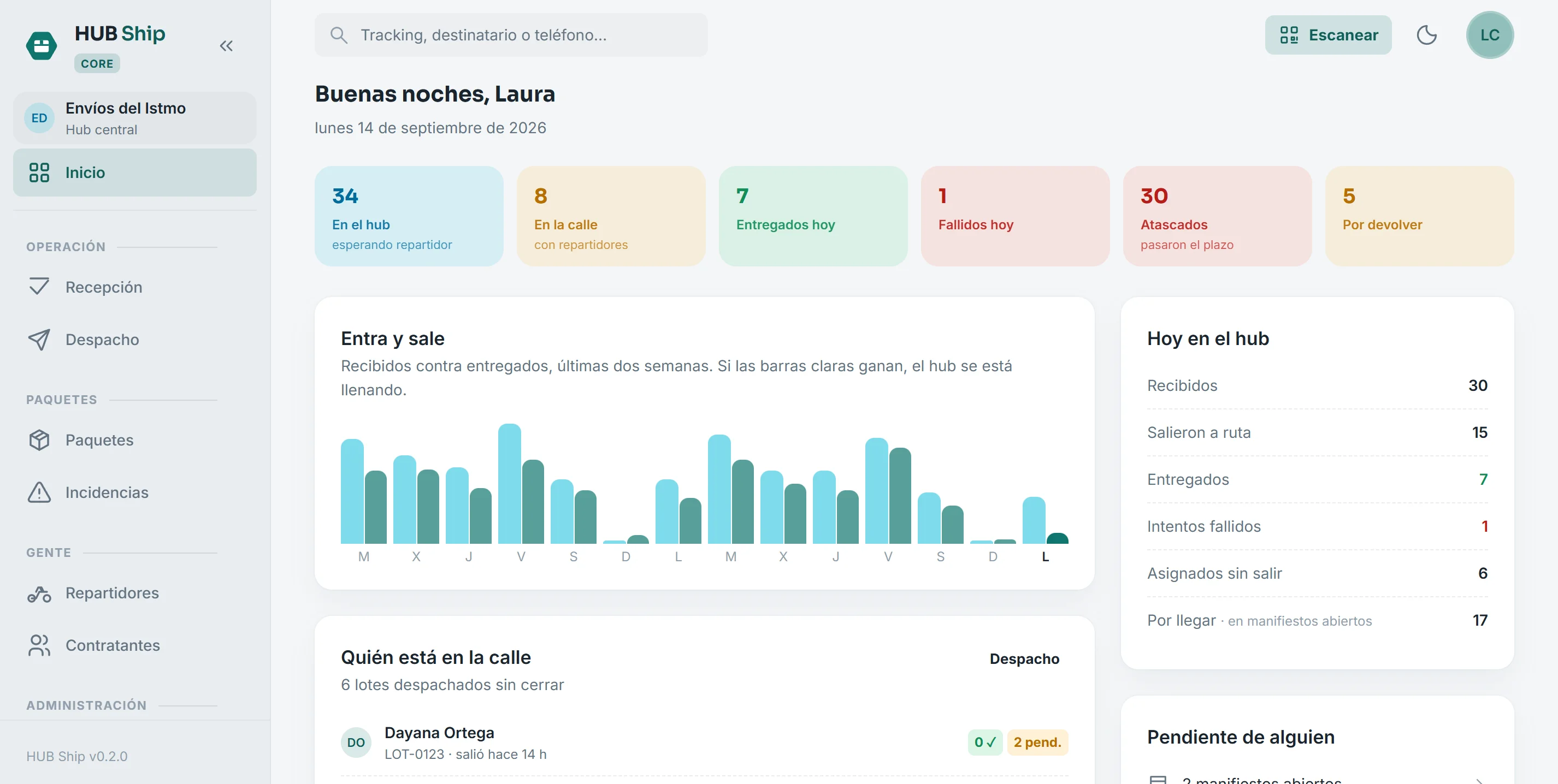
Today at the hub, at a glance
What is in the hub, what is on the street, what was delivered and what failed today. Every figure links to the screen where it gets solved, not a number to stare at.
A parcel goes missing and nobody knows where in the chain it happened?
Control every parcel from the moment it enters the hub until the recipient signs
Reconcile the load against the manifest the same day, build runs by zone, deliver with evidence and answer any claim with the time, the photo and the name of whoever received it.
A day at the hub, screen by screen
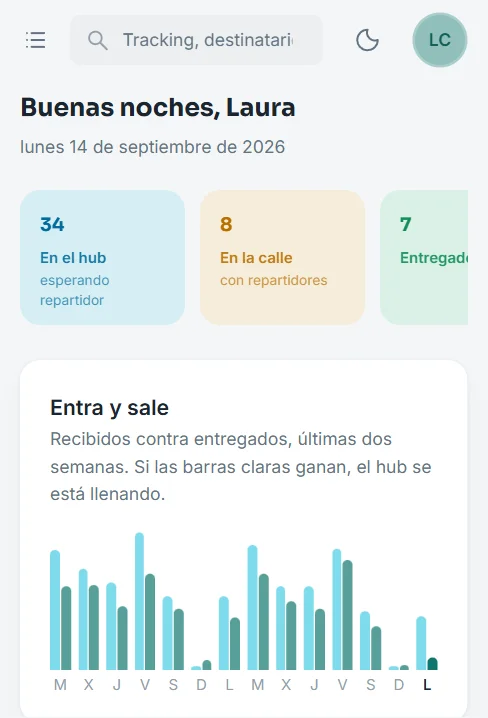
The same board on a phone
It installs on the phone as an app and opens from the home screen. The supervisor sees the day from the hub, from home or from the street, without opening a computer.
- The same figures, laid out for one hand
- Installs from the browser, no app store
- Each role sees only what it should
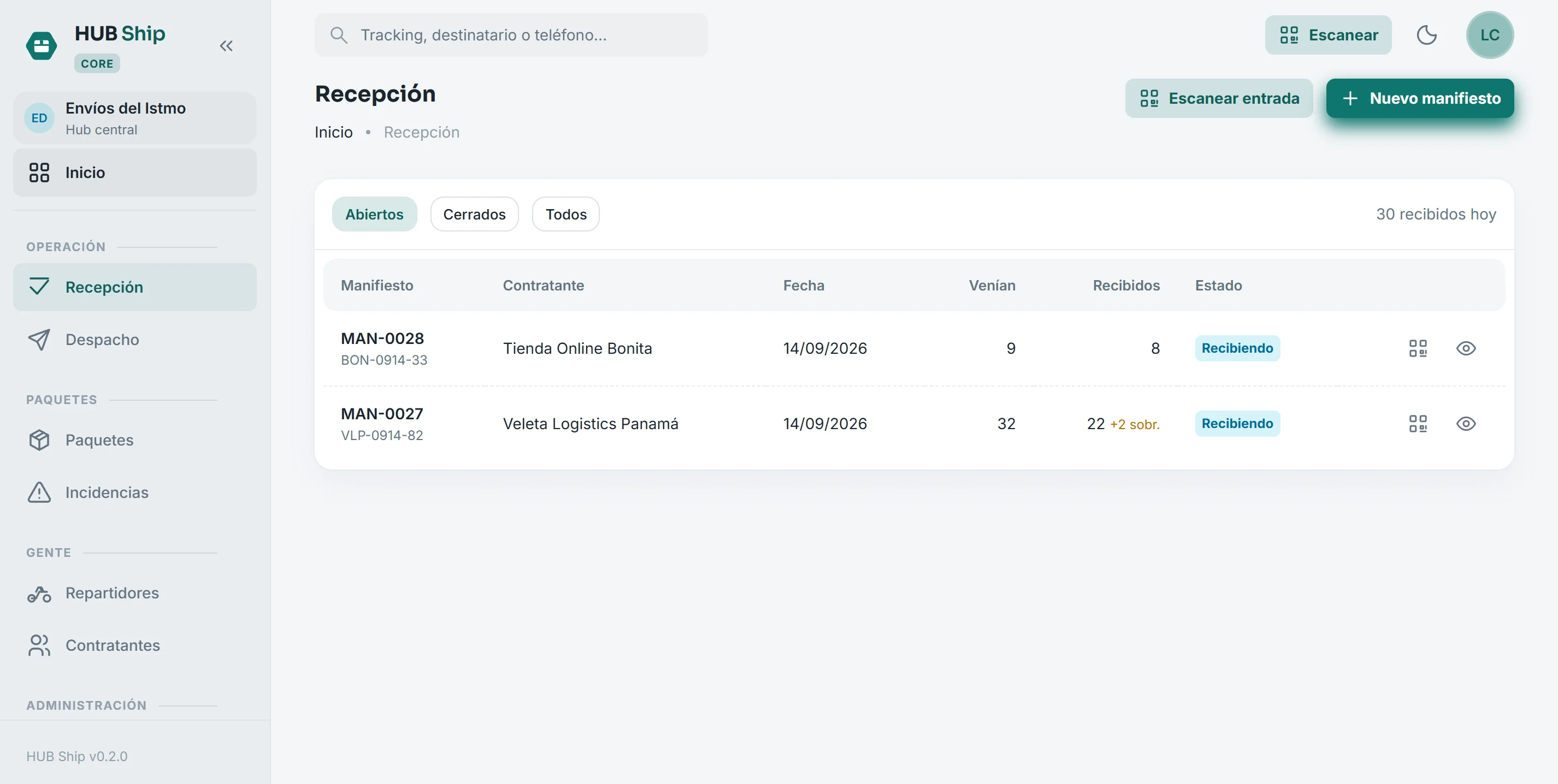
The load arriving today
The manifest is the list the client sends. Paste it from Excel or upload the CSV, and the day's parcels exist before the door opens.
- One line per parcel: tracking, recipient, phone, address, amount to collect
- Duplicate trackings are caught on load, not later
- The delivery zone is guessed from the address and corrected by hand
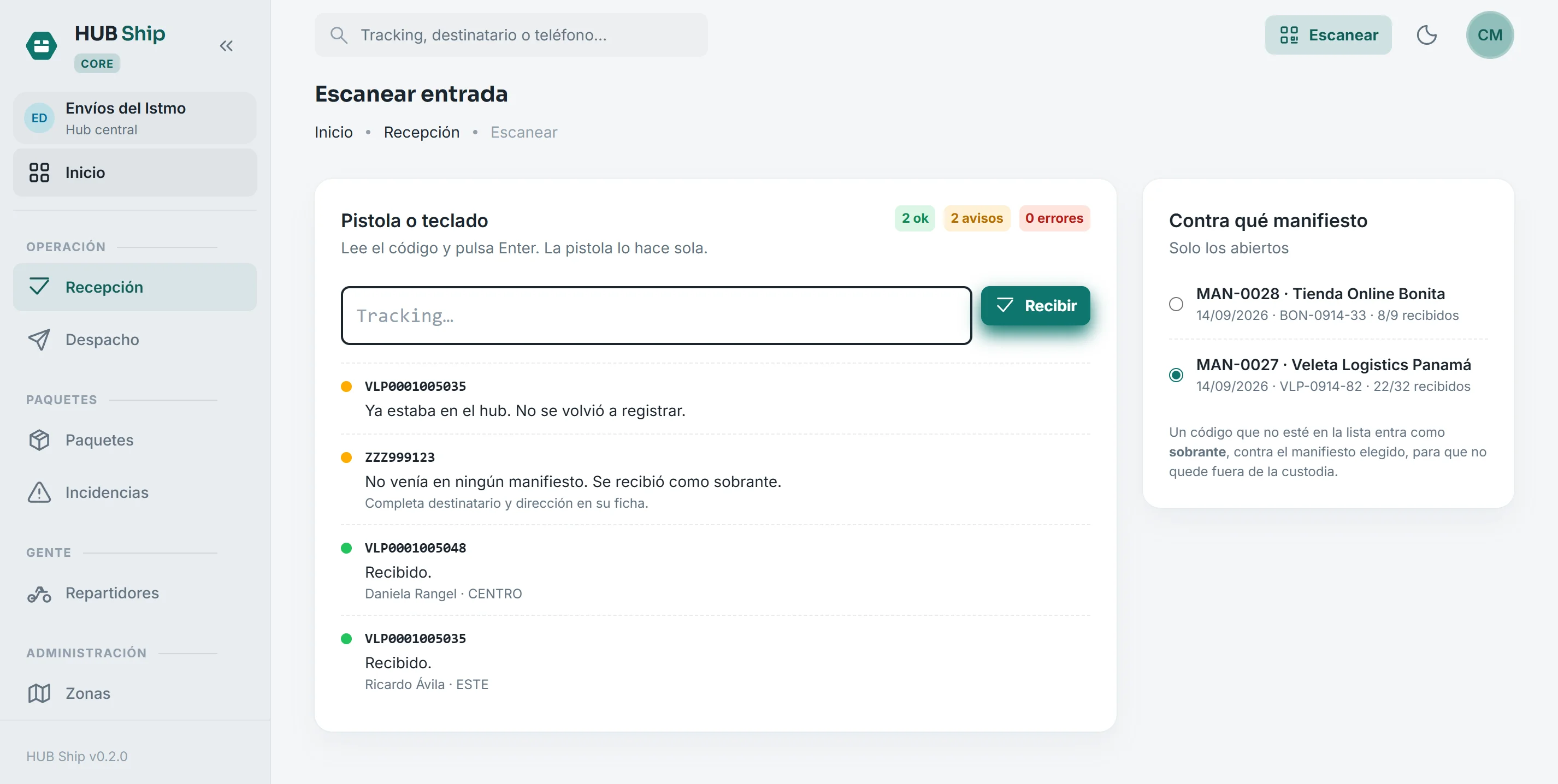
Scanning the load in
The scanner-gun screen. Every read answers instantly and in color: green received, amber something to look at, red could not.
- A code already scanned is not recorded twice
- A code on no list comes in as an overage instead of being left out
- A parcel from another manifest is received all the same, with a warning
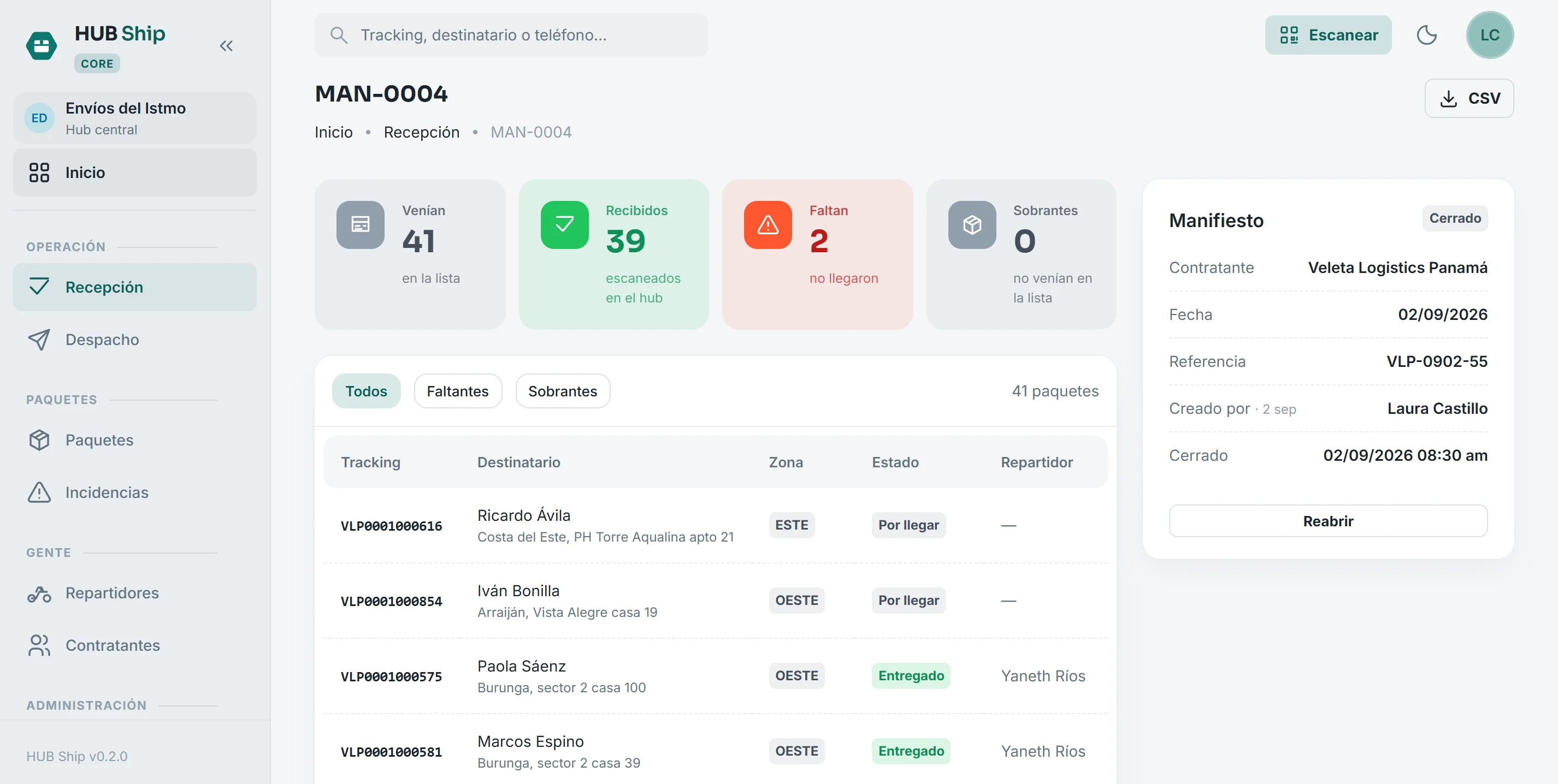
Closing the manifest is balancing the day
Closing means «that was everything that arrived». Whatever went unscanned is a shortage and gets reported the same day, not when the client complains three weeks later.
- Expected, received, missing and overages, in four figures
- Every shortage with its tracking and its recipient
- CSV export to answer the client in their own format
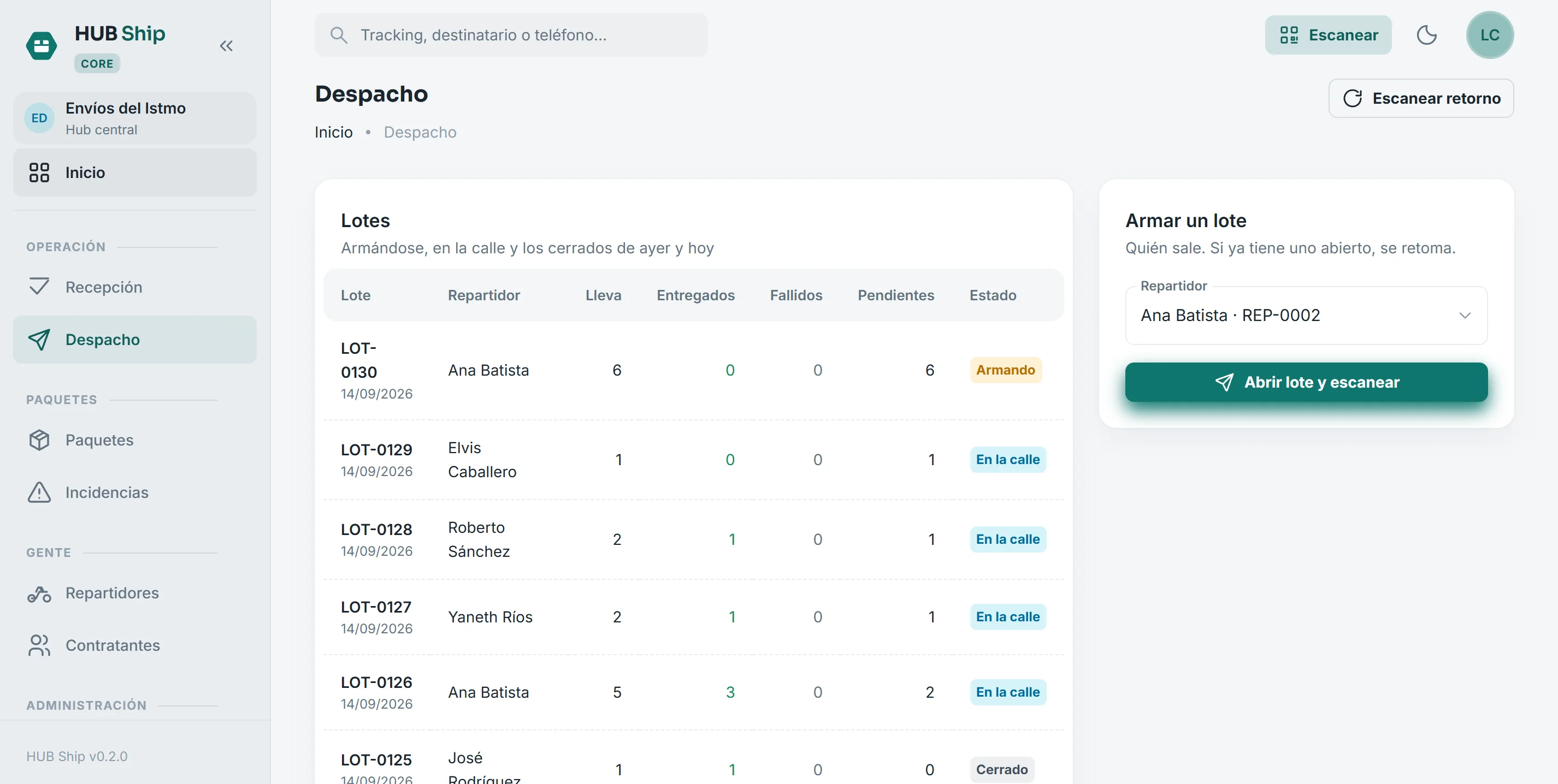
Dispatching by zone
What is in the hub, grouped by zone, and the day's runs. A run is what one driver takes out on one trip.
- Build it by scanning, or add a whole zone at once
- One driver, one open run: never two lists for the same person
- On dispatch, custody of those parcels passes to the driver
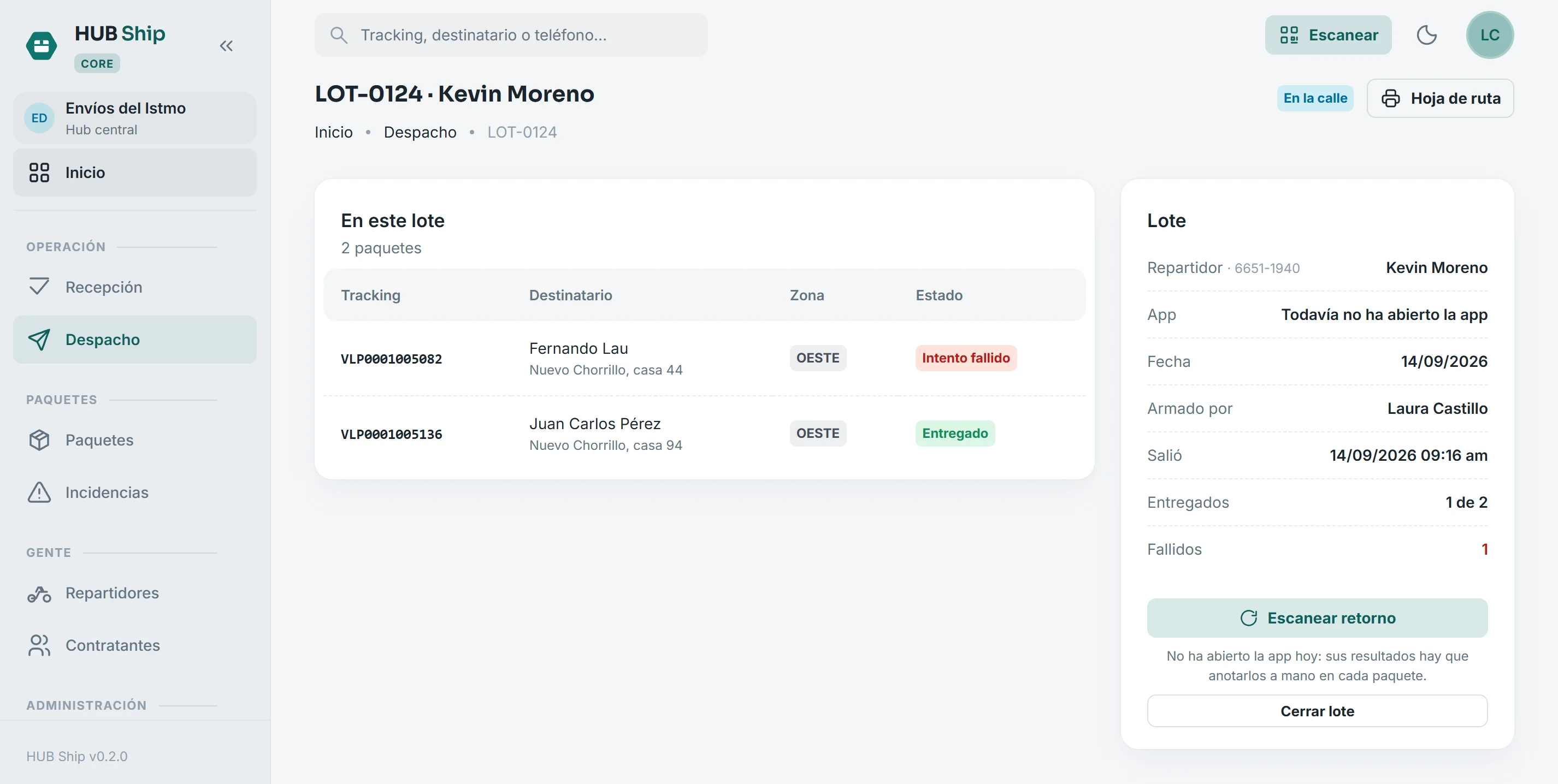
The run, while it is out
Everything the driver took on that trip, and how it is going without calling them.
- How many they carry, how much they collect on delivery and from which zones
- Delivered, failed and pending, live
- Closing the run balances what left against what came back
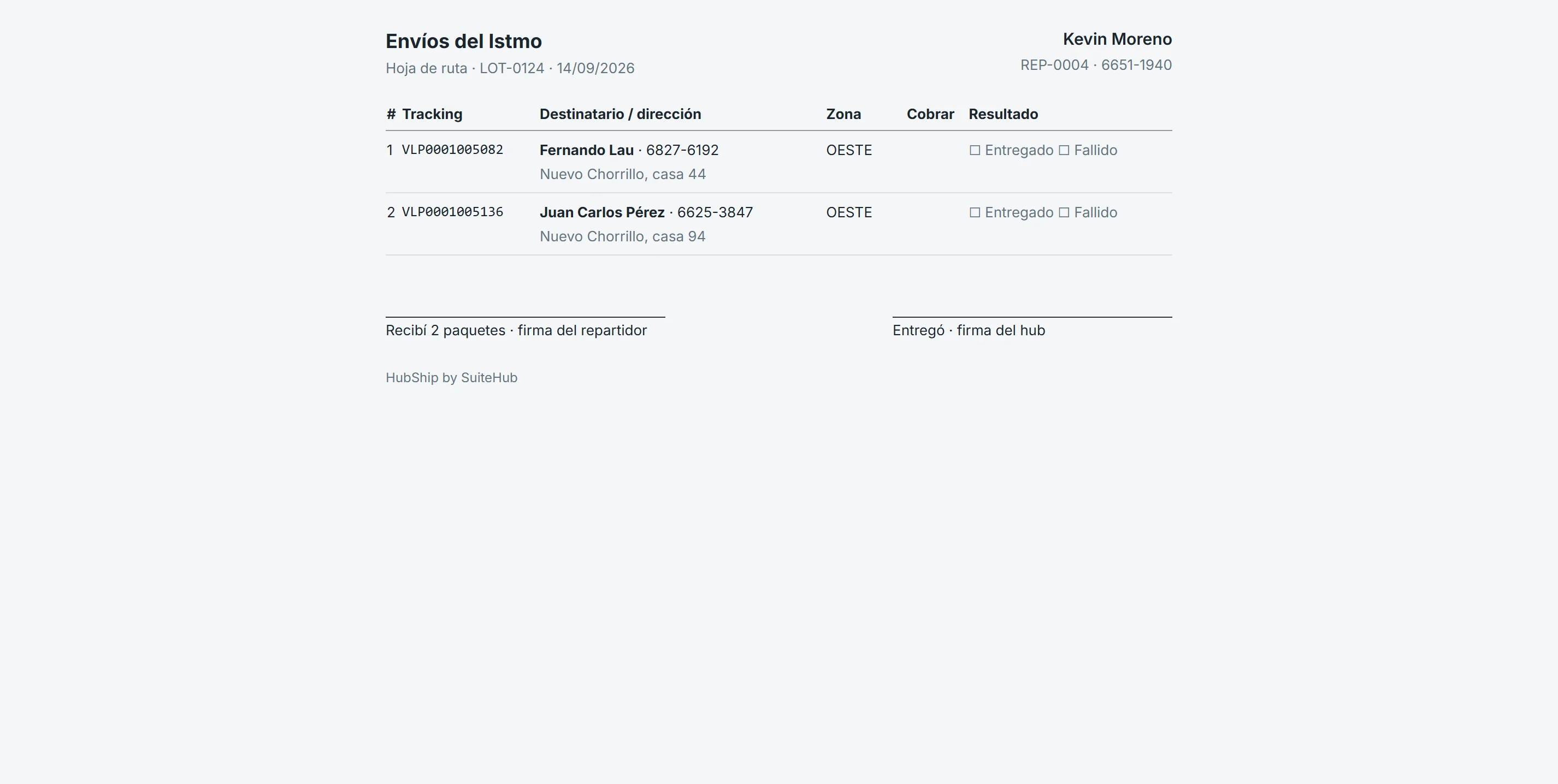
A route sheet that gets signed
The printable sheet with a result box and two signatures: the driver receiving and the hub handing over. A paper record of what they took, with or without the app on their phone.
- Prints as is, nothing to configure
- A paper record of the handover to the driver
- One line per parcel, with address and amount to collect
The day's route, on the driver's phone
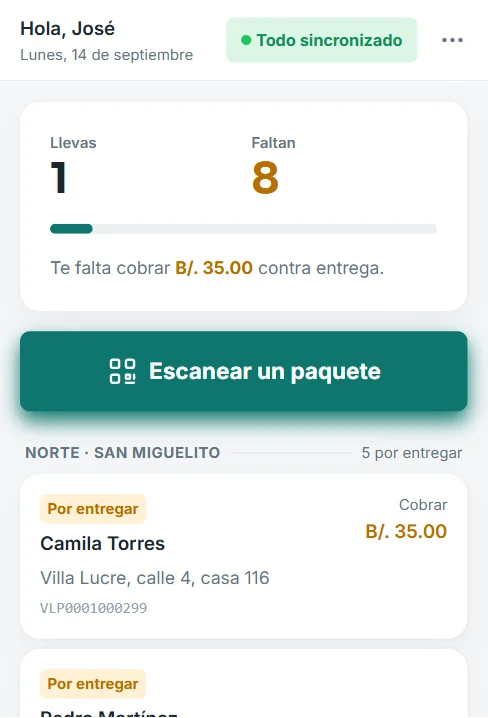
The driver signs in with the code or QR from their profile, no username or password. They see their stops grouped by zone, how many are done, how many are left and what they have to collect.
- Installs from the browser, no app store
- Call, WhatsApp, Waze or Google Maps in one tap from each stop
- Renew their code from the profile and a lost phone is locked out at once
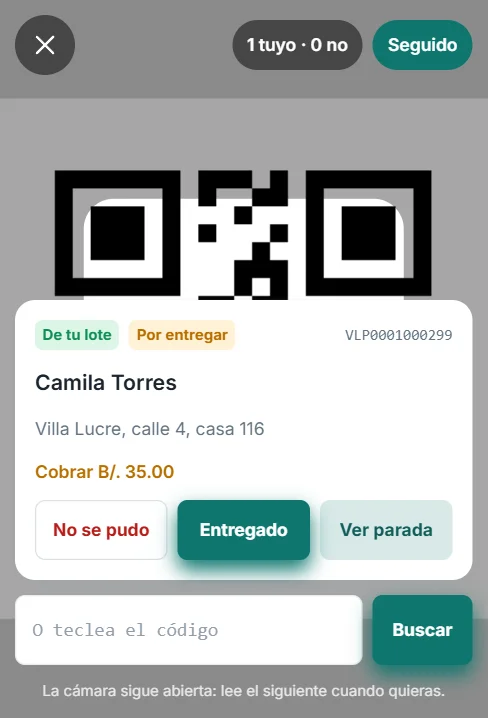
Scanning at the door
The phone camera reads the label and shows the stop below, with the result buttons. It stays open between reads, so it also works when the client requires scanning in their own app.
- Confirms with a vibration and a color, no dialogs to tap
- A code that is not in their run says so clearly
- If the label will not read, the code can be typed
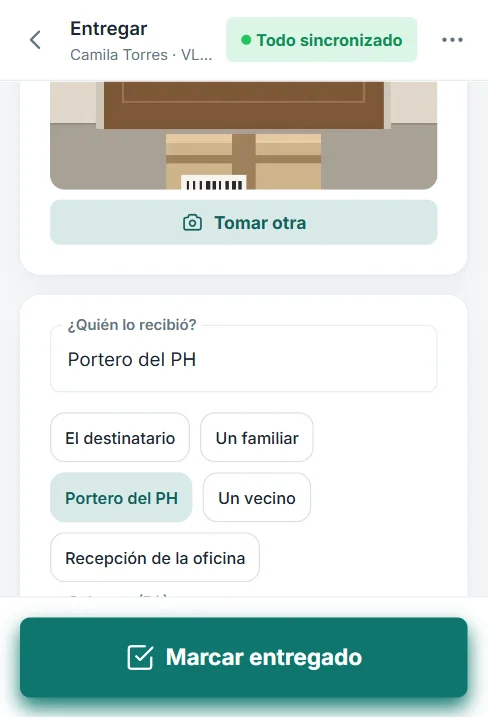
Delivery recorded where it happens
Photo, the name of whoever received it and what was collected, at the door. With the real time and the location of that moment, even without signal: the phone keeps it and sends it when the signal comes back.
- Works offline and reaches the hub exactly once
- Location is taken at delivery; the driver is never tracked
- If the hub moved the parcel meanwhile, the driver sees why it was not recorded
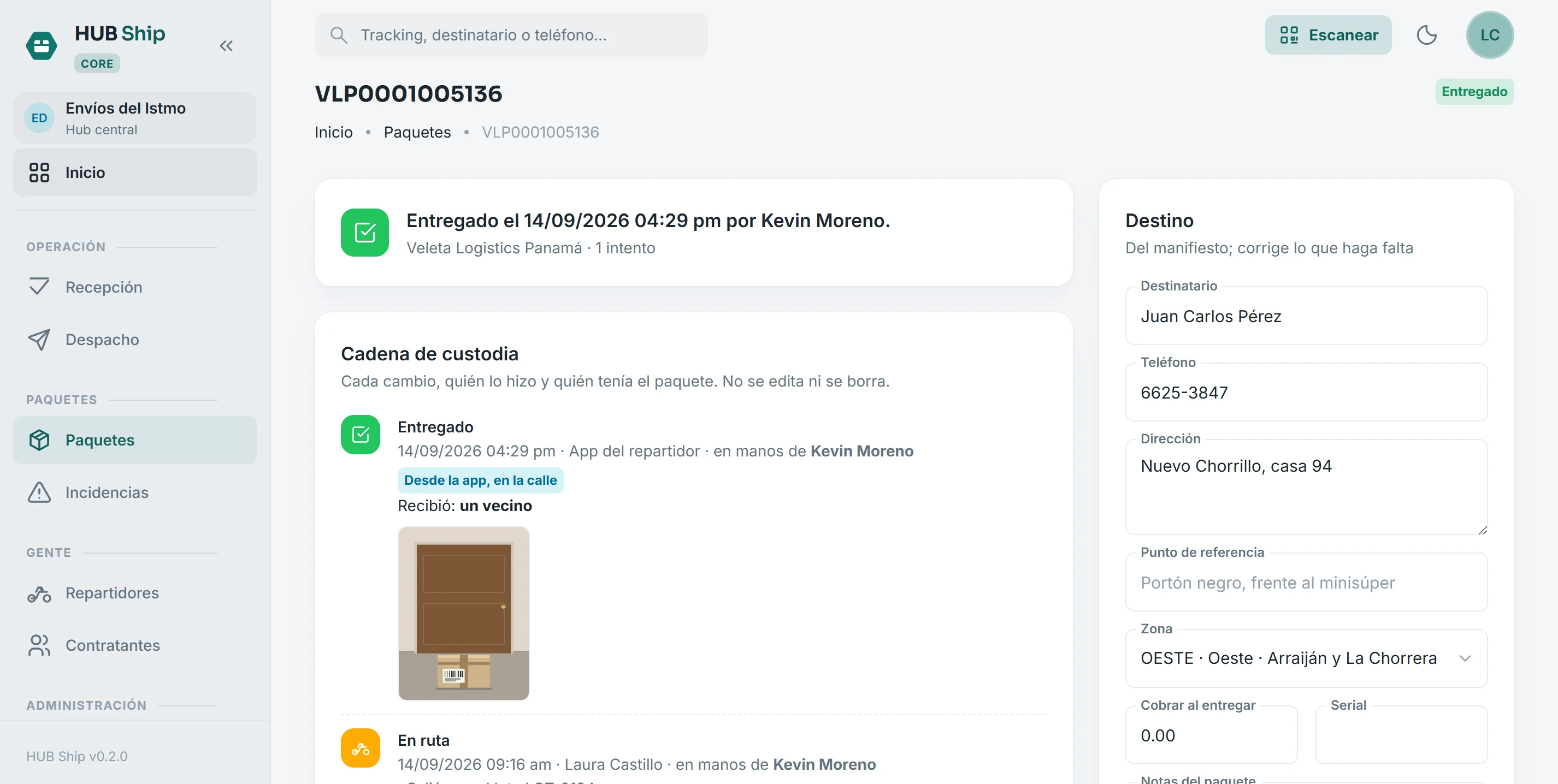
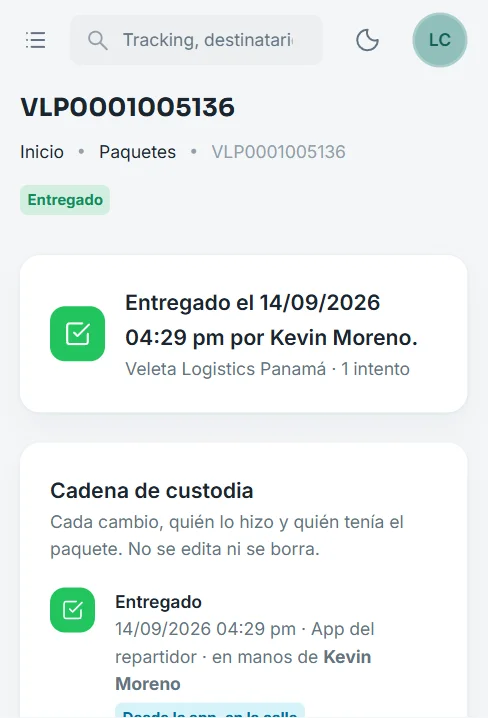
The parcel record
The full chain of custody: every state change, the time, who did it and who held the parcel at that moment. With the delivery photo and the name of whoever received it.
- A line at the top says where it is and since when, without reading the table
- Delivery is not recorded without evidence if the company requires it
- None of this history can be edited or deleted
Proof of delivery, wherever the question comes from
The client calls about a parcel and the answer is on the phone: the time, the name of whoever received it and the photo. The argument ends right there.
- The photo is served only with a session, never from a public link
- The parcel's whole history on one screen
- Only what is needed is kept, for only as long as it is needed
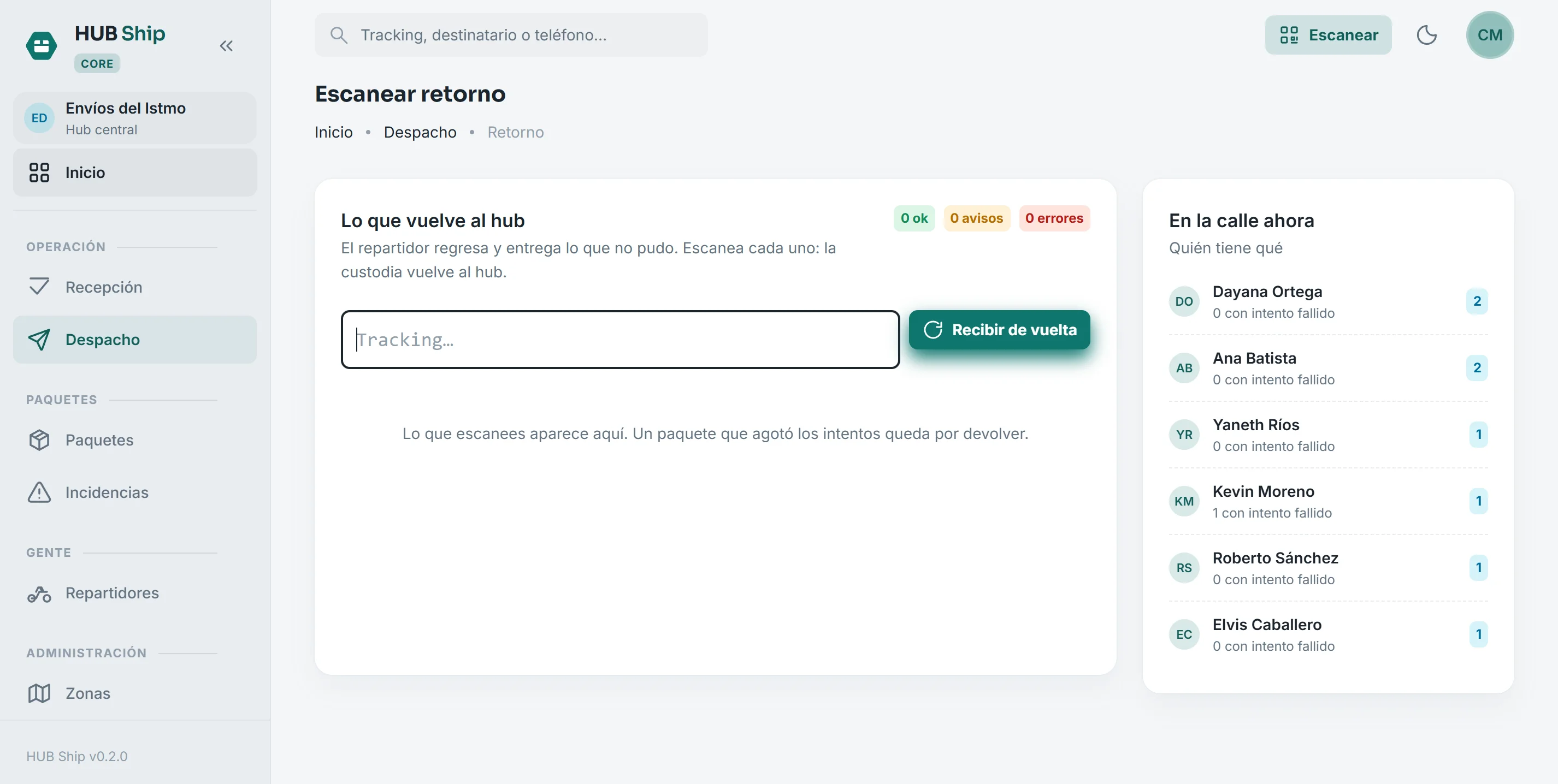
What comes back to the hub
The driver returns and whatever could not be delivered is scanned back in. Custody returns to the hub in the same act.
- A failed attempt carries a reason from a closed list, not free text
- Once attempts run out the parcel is marked for return, not lost in limbo
- Who holds what on the street, on the same screen
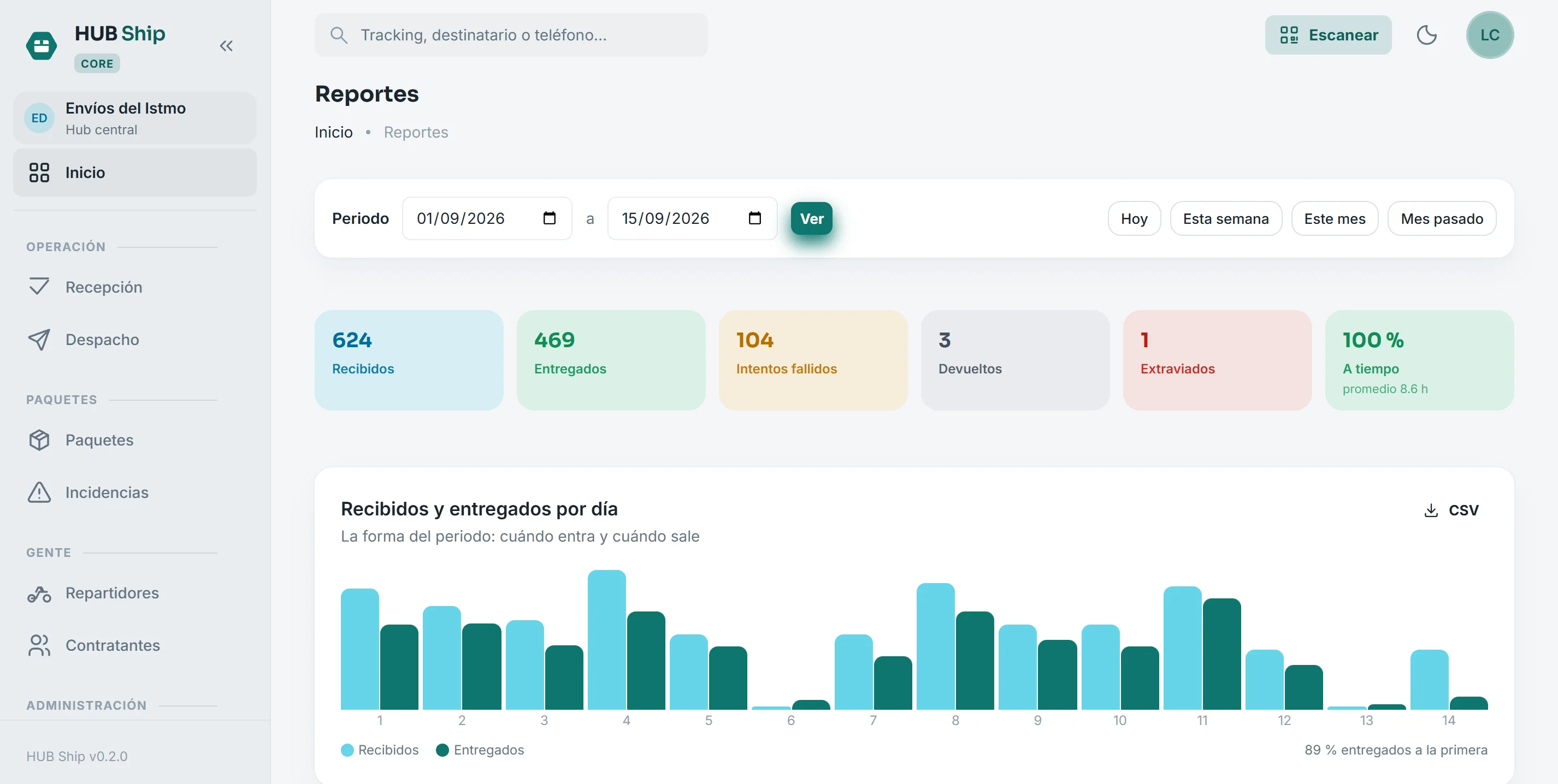
The numbers you show the owner
The whole period: received, delivered, failed and returned; service level against each client's commitment; and the breakdown by driver and by client.
- On-time and first-attempt delivery rates
- Per driver: how many delivered, their hit rate and what they get paid
- Per client: what gets invoiced, and why what is not delivered is not delivered
From the hub door to the recipient's door
Quoted per project based on your business and the modules you need.
- Invoicing included
- Technical support included
- All updates included
- No setup fee · cancel anytime