 Grocery and convenience stores · SuiteHub family
 The store stops living in the owner's head
One system with a touch POS, inventory with low-stock and expiry alerts, cash management, purchasing and reports. Built for US small business 🇺🇸
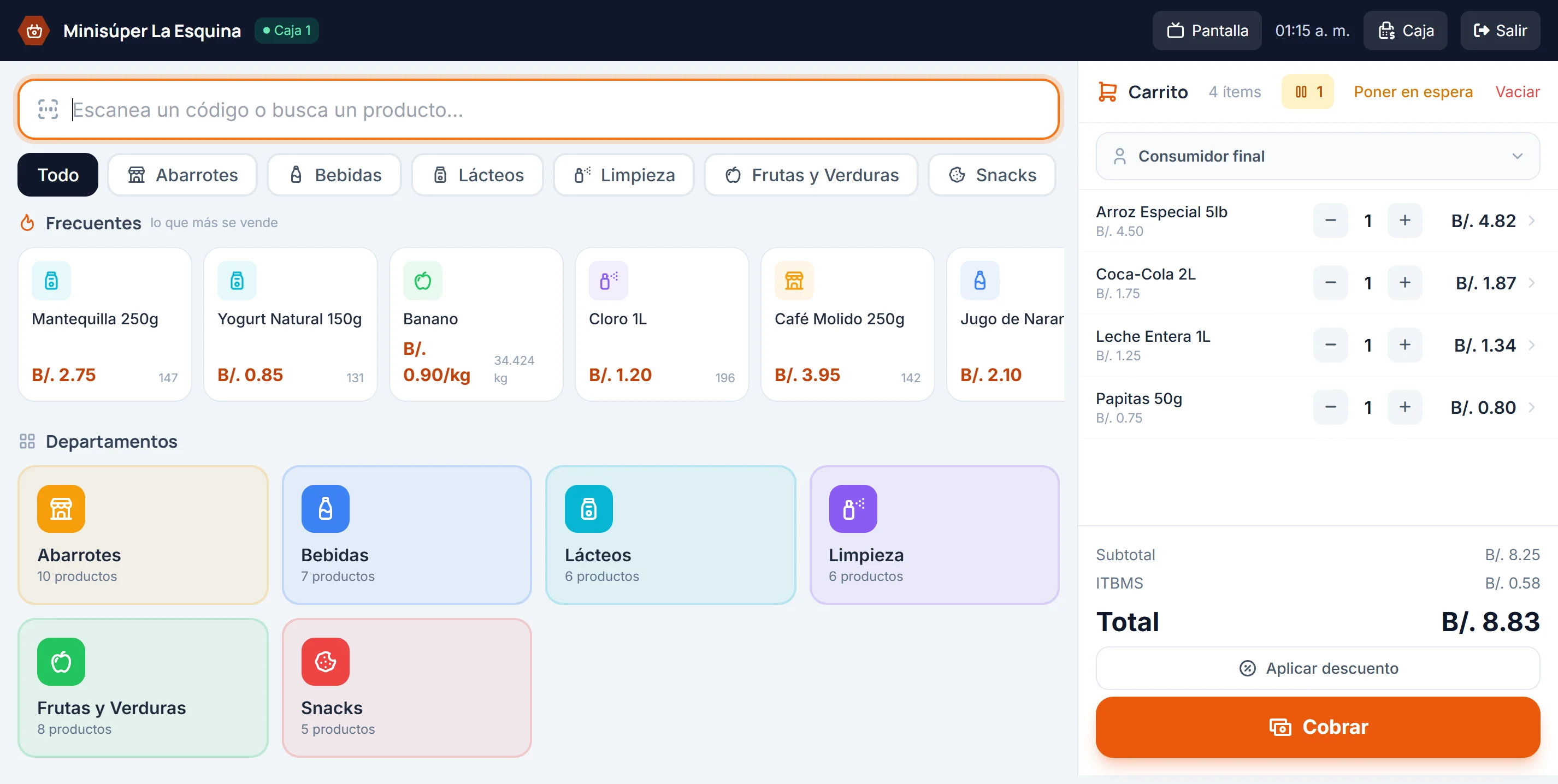
The register, where the day is won or lost
A touch screen built to charge fast: scan, tap a category or search by name. The cart works out tax, discount and change while the customer waits.
😩 Still keeping store credit in a notebook, pricing from memory and guessing what's left in the back room?
😎 Sell with a scanner and a scale, and control your inventory in real time
Ring up sales on the touch screen, get a heads-up when something runs low or is about to expire, and balance the drawer at the end of the day. You can also log purchases and pull reports. Built for US small business 🇺🇸
A day at the store, screen by screen
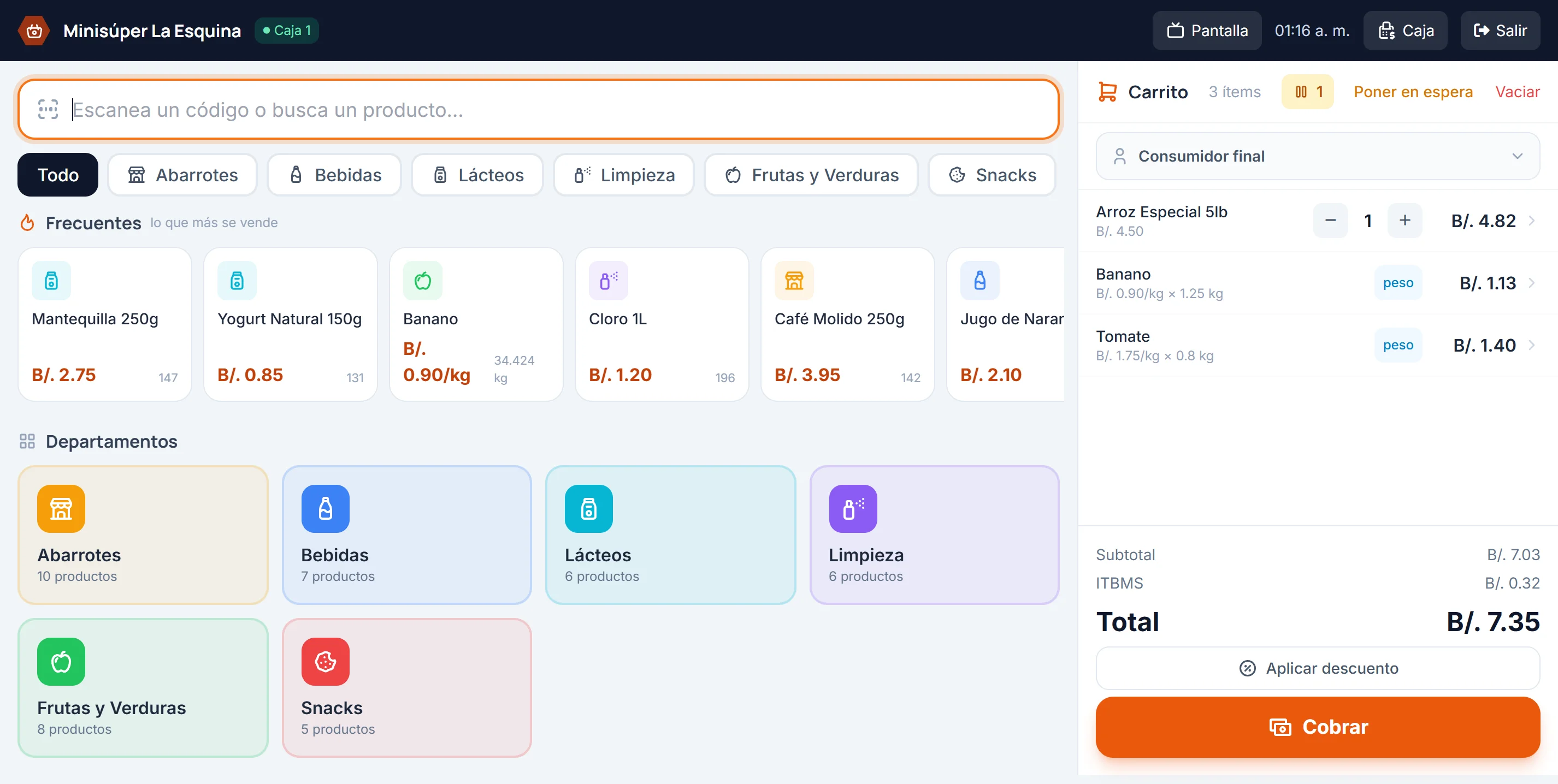
Sell by weight without reaching for a calculator
The scale prints its label and the reader reads it. The system pulls both the item and the weight out of that one barcode and charges it at the unit price on file.
- Reads the embedded-weight barcode your scale prints
- The format is set once, with a live tester
- Works the same for scales that embed the price instead of the weight
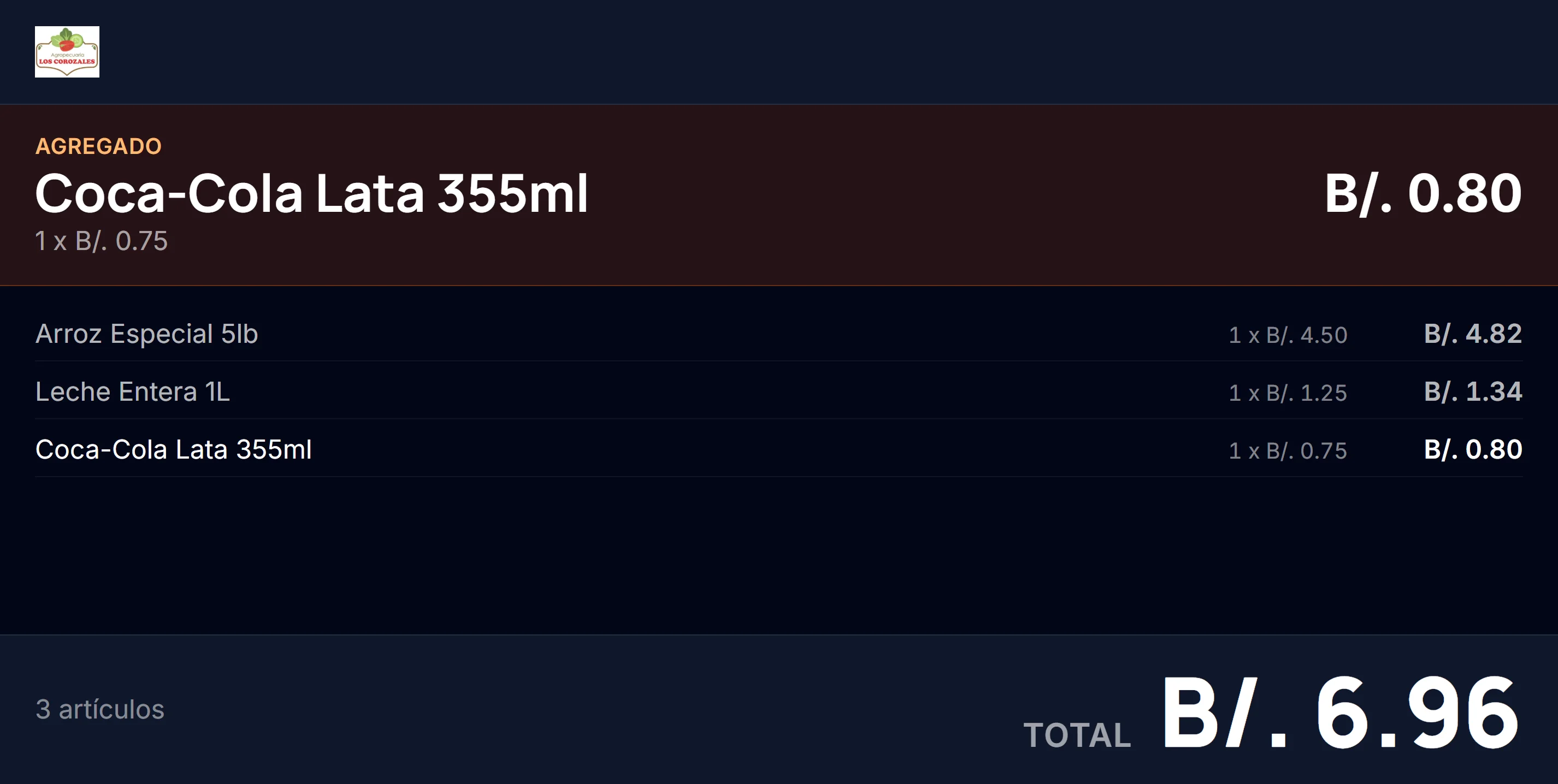
What the customer sees from the other side
A second monitor on the counter. The customer sees every item as it is rung up, with its price, and the total in large type at the end.
- Each item appears as it is scanned, with its unit price
- Total and item count, readable across the counter
- Between sales it can run your own images
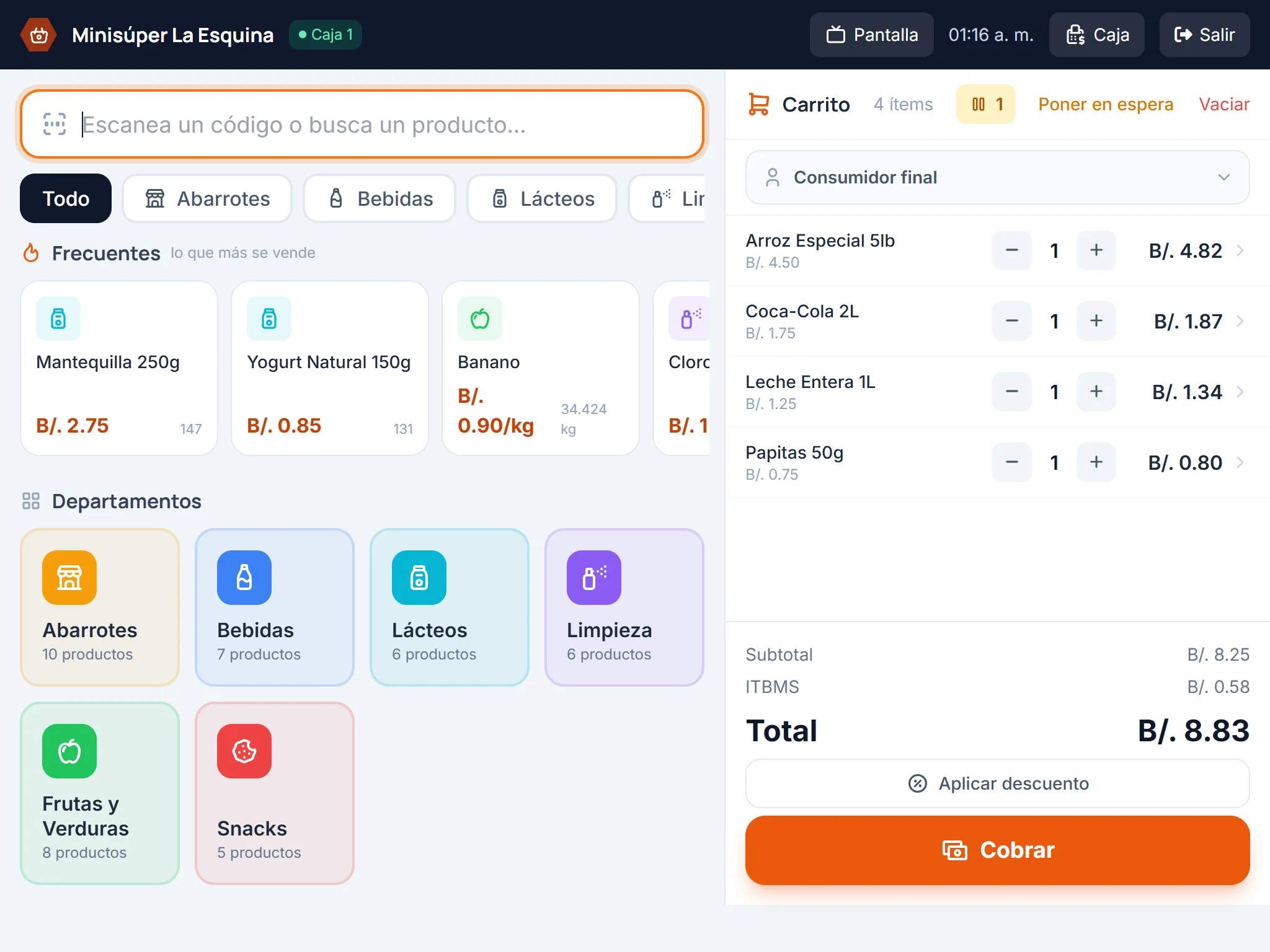
The same register on a tablet
No desktop computer required. The screen is built for fingers, so a tablet with a reader is a complete register.
- Large targets, made to tap rather than to aim at
- Works as an extra register at rush hour, or as inventory on the move
- Every register sees the same stock and the same catalog
Your day, without opening a report
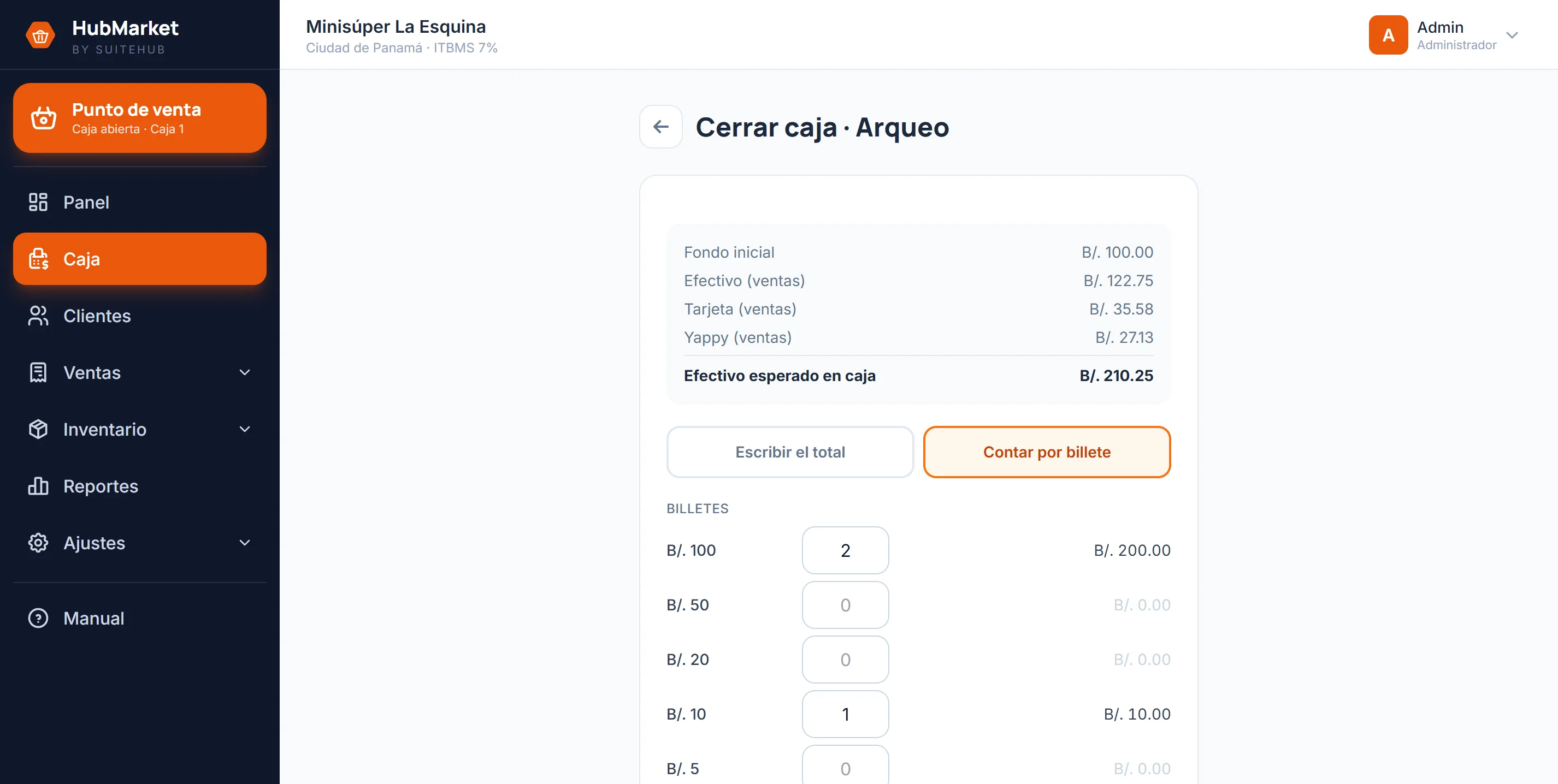
Today's sales, profit, what is selling and what is about to run out. Every figure links to the screen where it gets solved.
- Sales and margin for the day, not just the gross
- Items below minimum and lots about to expire, right at the top
- What customers owe you, with the overdue part separated
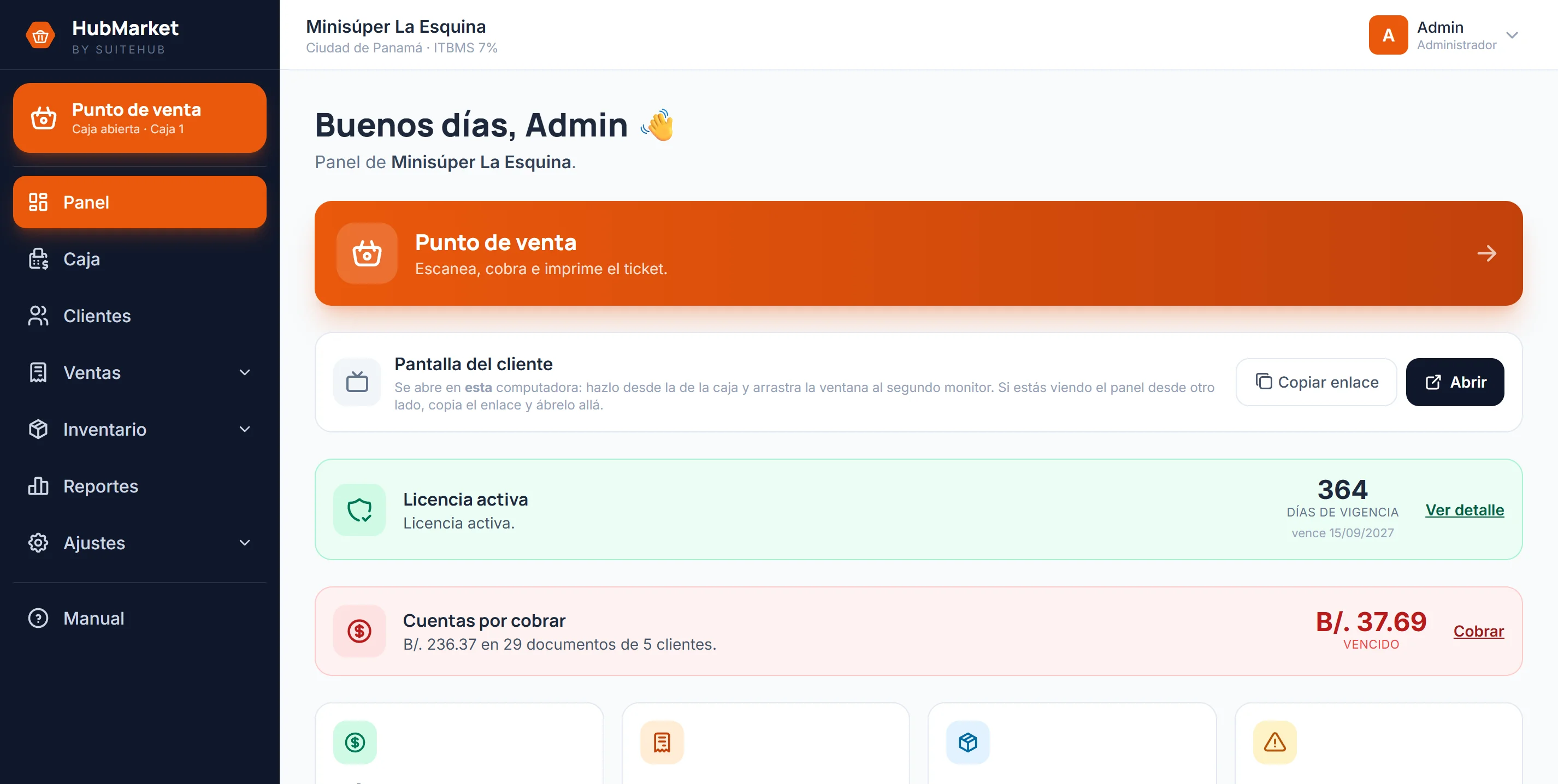
Inventory you don't reconcile by hand
Live stock with each item's minimum and its expiring lots. Stock goes down on a sale and up on a purchase; nobody types the adjustment.
- An alert when an item drops below the minimum you set
- Expiry by lot with FEFO picking: what expires first goes out first
- Bulk count, upload and download for the physical inventory
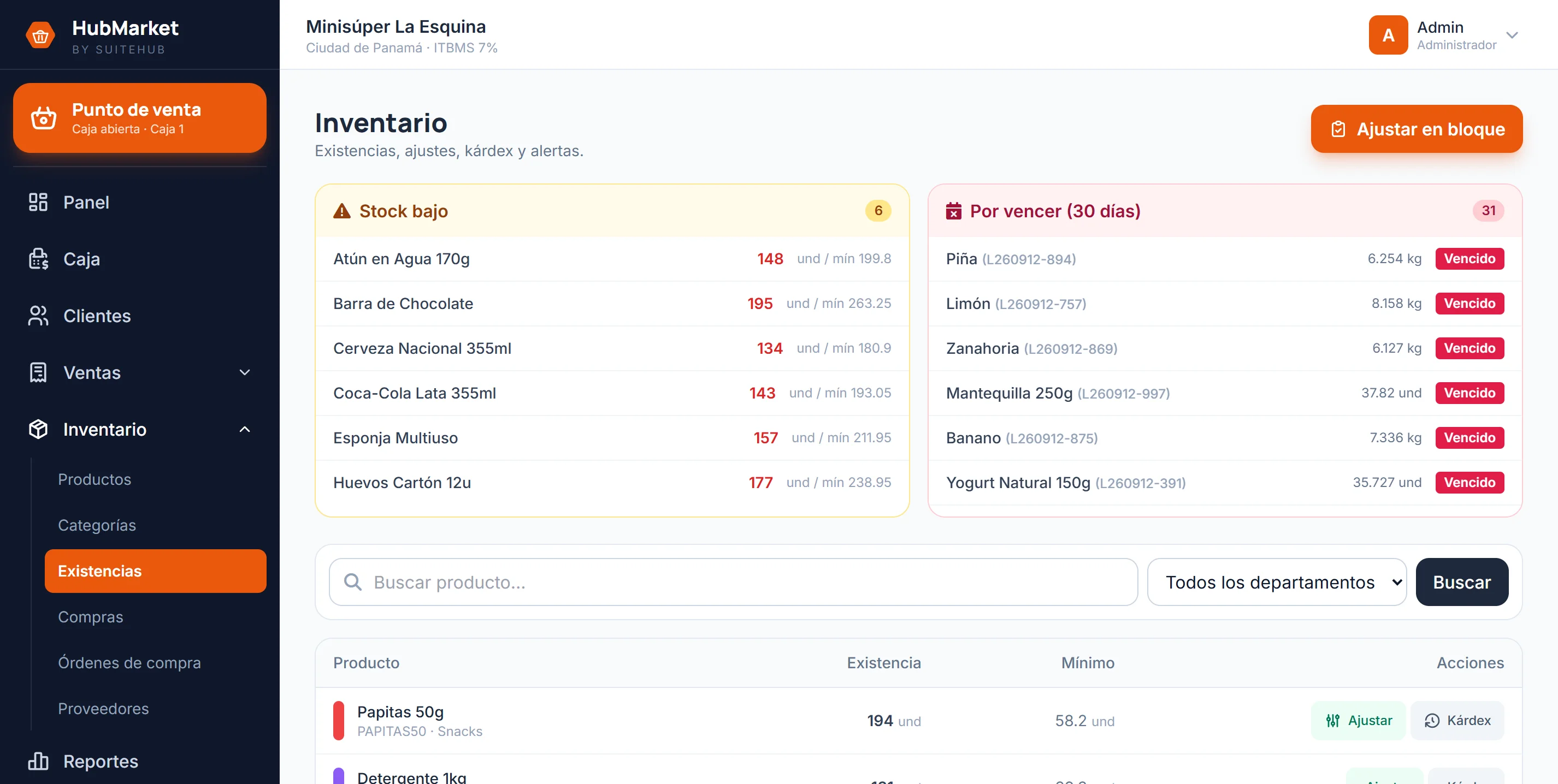
Where every unit went
An item's ledger: every receipt, every issue, every adjustment, with its date, its document and who did it. It is the answer to «it said there were ten».
- Purchases, sales, returns and adjustments on one timeline
- Every movement records the balance it left behind
- It cannot be edited or deleted
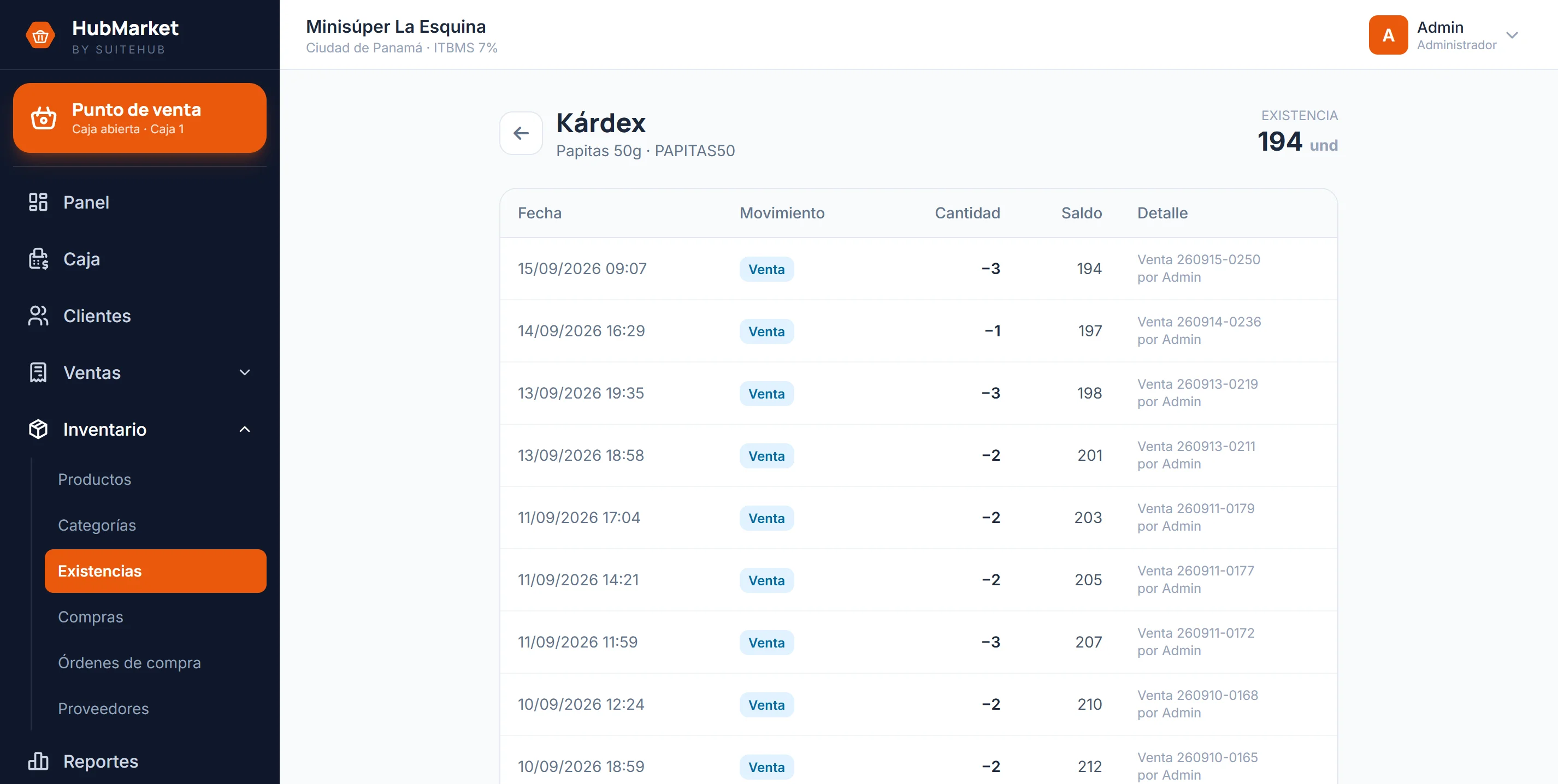
Close the drawer and have it balance
The count is done note by note and coin by coin, not by typing a total. The system says what should be there, you say what is there, and the difference is recorded with a name and a time.
- The expected figure breaks down: float, cash, card, wallet and credit
- Counting by denomination, the total comes from the sum
- The shift summary emails itself to the owner
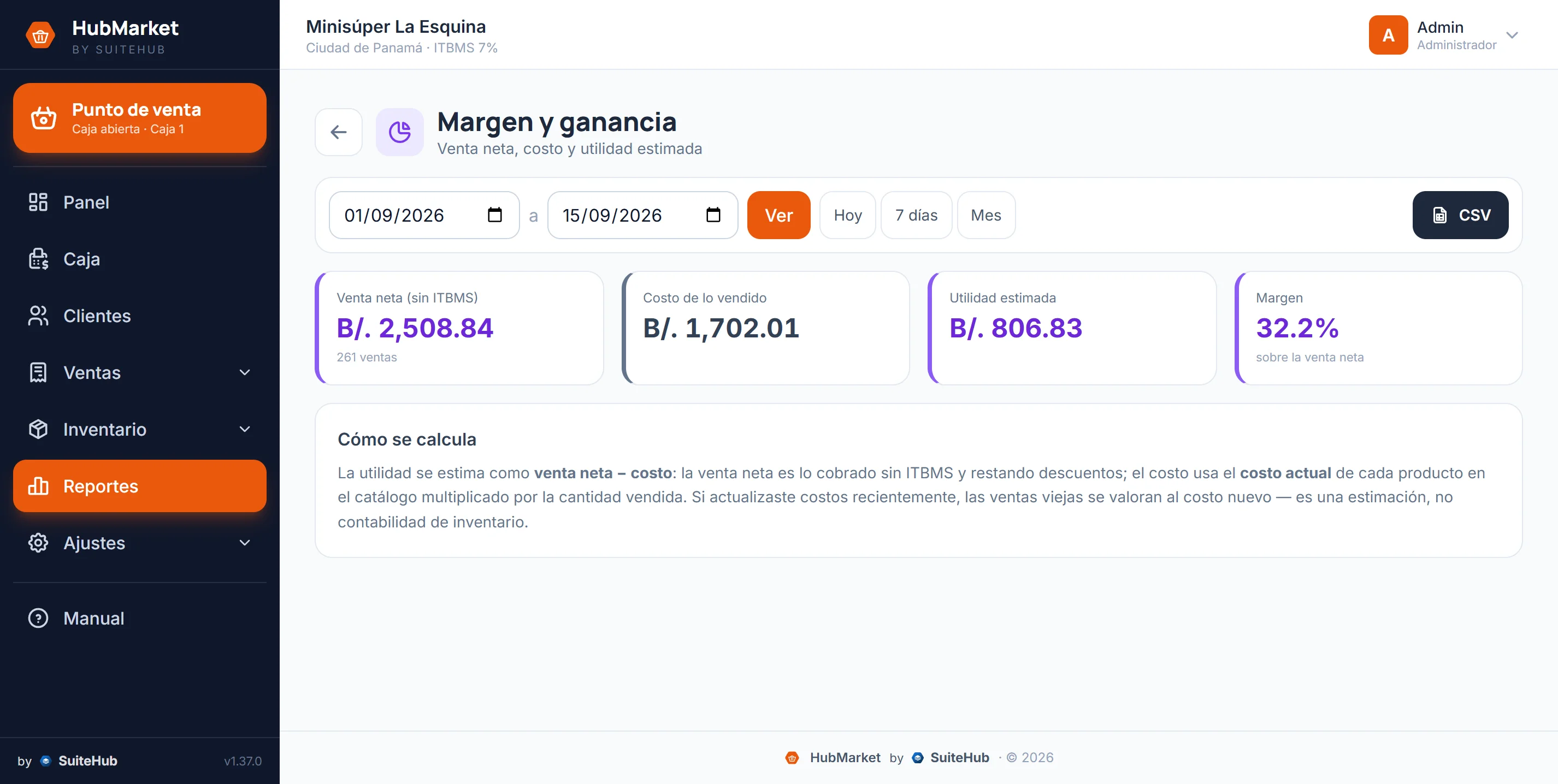
The goods coming in
You order from the supplier inside the system, with a PDF and an email, and when the goods arrive stock goes up and cost updates on its own.
- A purchase order with a PDF ready to send
- On receipt: stock rises, the lot is recorded and cost is recalculated
- Reorder suggestions based on what is actually selling
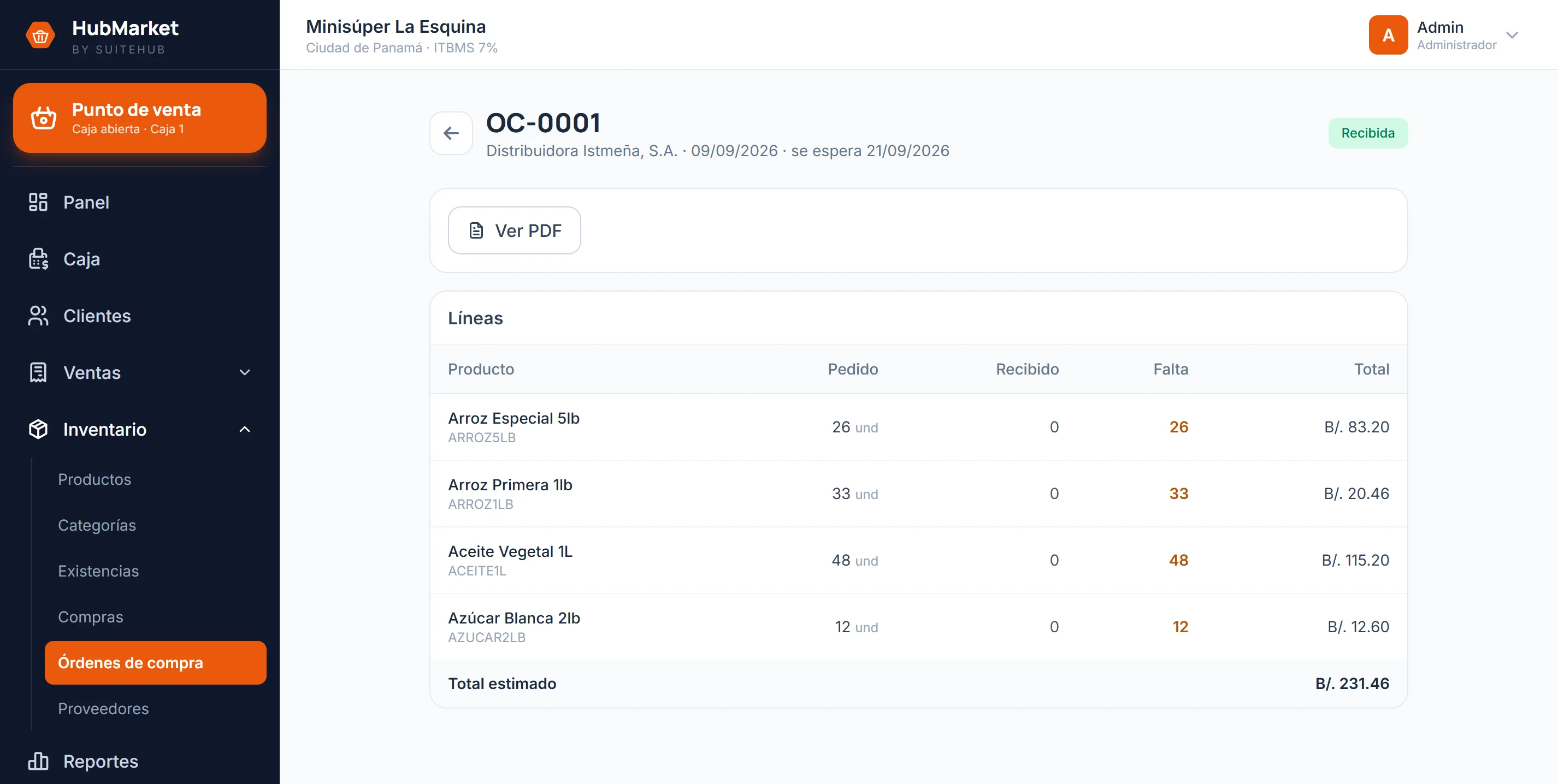
Store credit, with a name and a date
Credit is just another payment method, with a limit per customer. What is owed becomes a balance, not a line in a notebook.
- A credit limit per customer and a balance kept current
- Aging: what is coming due and what is already past due
- Partial payments and a printable statement
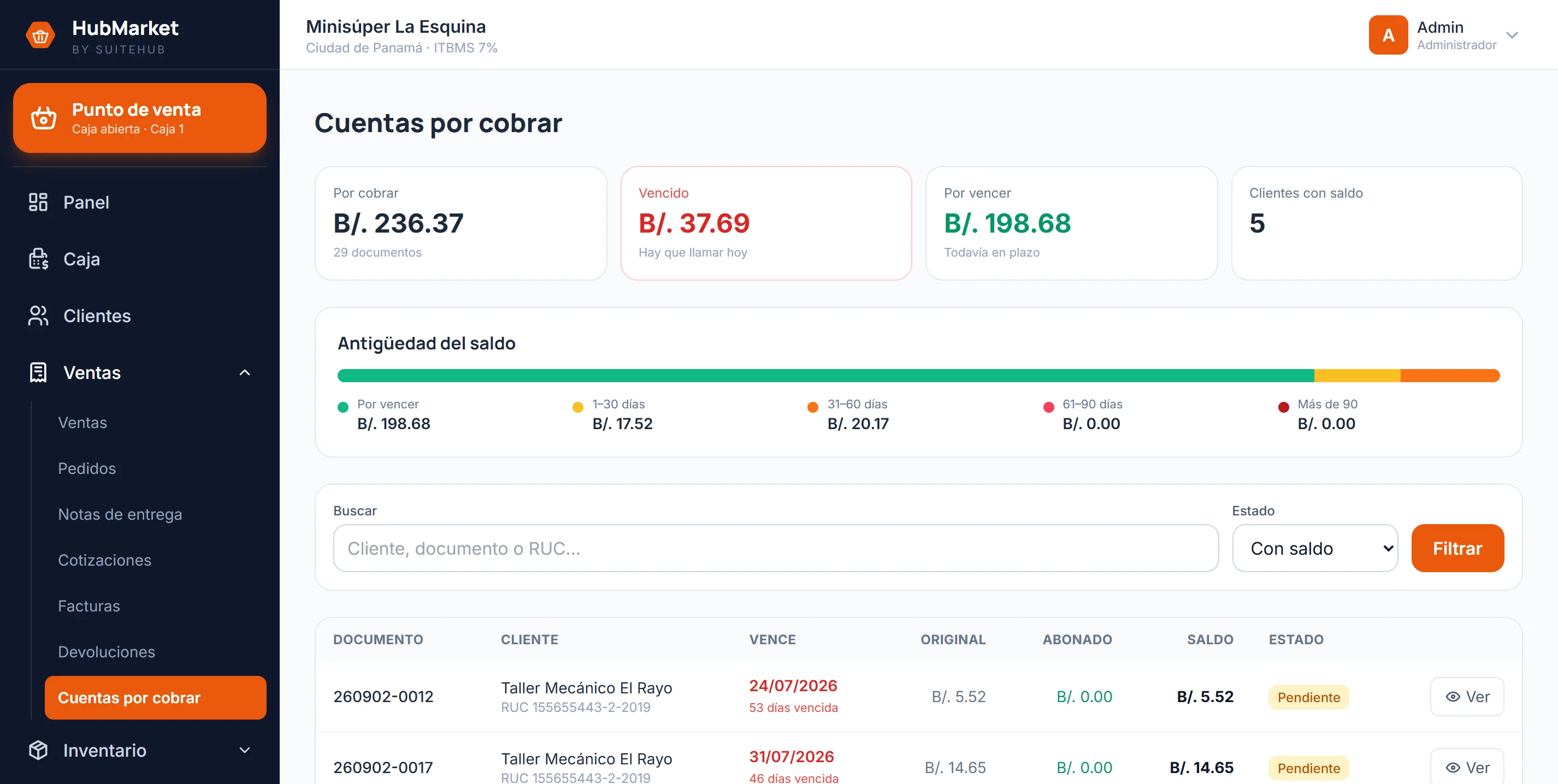
The invoice the tax authority asks for
The sale is issued as an electronic invoice and the receipt prints with its authorization code, its QR and the required wording. Any sale can be invoiced, walk-in customers included.
- An authorized code, with the QR generated on your own server
- Walk-in, registered customer, split payment, credit, exempt and sales by weight
- A record of what was issued, rejected and voided
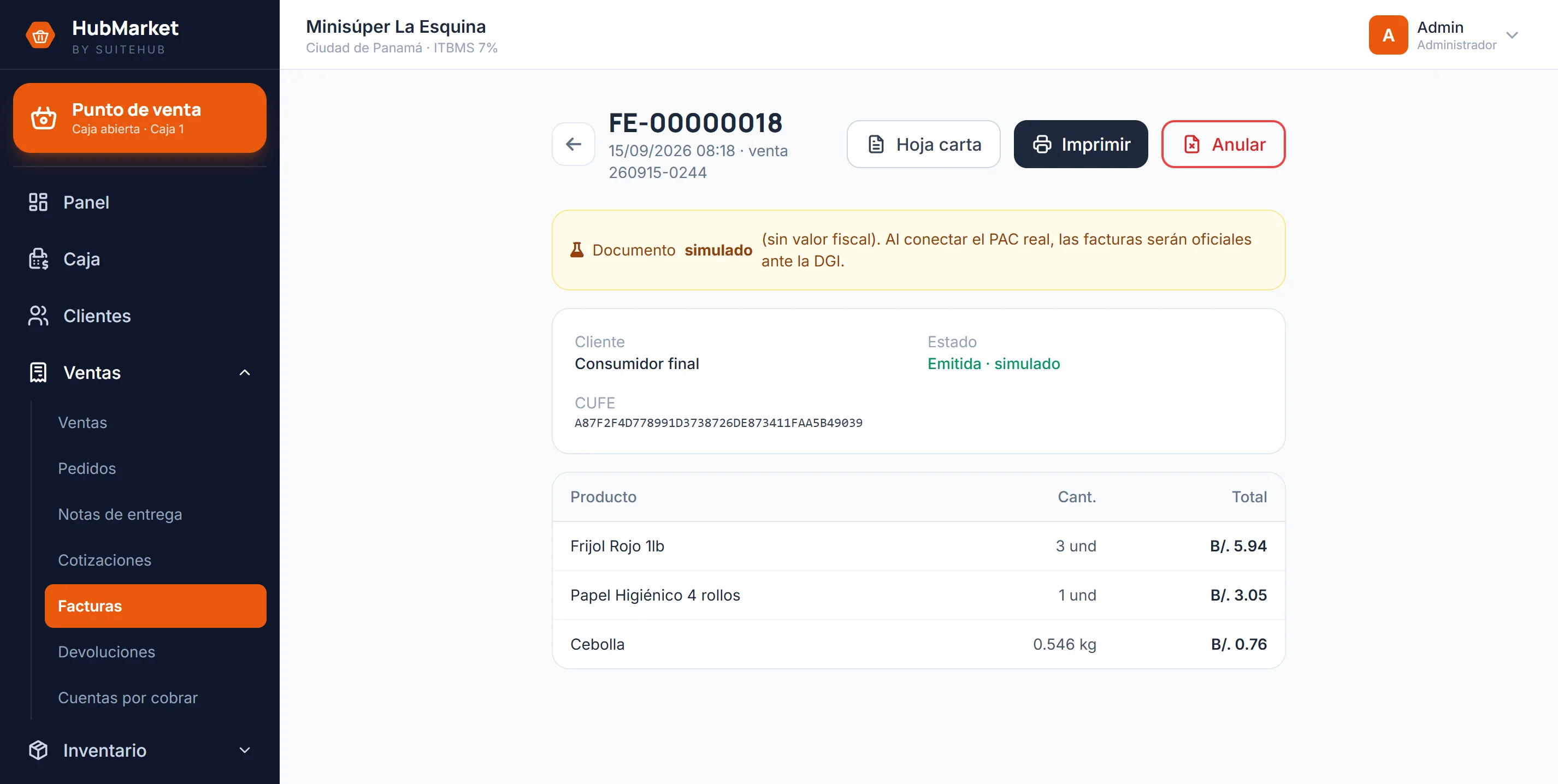
The numbers the owner decides on
Nine reports on the same thing: what sold, at what margin, by which method, by which cashier and on which day. All of them export to CSV.
- Real margin per item, not just the sale
- By payment method and by cashier, to balance the shift
- Any date range, and an export for the accountant
From the supplier's door to the customer's bag
Two modules you can switch on separately
The system runs complete without them. Turn them on the day you need them, without touching what is already recorded.
What the register needs
Nothing exotic and nothing tied to a brand: what any equipment shop already carries.
- The reader behaves like a keyboard: plug it in and go
- The scale never talks to the system — it prints a label and the reader reads it
- The thermal printer works at 80 mm or 58 mm
That is why the scale you already own works: the system reads its label, it does not talk to the device.
Quoted per project based on your business and the modules you need.
- Barcode scanner and scale ready
- Inventory with low-stock & expiry alerts
- Automatic sales tax & receipts
- Multiple registers on your local network
- Works offline · your data is yours
- Local support · cancel anytime